• Skip to main content
  • Skip to primary sidebar
  • Skip to footer

bVisual

  • Home
  • Services
    • How Visio smartness can help your business
    • Visio visual in Power BI
    • Visio Consulting Services
    • Visio Bureau Services
    • Visio Training and Support Services
  • Products
    • Visio Shape Report Converter
    • SS Plus
    • LayerManager
    • visViewer
    • Metro Icons
    • Rules Tools for Visio
    • The Visio 2010 Sessions App
    • Multi-Language Text for Visio
    • Document Imager for Visio
    • multiSelect for Visio
    • pdSelect for Visio
  • Case Studies
    • Case studies overview
    • Using Visio in Education for GIS
    • Visualizing Construction Project Schedules
    • Visio Online Business Process Mapping
    • Nexans Visio Template
    • CNEE Projects, WorldCom
    • Chase Manhattan Bank
  • News
    • Recent news
    • News archive
  • Resources
    • Articles➡
      • ShapeSheet Functions A-Z
      • Comparing Visio for the Web and Desktop
      • Customising Visio Shapes for the Web App
      • Key differences between the Visio desktop and web apps
      • Using the Visio Data Visualizer in Excel
      • Using Visio in Teams
      • Creating Visio Tabs and Apps for Teams with SharePoint Framework (SPFx)
      • Designing Power Automate Flows with Microsoft Visio
      • Innovative uses of Visio Lists
    • Webcasts ➡
      • Visio in Organizations
      • My session and other Visio sessions at MSIgnite 2019
      • Power up your Visio diagrams
      • Vision up your Visio diagrams
      • The Visio 2010 MVP Sessions
    • Visio Web Learning Resources
    • Books➡
      • Visualize Complex Processes with Microsoft Visio
      • Mastering Data Visualization with Microsoft Visio
      • Microsoft Visio Business Process Diagramming and Validation
      • Visualizing Information with Microsoft Visio
  • Blog
    • Browse blog articles
    • Visio Power BI articles
    • Visio for Web articles
    • A history of messaging and encryption
  • About us
    • About bVisual
    • Testimonials
    • Bio of David Parker
    • Contact Us
    • Website Privacy Policy
    • Website terms and conditions
    • Ariba Network

Shape Design

Published on August 18, 2016 by David Parker

Microsoft inviting beta testers for Visio on iPad Preview

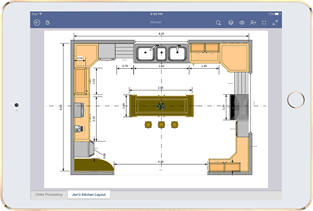
Well the secret is out … Microsoft are looking for beta testers for the initial release of Visio on iPad. Note, that this is view only, but it should offer a more faithful graphical representation than any third-party product. Plus, it has layer control!

Microsoft asks Insiders to comment in particular on the following iPad-specific features:

Visio on iPad Preview
[Read more…] about Microsoft inviting beta testers for Visio on iPad Preview

Filed Under: Layers, Visio Tagged With: iOS, iPad

Published on August 9, 2016 by David Parker

Understanding Visio Connections

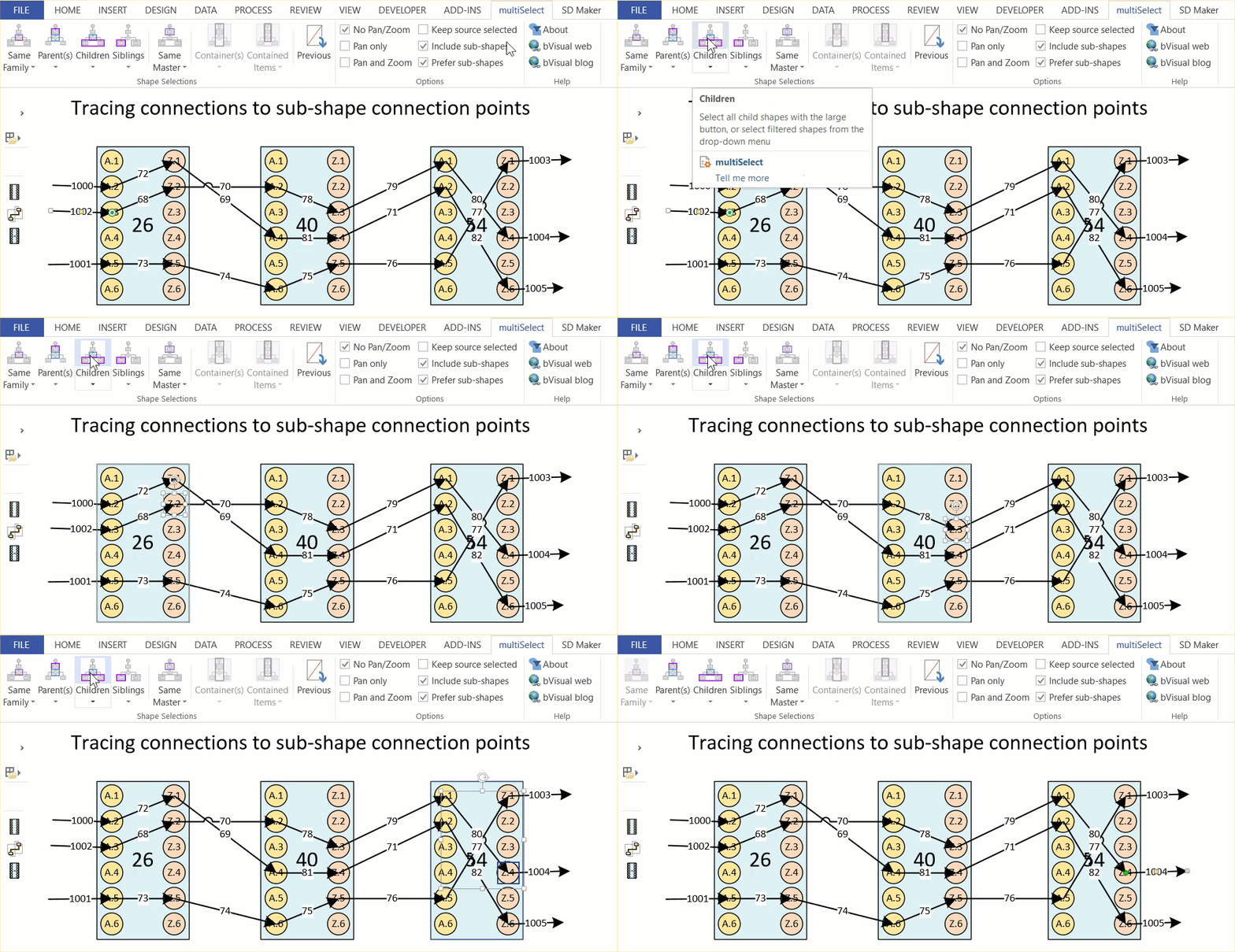
A reader recently asked if I could explain how to programmatically get the shapes connected to a shape in Visio. So, I thought I would have a go, because there are alternatives, depending upon which functions are used, and what parameters are passed to them. The following animated gif is rotating around the different types of selections that can be made from the lower Decision shape. Normally, two 2D shapes are connected together using a 1D shape. The 1D shape has a direction because it starts from “BeginX” and finishes at “EndX”. This is irrespective of an arrowheads that the user may have chosen to adorn the 1D connector with at either end.

multiSelect Children and Parents

[Read more…] about Understanding Visio Connections

Filed Under: C#, Connections, Connectors, Visio Tagged With: Connections

Published on August 1, 2016 by David Parker

Understanding Visio 2013/2016 Themes

Although Microsoft Visio shares the basic theme structure with Microsoft Office, it had to be extended to suit the extra complexity required. Theming not only affects the color, but also the fonts, connectors and effects. The animated gif below flashes through all of the themes and variants available in the Visio 2013/2016 interface. These are not the only themes built-in because there are still some deprecated ones, and some legacy Visio themes.

Visio 2016 Themes

[Read more…] about Understanding Visio 2013/2016 Themes

Filed Under: Themes, Visio, Visio 2016 Tagged With: Styles, Themes

Published on June 10, 2016 by David Parker

Protecting Shapes from Themes in Visio 2013+

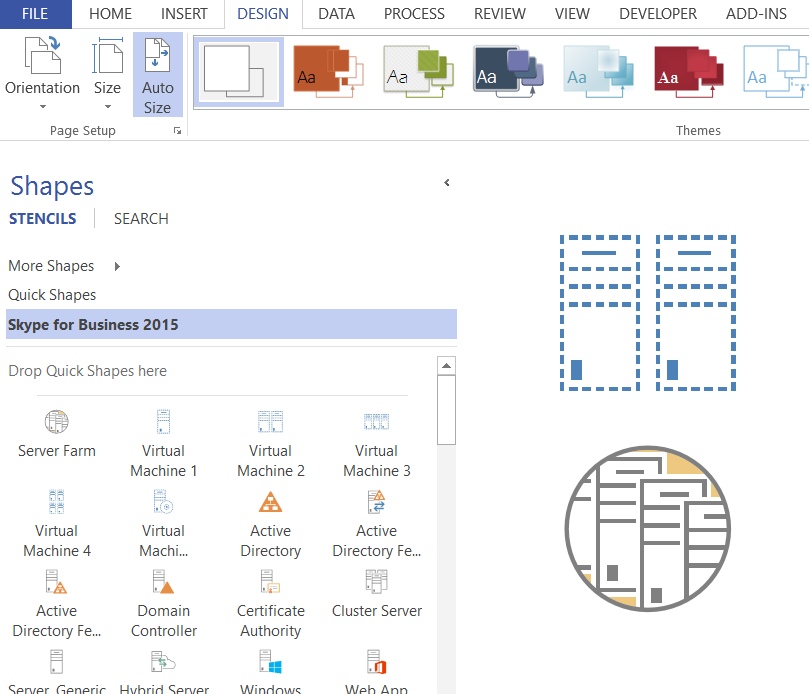
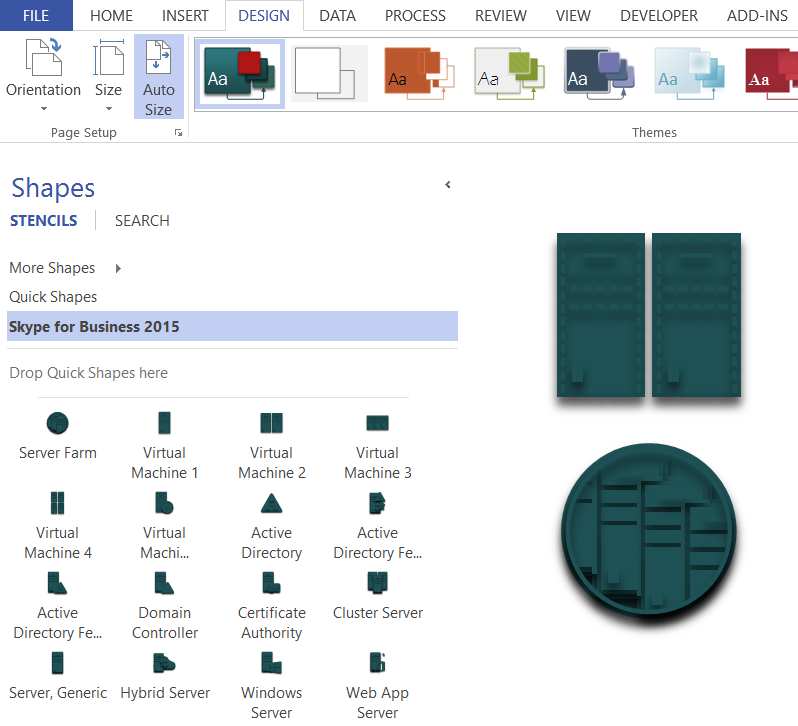
There is a vast community of Visio users out there, and some clever people produce stencils for others to use. These are a tremendous resource for other Visio users, especially if they are free. One such stencil is the Skype for Business 2015 stencil that is available from TechNet ( https://gallery.technet.microsoft.com/office/Skype-for-Business-2015-4a8f03dc ). It is amazing that PaulB_NZ has produced such a comprehensive stencil. I could not help noticing a comment about using them with themes in Visio 2013+. Basically, they end up as a blob of solid colour, so I thought I would help out with a tip about protecting shapes from themes, and another about sub-shape selection.

No ThemeTheme applied
image
image
[Read more…] about Protecting Shapes from Themes in Visio 2013+

Filed Under: Themes, Visio Tagged With: Shape Design, Themes

Published on March 21, 2016 by David Parker

New book available for pre-order : Mastering Data Visualization with Microsoft Visio Professional 2016

2661en_5241_mastering20data20visualization20with20microsoft20visio20professional202016

I have a new book on Visio coming out in June called Mastering Data Visualization with Microsoft Visio Professional 2016. It covers the ins and outs of data with Visio!
Please visit http://bit.ly/1SeVfwW for more information.


Packt Publishing are currently running a deal on my last book, Microsoft Visio 2013 Business Process Diagramming and Validation , until 12th April 2016:

Follow this link : 1LHNDwI

Filed Under: Books, Data Graphics, Shape Data, Shape Design, Shape Reports, ShapeSheet Formulas, Visio 2016 Tagged With: Data Export, Data Graphics, Data Import, DataRecordset, Shape Data, Visio

Published on March 14, 2016 by David Parker

Visio Rocks for Flag Semaphore … or another use of Lists

My good friend and fellow Visio MVP, John Goldsmith, aka visualsignals.co.uk, was telling me about a family visit to a semaphore tower over the weekend. Well, I just couldn’t resist making a flag semaphore shape in Visio. First, I looked up semaphore up Wikipedia https://en.wikipedia.org/wiki/Flag_semaphore .

The character can easily be changed with the Shape Data panel … and watch the arms rotate … best with a wheel mouse rolling up and down in the Character drop-down  

[Read more…] about Visio Rocks for Flag Semaphore … or another use of Lists

Filed Under: Lists, Visio Tagged With: Lists, Shape Data

  • « Go to Previous Page
  • Page 1
  • Interim pages omitted …
  • Page 20
  • Page 21
  • Page 22
  • Page 23
  • Page 24
  • Interim pages omitted …
  • Page 36
  • Go to Next Page »

Primary Sidebar

  • LinkedIn
  • Twitter

Recent Posts

  • My Visio Books and Old pre-C# Work
  • Migrating from Lucidchart to Visio?
  • Creating Boolean Context Menus in Visio
  • Installing Visio Templates and Stencils
  • Creating a Dynamic connector master automatically

Categories

Tags

Accessibility Add-Ins AdvancedInstaller Connectors Containers Data Export Data Graphics Data Import Data Visualizer Educational Excel GraphDatabase Hyperlinks Icon Sets JavaScript LayerManager Layers Legend Link Data to Shapes MSIgnite Office365 Org Chart PowerApps PowerBI PowerQuery Processes Setup and Deployment Shape Data Shape Design ShapeSheet ShapeSheet Functions SharePoint 2013 SQL Teams Validation VBA Video Visio Visio 2007 Visio for the desktop Visio for the Web Visio Online Visio Services Visio Viewer Webinar

Footer

bVisual Profile

The UK-based independent Visio consultancy with a worldwide reach. We have over 25 years experience of providing data visualization solutions to companies around the globe.

Learn more about bVisual

  • Amazon
  • E-mail
  • Facebook
  • LinkedIn
  • Twitter
  • YouTube

Search this website

Recent posts

  • My Visio Books and Old pre-C# Work
  • Migrating from Lucidchart to Visio?
  • Creating Boolean Context Menus in Visio
  • Installing Visio Templates and Stencils
  • Creating a Dynamic connector master automatically

Copyright © 2026 · Executive Pro on Genesis Framework · WordPress · Log in