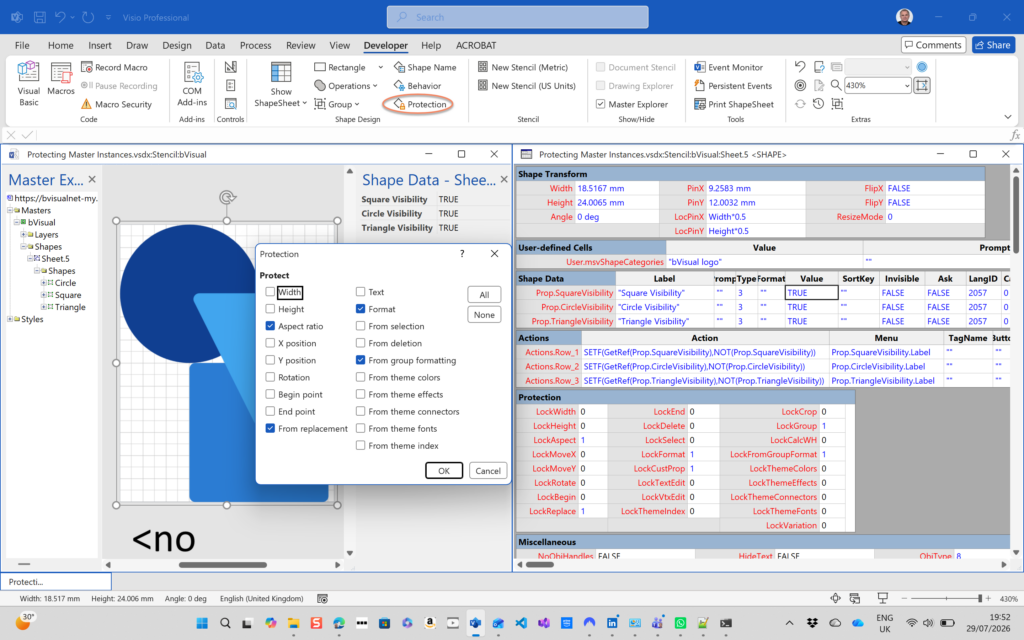
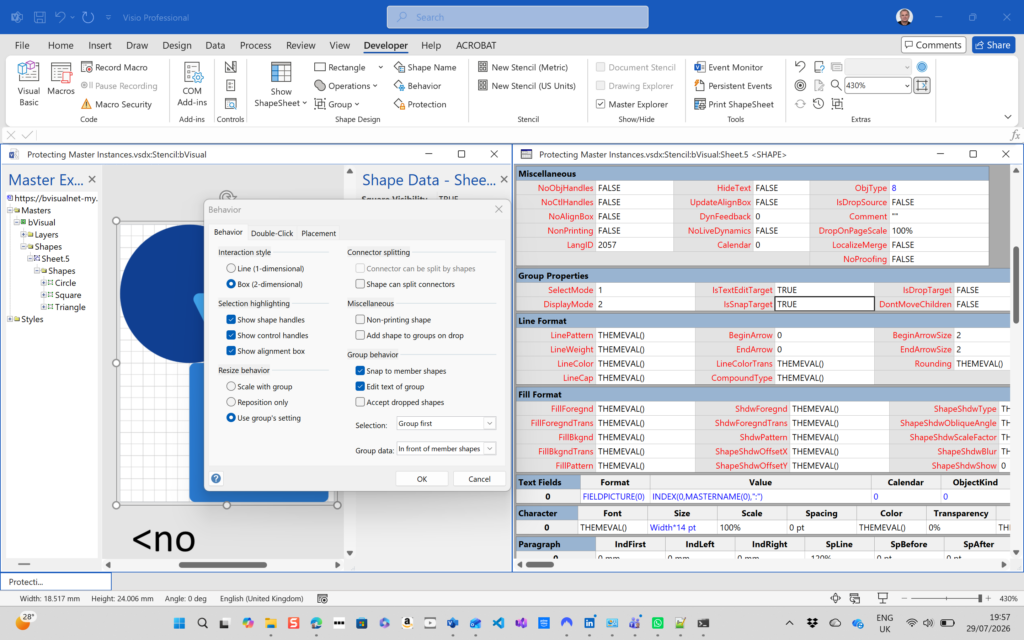
I have been creating Microsoft Visio solutions for 30 years now … my first was in 1996! I have been an advocate for custom Masters from the very start, every since I learnt how editing the Master can automatically update all of its instance shapes can be automatically updated throughout the document. Whenever you drag and drop a Master from a Stencil into a document for the first time, it copies that Master to the Document Stencil, and from then on it will use the local Master in the Document Stencil to create new shape instances that reference the local Master. If you need to customise the local Master, then you should ensure that the Match master by name on drop is checked. All of the provided stencils contain Masters where this property is not checked. The main exception to this is the Dynamic connector Master. Not only is this Master provided with this property checked, it is also automatically created when you do certain actions. This article explains when this is done in the UI and in code.
[Read more…] about Creating a Dynamic connector master automaticallyShape Design
A visual exploration of Penrose Tiling in Visio
Maybe it is because I used to be a building architect, but I have always been fascinated by the relationship between numbers and visualisations. Perhaps the most famous one is the Golden Ratio which has been used as the basis of many building designs and art pieces. It is often recognised to create a harmony that is universally understood, and is repeatedly found in nature, yet it all boils down to a simple ratio of about 1.618 … and is related to the Fibonacci Numbers. Roger Penrose (re-)discovered shapes based on the Golden Ratio can be arranged aperiodically on an infinite canvas without a repeating pattern. These Penrose Tiling shapes were developed into two groups (P2 and P3) each with two shapes.
There are rules about the arrangement to ensure that they do not fall into a repeatable series. These rules can be followed by ensuring that the ends of the arcs within each shape meet each other. The shapes can be used to try to create an aperiodic pattern of an infinite size, and then a timer can randomly change the colours. It’s a little festive fun!
[Read more…] about A visual exploration of Penrose Tiling in VisioHow SVG in Visio can cause a Shape.BoundingBox(…) error
I have used Visio’s Shape.BoundingBox(…) for many, many years and I cannot ever recall it failing, but I have now managed to create some shapes that cause it to error. This caused many hours of confusion, so I nearly abandoned using the method, until I discussed it with my fellow Visio MVP, John Goldsmith (see VisualSignals), and together we examined the cause. It came down to a badly formed sub-shape within the shape that had zero dimension … and in fact had an incomplete ShapeSheet. If you look at the screenshot below, then you may notice that there is no Shape Transform section! That is a mandatory section, and should always exist … so how did this happen?

Are Master Shortcuts useful in Visio?
Many Visio users may not even understand the question, but this almost hidden feature has been available for many years. A Master Shortcut looks like a normal Master in a stencil, but it is merely holds a reference to another Master in a Stencil, not necessarily the same one, and has an option to add actions that can change properties of the target Master when it is dropped on the page. The advantage is that the shapes on the page are still instances of the target Master in the document which makes customisation and maintenance much easier. So, why would you use them?
One good reason is that you are providing a custom stencil, but you want to include some of the built-in Microsoft ones. Just including a Master Shortcut to the Microsoft Stencil and Master does not break any copyright laws that I am aware of.
Another good reason is that many users prefer to just drag’n’drop a Master from a Stencil rather than further mouse clicks to configure the dropped shape with the Shape Data window or the right mouse actions.
This article describes how to use Master Shortcuts using BPMN shapes as an example.
[Read more…] about Are Master Shortcuts useful in Visio?Jumping between Shapes in Visio
Many Visio diagrams get quite large, and sometimes it is useful to provide the ability to jump to another shape quickly in the same document, either on a different page or on the same one. Although there is an add-on provided in desktop Visio that is used by the Off-Page Reference shape provided in the Basic Flowcharts Shapes stencil (see my other posts), this article is about using the hyperlinks available in both the desktop and browser editions of Visio. Fortunately, Visio desktop has the ability to create hyperlinks to a specific shape by selecting the page and entering the name of the target shape. This creation ability is not available in Visio for the web, but using the desktop created ones is!
[Read more…] about Jumping between Shapes in VisioCo-authoring and Commenting with Visio Documents
Microsoft Visio can be used in the web browser and on the desktop, but there are several licensing options available, so which ones can be used concurrently whilst supporting co-authoring and commenting? This article tests the various scenarios but assumes that the Visio documents are stored in OneDrive for Business or SharePoint Online\Teams. The Microsoft article, Work together on Visio drawings, explains most of the scenarios, but does not clearly explain the scope of the Visio web licenses with respect to diagram types or customisations.