• Skip to main content
  • Skip to primary sidebar
  • Skip to footer

bVisual

  • Home
  • Services
    • How Visio smartness can help your business
    • Visio visual in Power BI
    • Visio Consulting Services
    • Visio Bureau Services
    • Visio Training and Support Services
  • Products
    • Visio Shape Report Converter
    • SS Plus
    • LayerManager
    • visViewer
    • Metro Icons
    • Rules Tools for Visio
    • The Visio 2010 Sessions App
    • Multi-Language Text for Visio
    • Document Imager for Visio
    • multiSelect for Visio
    • pdSelect for Visio
  • Case Studies
    • Case studies overview
    • Using Visio in Education for GIS
    • Visualizing Construction Project Schedules
    • Visio Online Business Process Mapping
    • Nexans Visio Template
    • CNEE Projects, WorldCom
    • Chase Manhattan Bank
  • News
    • Recent news
    • News archive
  • Resources
    • Articles➡
      • ShapeSheet Functions A-Z
      • Comparing Visio for the Web and Desktop
      • Customising Visio Shapes for the Web App
      • Key differences between the Visio desktop and web apps
      • Using the Visio Data Visualizer in Excel
      • Using Visio in Teams
      • Creating Visio Tabs and Apps for Teams with SharePoint Framework (SPFx)
      • Designing Power Automate Flows with Microsoft Visio
      • Innovative uses of Visio Lists
    • Webcasts ➡
      • Visio in Organizations
      • My session and other Visio sessions at MSIgnite 2019
      • Power up your Visio diagrams
      • Vision up your Visio diagrams
      • The Visio 2010 MVP Sessions
    • Visio Web Learning Resources
    • Books➡
      • Visualize Complex Processes with Microsoft Visio
      • Mastering Data Visualization with Microsoft Visio
      • Microsoft Visio Business Process Diagramming and Validation
      • Visualizing Information with Microsoft Visio
  • Blog
    • Browse blog articles
    • Visio Power BI articles
    • Visio for Web articles
    • A history of messaging and encryption
  • About us
    • About bVisual
    • Testimonials
    • Bio of David Parker
    • Contact Us
    • Website Privacy Policy
    • Website terms and conditions
    • Ariba Network

Shape Design

Published on February 20, 2017 by David Parker

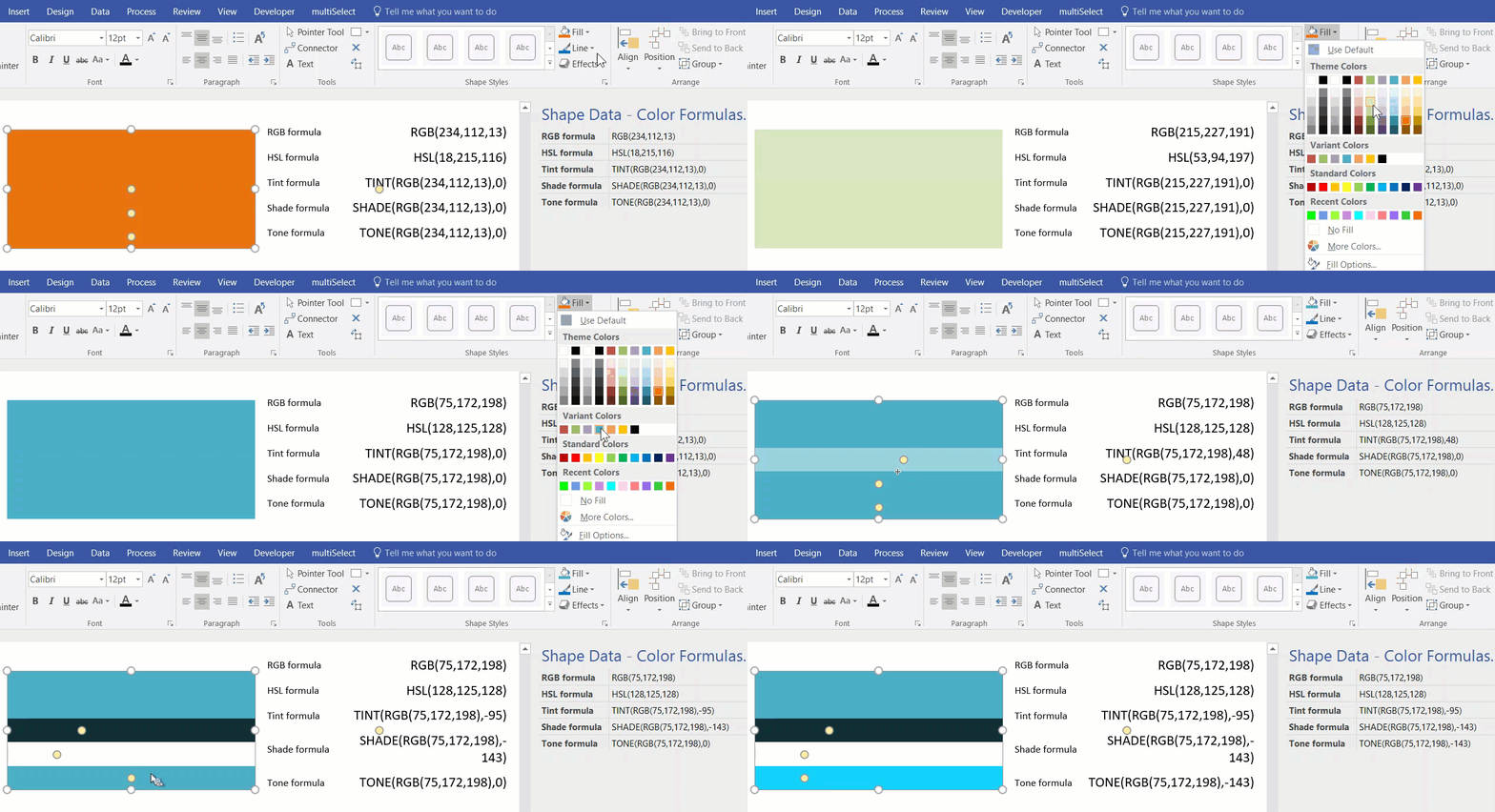
Understanding Visio’s Color Formulas

I was recently exploring the ShapeSheet formulas available in Visio that affect colors, and I decided that I needed to make a shape that I can change the fill color, tint, shade and tone of dynamically. This allows me to copy the formulas from a Shape Data row value for pasting into a ShapeSheet cell.

ColorFormulas.gif
[Read more…] about Understanding Visio’s Color Formulas

Filed Under: Color, Shape Data, ShapeSheet Formulas, Visio, Visio 2016 Tagged With: ShapeSheet Functions

Published on February 9, 2017 by David Parker

More secrets of the Visio Legend shape

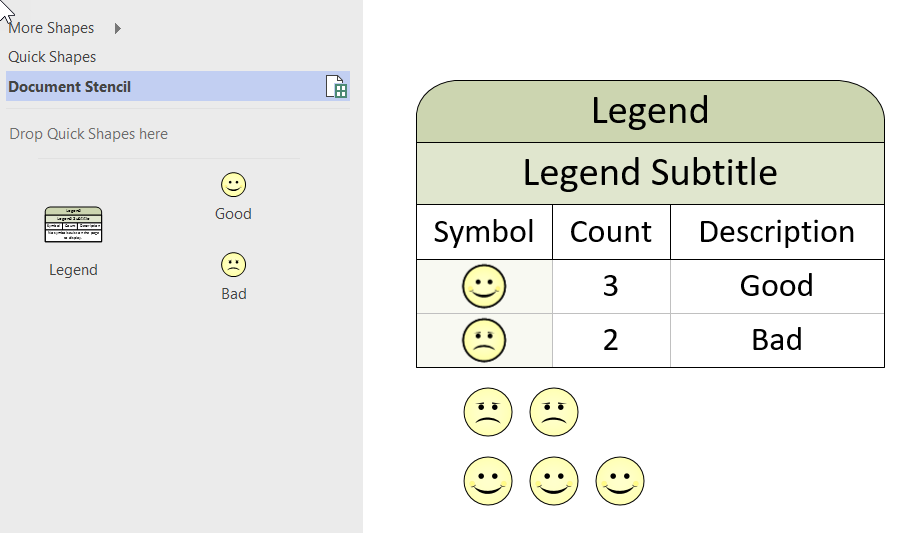
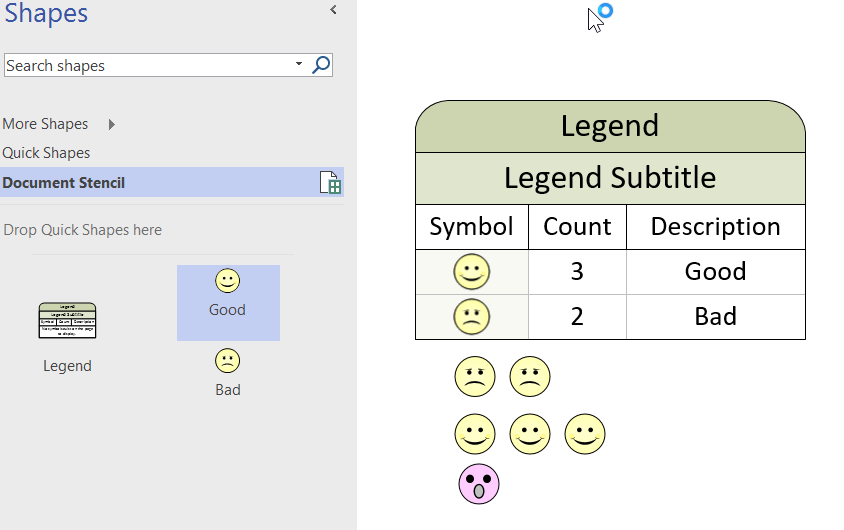
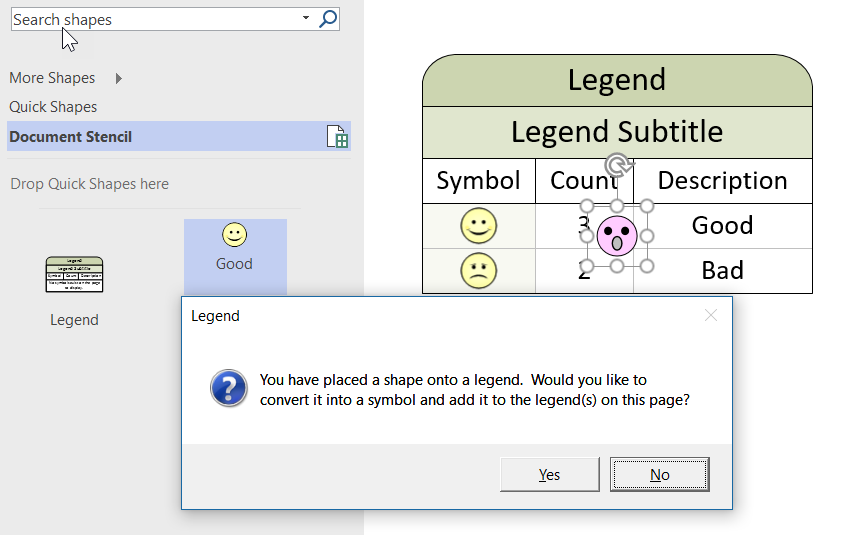
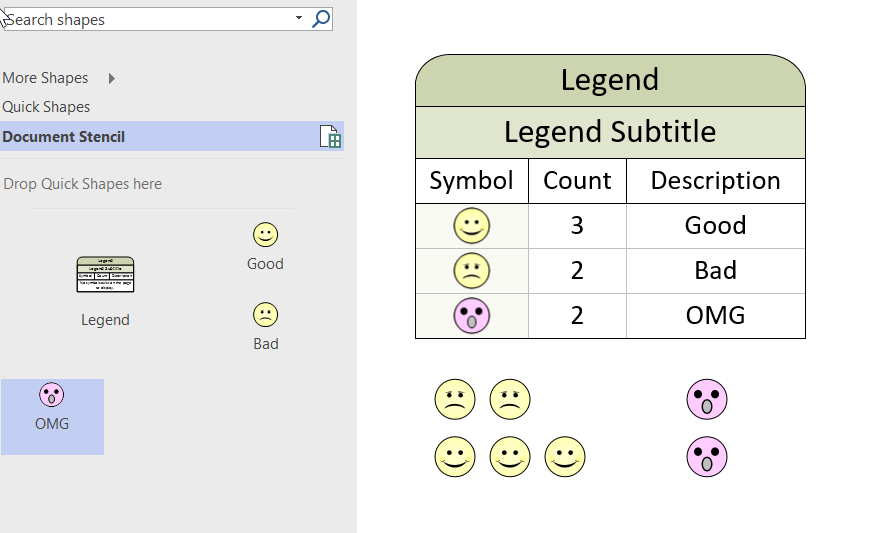
I was going to do a full post on the special Legend shape in Visio that can automatically count instances of masters on a page, then I found that my good friend Chris Roth, aka VisGuy, had done one some years ago ( see visguy.com/…/legend-shapes). However, I have some extra information that will assist in getting the functionality to work consistently.
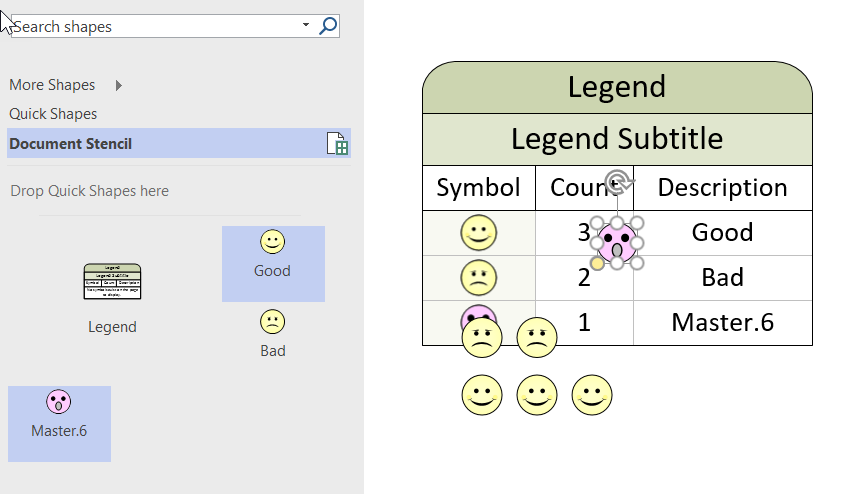
Basically, you can make any Master work with the Legend shape by adding the User.visLegendShape = 2 setting into a Master shape, but there are caveats.

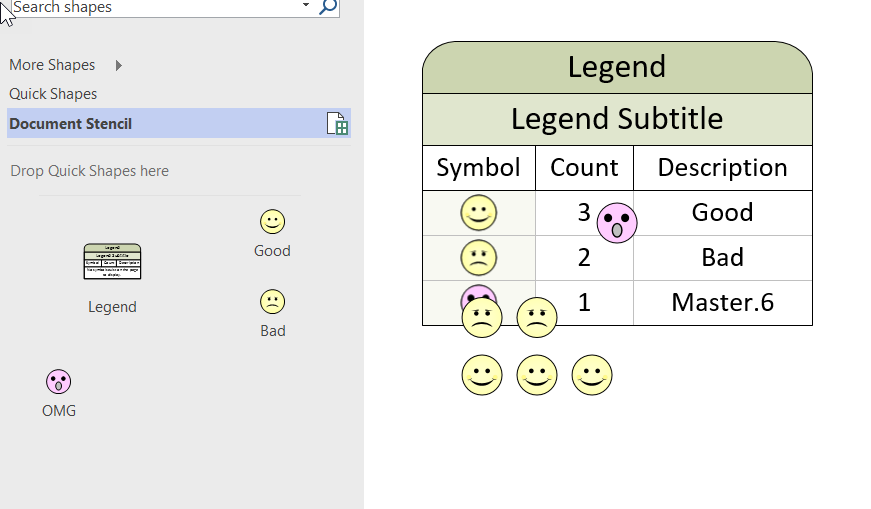
  1. If the name of a Master is changed, then any existing shapes on the page must be re-placed
  2. The BaseID of each Master must be unique
  3. If the BaseID is changed (using NewBaseID), then any existing shapes on the page must be re-placed

To demonstrate this, I used the Good and Bad icon shapes from the Legend Shapes stencil.

[Read more…] about More secrets of the Visio Legend shape

Filed Under: ShapeSheet Formulas, Visio, Visio 2016 Tagged With: Legend, ShapeSheet, VBA

Published on January 8, 2017 by David Parker

A Blackstar alphabet in Visio

I wrote an article last year for Microsoft, using Visio to explain some bits of messaging and encryption (see Musings on MVP Open Day 2016 at Bletchley Park.pdf ). I finished the article with an unexplained image of a word, well the solution was obviously “BOWIE”, as written on the cover of his final album, Blackstar, released exactly one year ago today.

2017-01-08_17-58-14
[Read more…] about A Blackstar alphabet in Visio

Filed Under: Shape Data, ShapeSheet Formulas, Visio 2016 Tagged With: Shape Data, ShapeSheet Functions

Published on November 17, 2016 by David Parker

Visio Pro for Office365 Partner Templates

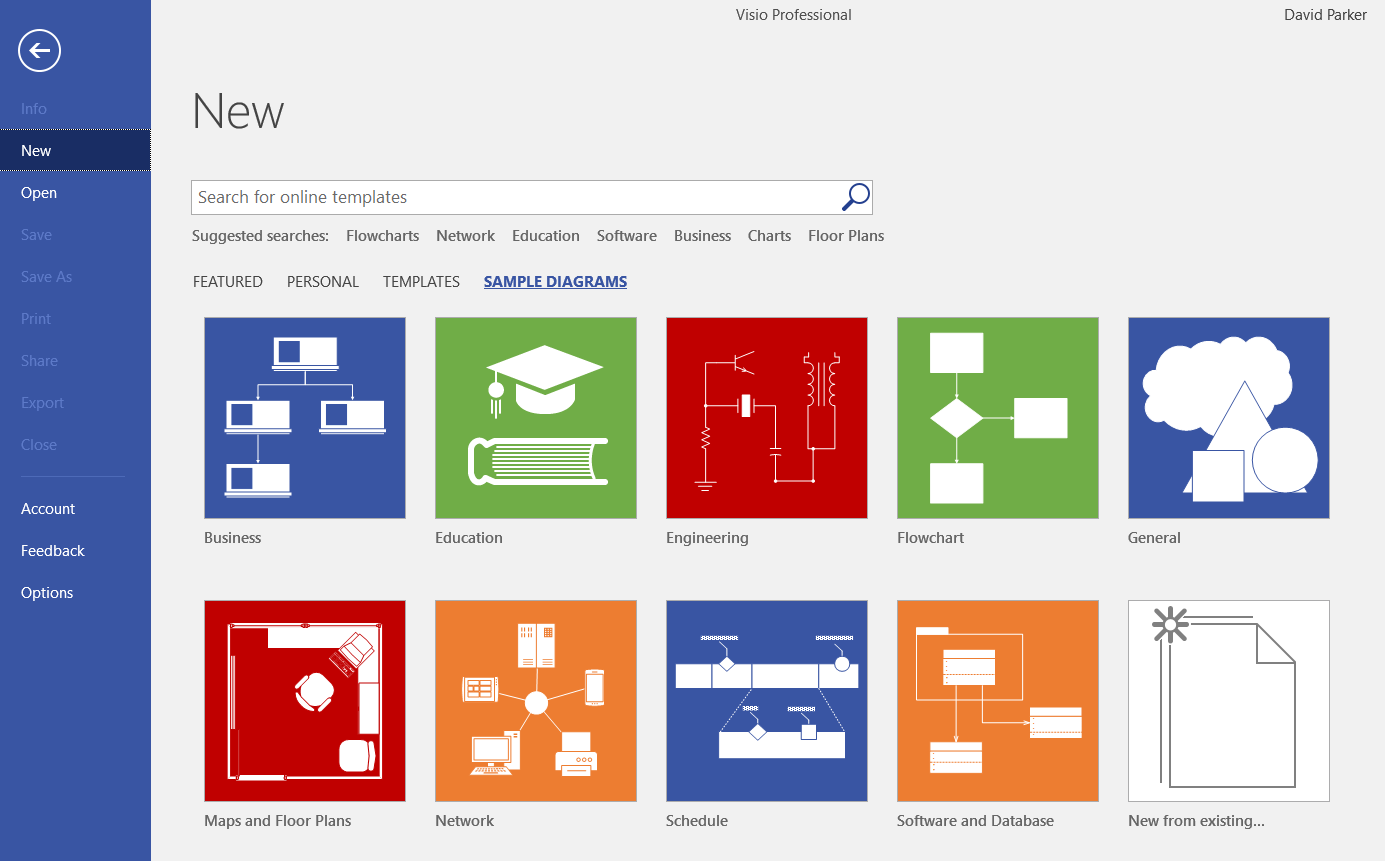
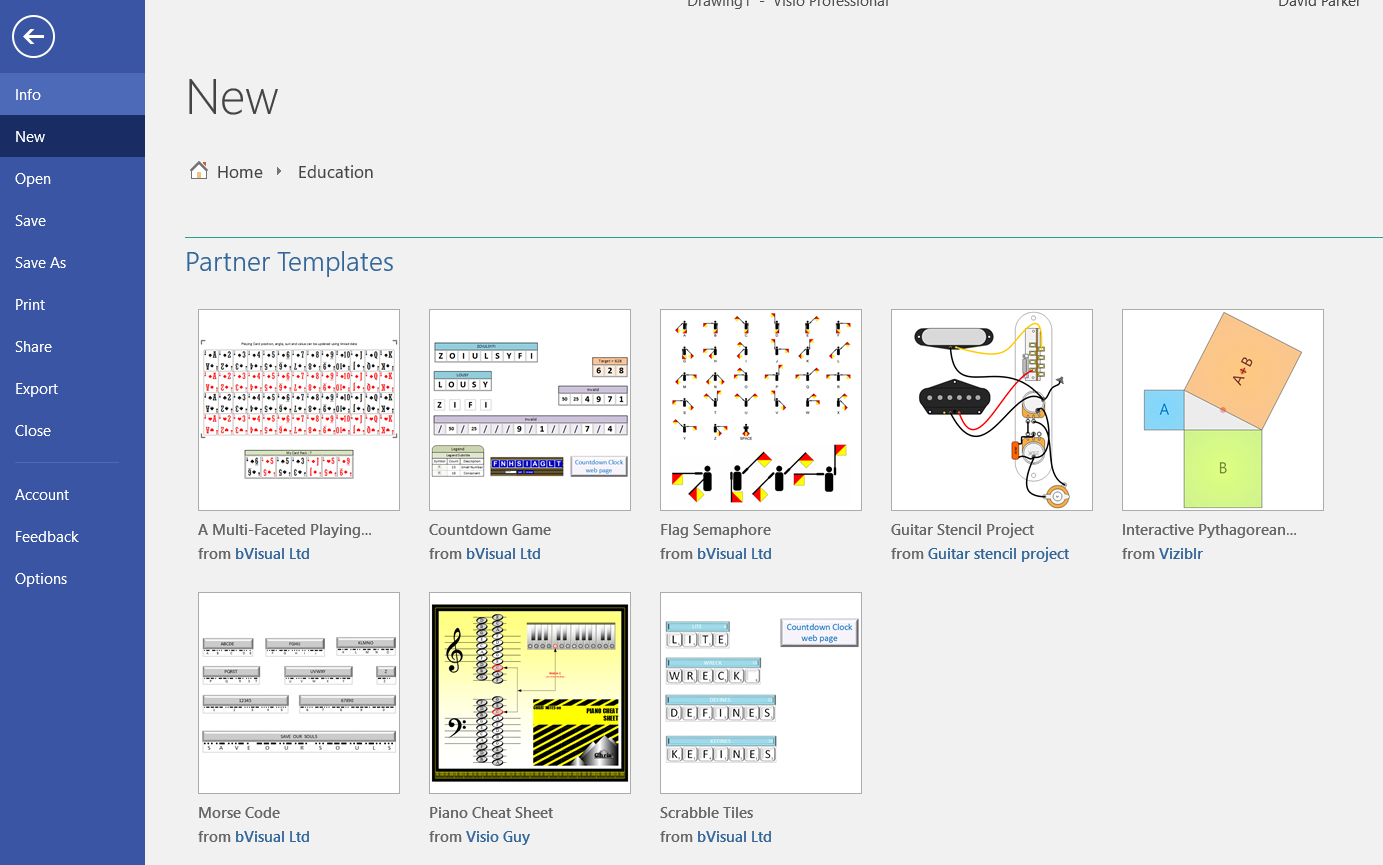
It is becoming clear that Microsoft are making Visio Pro for Office365 (VPfO) their priority. Its update cadence is much quicker than the non-cloud versions of Visio, and there are some features that may not make it to them. A case in point is partner templates and sample diagrams. It appears that Categories has been renamed as Templates in VPfO and there is a new tab named Sample Diagrams. The Partner Templates are at the bottom of the Templates tab, and there is a Partner Sample Diagrams section too on the Sample Diagrams tab.


I am pleased to note that five of my templates made it into the Education category. Each of these templates are from earlier blog posts here!

  • A multi-faceted playing card – A Visio Deck of Cards
  • Countdown game – A Visio Countdown to Xmas
  • Semaphore – Visio Rocks for Flag Semaphore … or another use of Lists …
  • Morse Code – MS TechNet UK blog : A history of messaging and encryption
  • Scrabble Tiles – Get Scrabbled with Visio

Filed Under: Lists, Visio 2016 Tagged With: Office365, Templates, Visio

Published on October 30, 2016 by David Parker

US State Flags for Visio

I am working on a project where I thought the US State flags might be useful, so I quickly created a new master shape from the images in Wikipedia. The shape simply provides a selection of one of the states from the Shape Data window (plus one extra for the reverse of Oregon’s flag!).

The flag shape has a couple of Shape Data rows:

[Read more…] about US State Flags for Visio

Filed Under: Geographic, Shape Data, ShapeSheet Formulas, Visio 2016 Tagged With: Flag, US States

Published on August 22, 2016 by David Parker

Update to multiSelect & tracing sub-shape connections in Visio

Most of my Visio diagrams have simple connections between shapes, and my previous post about connections used a flowchart as an example (see https://blog.bvisual.net/2016/08/09/understanding-visio-connections/ ). However, it has come to my attention that some Visio developers add connection points to sub-shapes of Visio group shapes, and then connect between the sub-shapes. This means that the code in my previous article would need to be adapted to cater for this scenario. It has also meant that I needed to update my free multiSelect Visio add-in needed an update. The updated version (1.0.6.0) is for Visio 2010+, and is available from http://bvisual.net/Products/multiSelect.aspx .

multiSelect Tracing connected sub-shapes
[Read more…] about Update to multiSelect & tracing sub-shape connections in Visio

Filed Under: Connections, Containers, Selections, Visio Tagged With: multiSelect, Selection

  • « Go to Previous Page
  • Page 1
  • Interim pages omitted …
  • Page 19
  • Page 20
  • Page 21
  • Page 22
  • Page 23
  • Interim pages omitted …
  • Page 36
  • Go to Next Page »

Primary Sidebar

  • LinkedIn
  • Twitter

Recent Posts

  • My Visio Books and Old pre-C# Work
  • Migrating from Lucidchart to Visio?
  • Creating Boolean Context Menus in Visio
  • Installing Visio Templates and Stencils
  • Creating a Dynamic connector master automatically

Categories

Tags

Accessibility Add-Ins AdvancedInstaller Connectors Containers Data Export Data Graphics Data Import Data Visualizer Educational Excel GraphDatabase Hyperlinks Icon Sets JavaScript LayerManager Layers Legend Link Data to Shapes MSIgnite Office365 Org Chart PowerApps PowerBI PowerQuery Processes Setup and Deployment Shape Data Shape Design ShapeSheet ShapeSheet Functions SharePoint 2013 SQL Teams Validation VBA Video Visio Visio 2007 Visio for the desktop Visio for the Web Visio Online Visio Services Visio Viewer Webinar

Footer

bVisual Profile

The UK-based independent Visio consultancy with a worldwide reach. We have over 25 years experience of providing data visualization solutions to companies around the globe.

Learn more about bVisual

  • Amazon
  • E-mail
  • Facebook
  • LinkedIn
  • Twitter
  • YouTube

Search this website

Recent posts

  • My Visio Books and Old pre-C# Work
  • Migrating from Lucidchart to Visio?
  • Creating Boolean Context Menus in Visio
  • Installing Visio Templates and Stencils
  • Creating a Dynamic connector master automatically

Copyright © 2026 · Executive Pro on Genesis Framework · WordPress · Log in