• Skip to main content
  • Skip to primary sidebar
  • Skip to footer

bVisual

  • Home
  • Services
    • How Visio smartness can help your business
    • Visio visual in Power BI
    • Visio Consulting Services
    • Visio Bureau Services
    • Visio Training and Support Services
  • Products
    • Visio Shape Report Converter
    • SS Plus
    • LayerManager
    • visViewer
    • Metro Icons
    • Rules Tools for Visio
    • The Visio 2010 Sessions App
    • Multi-Language Text for Visio
    • Document Imager for Visio
    • multiSelect for Visio
    • pdSelect for Visio
  • Case Studies
    • Case studies overview
    • Using Visio in Education for GIS
    • Visualizing Construction Project Schedules
    • Visio Online Business Process Mapping
    • Nexans Visio Template
    • CNEE Projects, WorldCom
    • Chase Manhattan Bank
  • News
    • Recent news
    • News archive
  • Resources
    • Articles➡
      • ShapeSheet Functions A-Z
      • Comparing Visio for the Web and Desktop
      • Customising Visio Shapes for the Web App
      • Key differences between the Visio desktop and web apps
      • Using the Visio Data Visualizer in Excel
      • Using Visio in Teams
      • Creating Visio Tabs and Apps for Teams with SharePoint Framework (SPFx)
      • Designing Power Automate Flows with Microsoft Visio
      • Innovative uses of Visio Lists
    • Webcasts ➡
      • Visio in Organizations
      • My session and other Visio sessions at MSIgnite 2019
      • Power up your Visio diagrams
      • Vision up your Visio diagrams
      • The Visio 2010 MVP Sessions
    • Visio Web Learning Resources
    • Books➡
      • Visualize Complex Processes with Microsoft Visio
      • Mastering Data Visualization with Microsoft Visio
      • Microsoft Visio Business Process Diagramming and Validation
      • Visualizing Information with Microsoft Visio
  • Blog
    • Browse blog articles
    • Visio Power BI articles
    • Visio for Web articles
    • A history of messaging and encryption
  • About us
    • About bVisual
    • Testimonials
    • Bio of David Parker
    • Contact Us
    • Website Privacy Policy
    • Website terms and conditions
    • Ariba Network

bVisual Blog by David Parker

Published on December 5, 2019 by David Parker

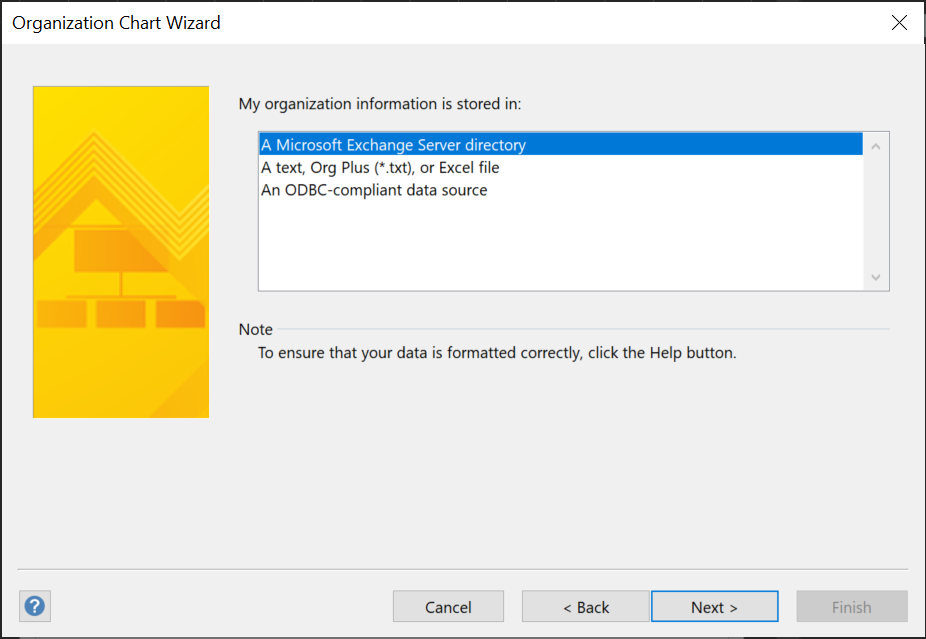
Using Visio Org Chart Wizard to work with Exchange Online

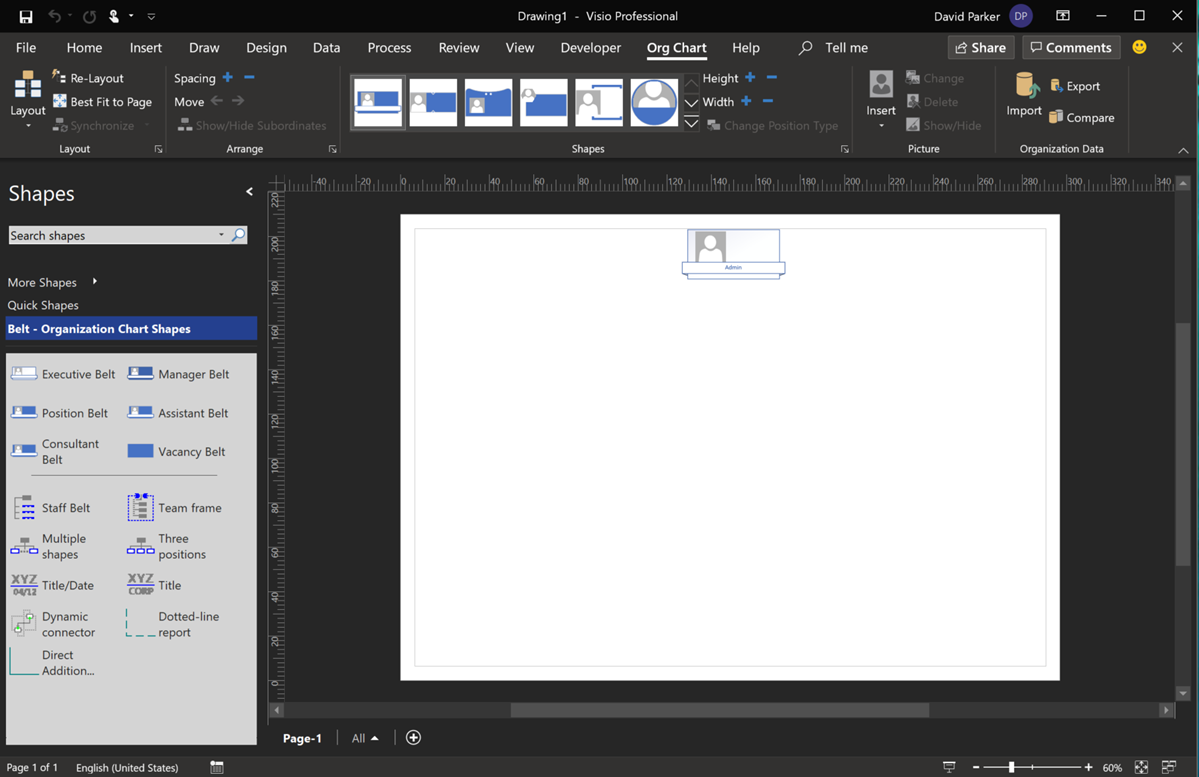
I have used the Microsoft Visio Organization Chart Wizard many, many times over the years, but I usually use it from text files, and I had been aware that I was not getting good results from the Microsoft Exchange Server directory option, now that I use Office 365. I was always getting just the first Personnel record (Admin). Well, I was prompted to find out why, and was amazed to find the answer by Winnie Liang in Creating Organizational Chart from AD Information.

[Read more…] about Using Visio Org Chart Wizard to work with Exchange Online

Filed Under: Org Charts, Visio for Desktop Tagged With: Org Chart

Published on November 26, 2019 by David Parker

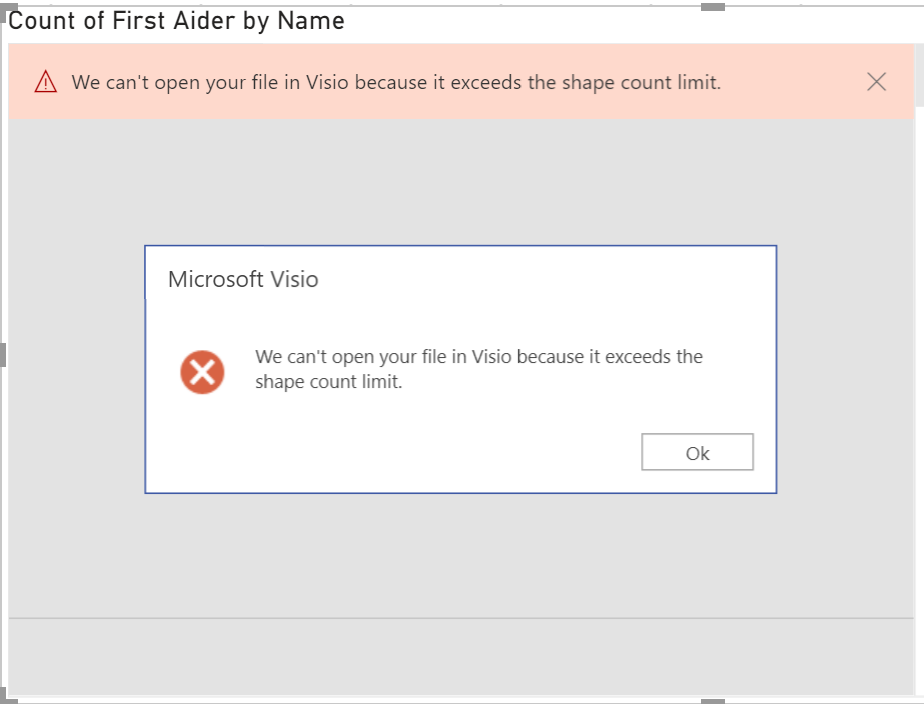
Overcoming ‘We can’t open your file in Visio because it exceeds the shape count limit’ in Power BI

If you are one of the increasing number of Power BI users that have discovered that the Visio Visual gives you the great ability to include Visio diagrams in your dashboard, then you may have come across the following error, ‘We can’t open your file in Visio because it exceeds the shape count limit’ in Power BI’, when you try to embed a Visio document. This can be frustrating, but here is a deeper explanation of what is happening … and how you can usually overcome it.
[Read more…] about Overcoming ‘We can’t open your file in Visio because it exceeds the shape count limit’ in Power BI

Filed Under: LayerManager, Layers, PowerBI, Visio Tagged With: Layers, PowerBI

Published on November 10, 2019 by David Parker

Visio news from MS Ignite 2019

Daniel, Scott, me and Michel at the Veeam party

Microsoft Ignite 2019 at the huge Orange County Conference Conference Center in Orlando is over for another year. 30,000 attendees over 6 days, and I have seen my first sunlight today since I arrived in Florida last Saturday! So, it is time to review just what was announced about Visio, and how much Visio is appreciated.

[Read more…] about Visio news from MS Ignite 2019

Filed Under: Data Visualizer, Floor Plans, MSFlow, MSIgnite, Org Charts, PowerBI, Process Flows, Teams, Visio, Visio for Desktop, Visio for Web Tagged With: Data Visualizer, MSIgnite, Org Chart, Processes

Published on October 25, 2019 by David Parker

Clarity Videos Re-boot

I am upgrading this website at the moment, and I came across on old post of mine about a new video series that Microsoft launched in 2009 … yes, 10 years ago! So, I thought I wouldre-boot the series for all our enjoyment … and because almost all of the features are still present, with a new look, and some new features!

Clarity ep. 1: Create an Office Layout diagram using Visio

[Read more…] about Clarity Videos Re-boot

Filed Under: Floor Plans, Network Diagrams, Org Charts, Process Flows, Visio, Visio for Desktop Tagged With: Video, Visio, Visio 2007

Published on September 12, 2019 by David Parker

Visio Accessibility Guide and Webinar

Visio Accessibility image

I am pleased to announce that I have a guide to accessibility available to download from VisionUp and I will be presenting a webcast on the subject on 26th September 2019. Registration is now open at the following link :  Introducing Accessibility in Visio.

Filed Under: Accessibility, Ebooks, Visio, Visio Online, Webcasts Tagged With: Accessibility

Published on September 4, 2019 by David Parker

Testing Visio shape text for WCAG 2.0 pass

The Web Content Access Guidelines (WCAG) 2.0 provides the current recommendations for making web content accessible to users with vision impairment, but how do you test if your Visio shapes pass? There are several web sites out there that provide this capability, but all of them require the HEX values, rather than the RGB or HSL that Visio provides natively. Therefore, I have created a Visio callout shape that can be associated with a target shape to report on the values of each of its main color elements and provides hyperlinks to automatically check the contrast ratio on WebAIM.
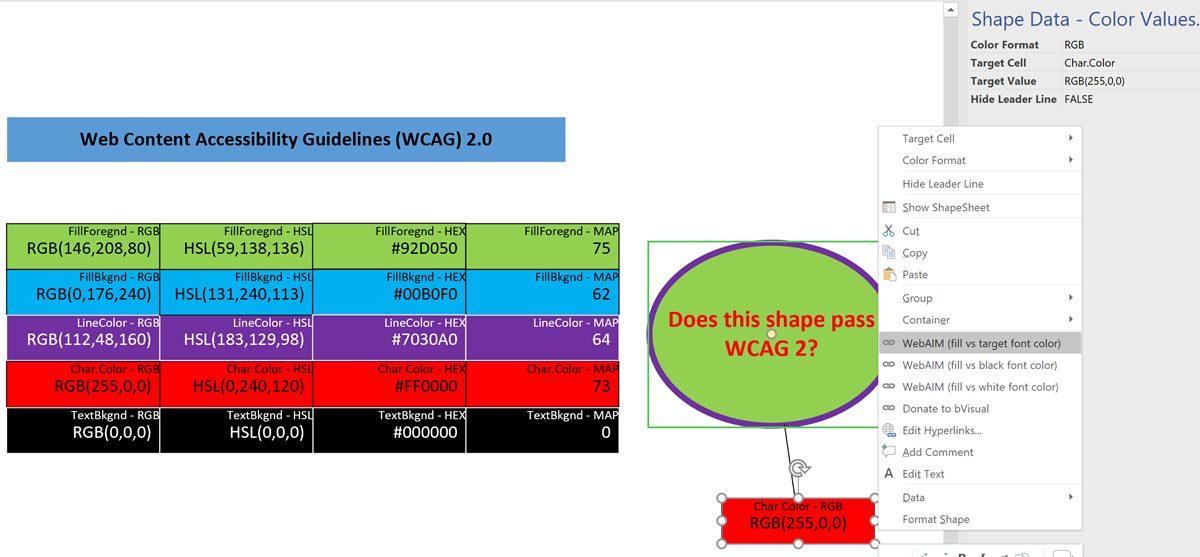
Color Values Shape


The colour formats that can be selected from either the Shape Data window or the right mouse menu are:

[Read more…] about Testing Visio shape text for WCAG 2.0 pass

Filed Under: Accessibility, Color, Shape Data, Visio, Visio Online Tagged With: Accessibility, Hyperlinks, Shape Data, WCAG

  • « Go to Previous Page
  • Page 1
  • Interim pages omitted …
  • Page 20
  • Page 21
  • Page 22
  • Page 23
  • Page 24
  • Interim pages omitted …
  • Page 76
  • Go to Next Page »

Primary Sidebar

  • LinkedIn
  • Twitter

Recent Posts

  • Introducing a free Visio Report Runner application
  • Protecting the integrity of custom Visio masters
  • Docked Stencils in Visio for the Web
  • My Visio Books and Old pre-C# Work
  • Migrating from Lucidchart to Visio?

Categories

Tags

Accessibility Add-Ins AdvancedInstaller Connectors Containers Data Export Data Graphics Data Import Data Visualizer Educational Excel GraphDatabase Hyperlinks Icon Sets JavaScript LayerManager Layers Legend Link Data to Shapes MSIgnite Office365 Org Chart PowerApps PowerBI PowerQuery Processes Setup and Deployment Shape Data Shape Design ShapeSheet ShapeSheet Functions SharePoint 2013 SQL Teams Validation VBA Video Visio Visio 2007 Visio for the desktop Visio for the Web Visio Online Visio Services Visio Viewer Webinar

Footer

bVisual Profile

The UK-based independent Visio consultancy with a worldwide reach. We have over 25 years experience of providing data visualization solutions to companies around the globe.

Learn more about bVisual

  • Amazon
  • E-mail
  • Facebook
  • LinkedIn
  • Twitter
  • YouTube

Search this website

Recent posts

  • Introducing a free Visio Report Runner application
  • Protecting the integrity of custom Visio masters
  • Docked Stencils in Visio for the Web
  • My Visio Books and Old pre-C# Work
  • Migrating from Lucidchart to Visio?

Copyright © 2026 · Executive Pro on Genesis Framework · WordPress · Log in