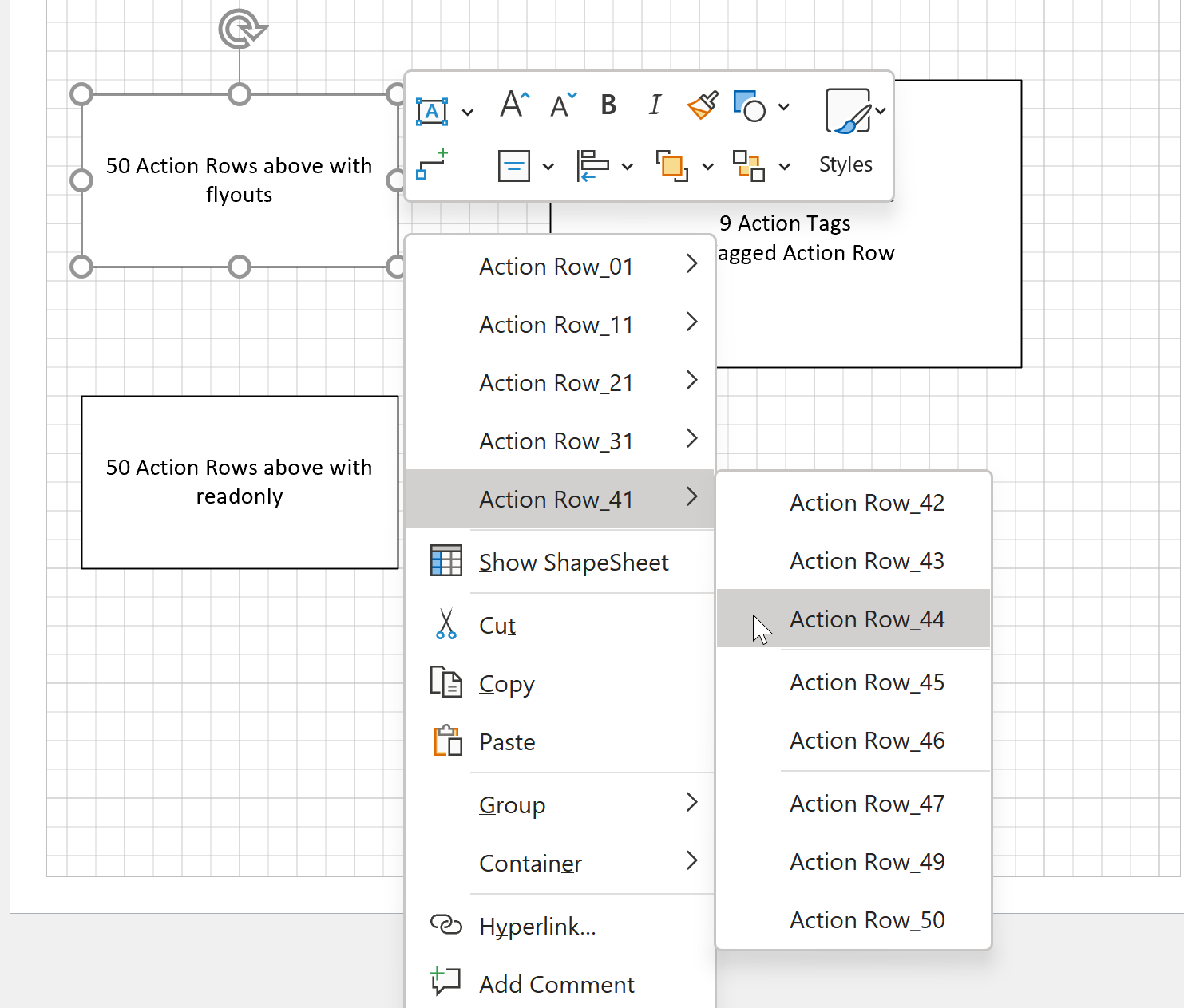
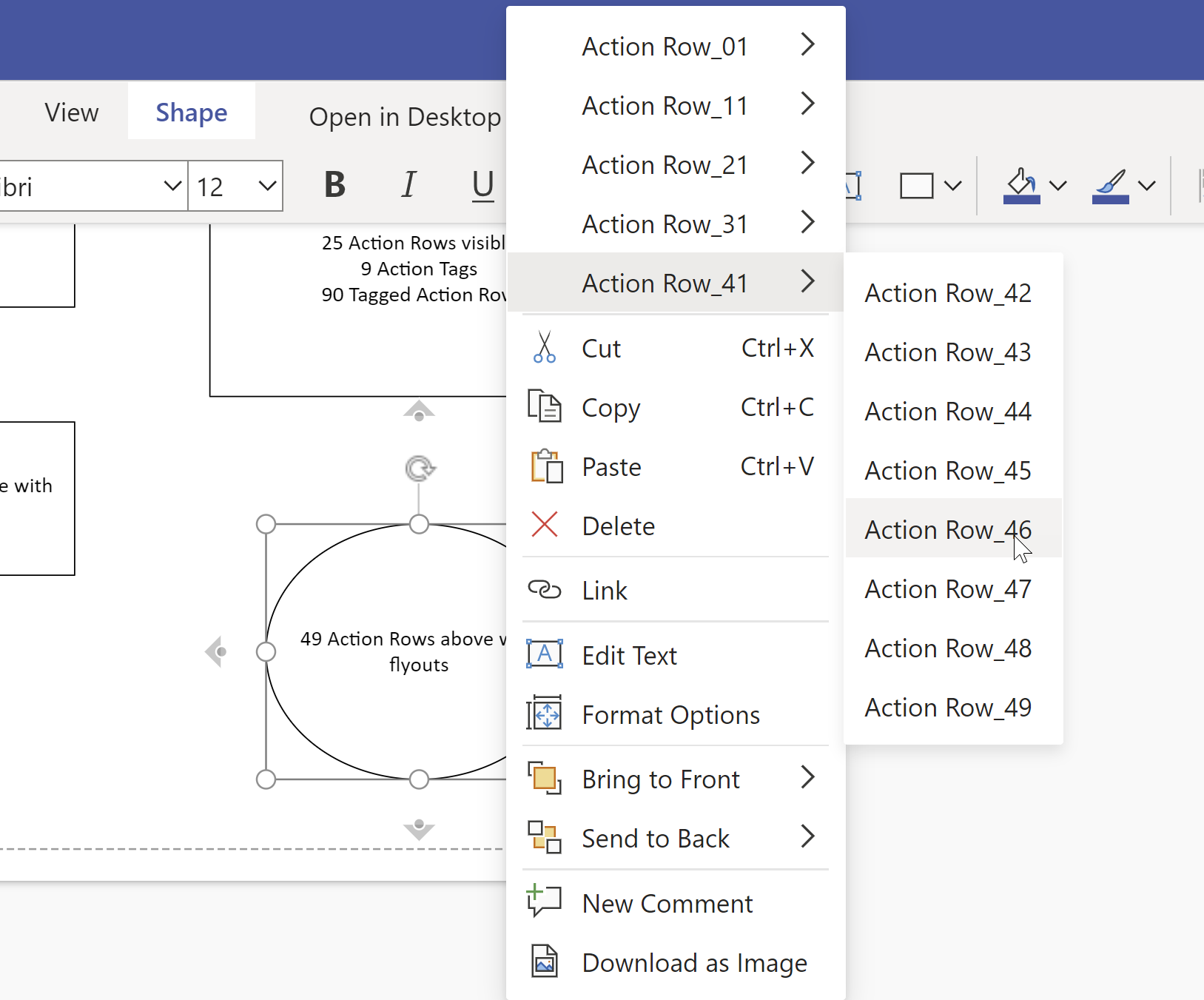
I recently (re-)discovered that there is a limit to the number of Actions section rows that will be evaluated for display on the right mouse menu of a Visio shape. I have not hit a limit (yet) for the number of rows that can be added to the Actions section … so why is there a limitation to the number that will be displayed on the right mouse menu? In Visio for desktop, any rows over this limit will simply not be displayed, but in Visio for web it prevents any Actions from being displayed at all on the shape.
[Read more…] about Taking Visio Actions Rows to the limitVisio for Desktop
TimeTable at RMConnect 2022
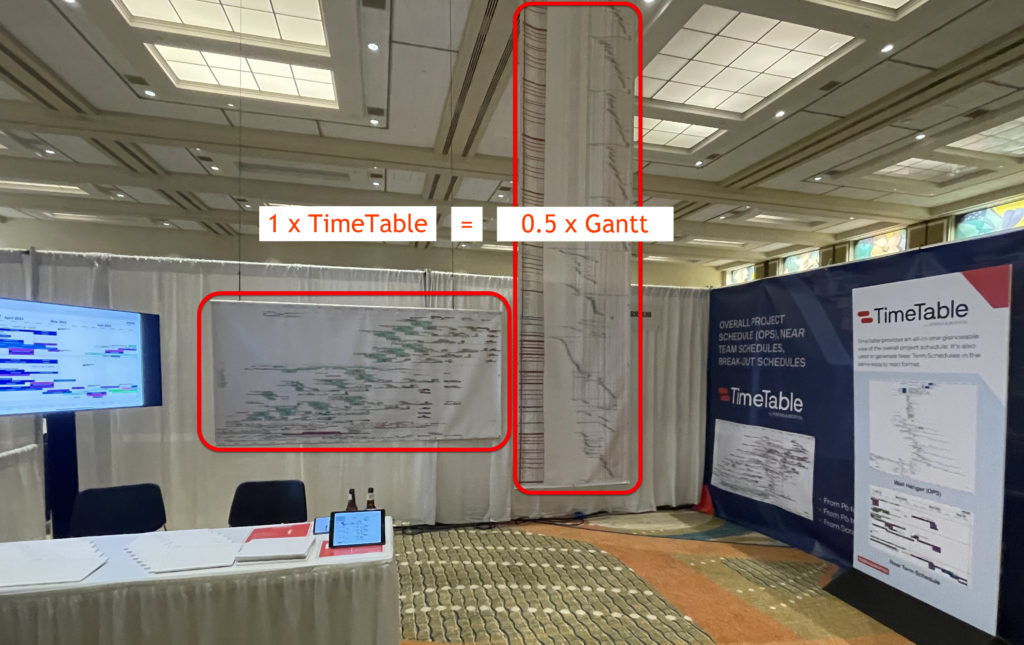
I was privileged to be invited to the biennial Robins & Morton conference in Orlando recently, where I assisted in presenting TimeTable to the hundreds of attendees there. A single wall-hanger (OPS) TimeTable Visio diagram automatically drawn from #OraclePrimaveraCloud data, is a condensed version of the same data printed as a Gantt chart some six times taller, as shown in the image below (there wasn’t enough ceiling height to print all the Gantt):
SS Plus for Visio enhanced to support non-English PowerPoint Smart Layouts
A while ago, I wrote an add-in for Visio Plan 2, SS Plus, that enhances the PowerPoint export from Visio. This has been working fine for this using Microsoft Office in English, but a problem was recently brough to my attention about non-English users. The problem was that the PowerPoint Smart Layou names are in English, and were not showing up in the drop-down list on the SS Plus Settings dialog. This meant that no Smart Layout was being applied automatically to the export from Visio. Well, I am pleased to report that this has now been fixed, and existing users can upgrade free of chare, whilst others can download to trial for free.
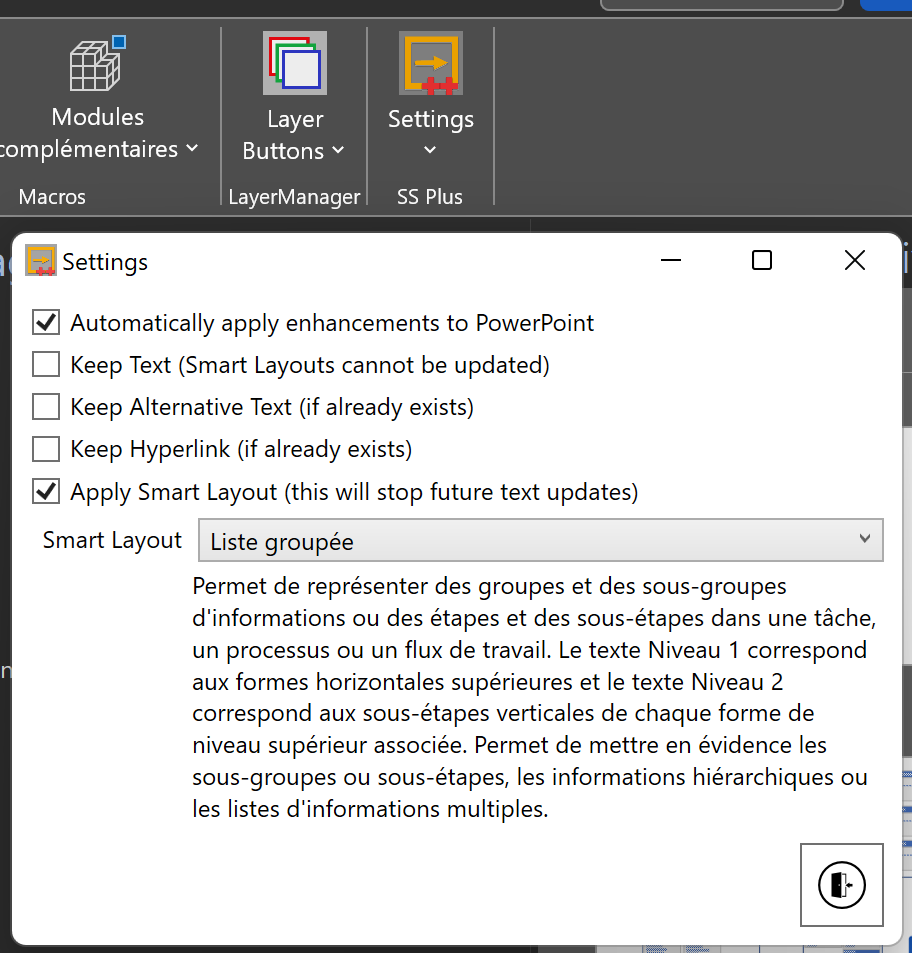
The solution is not absolutely perfect though, because the list may appear initially in English until the first export is done to PowerPoint. SS Plus then grabs the names of the Smart Layouts from PowerPoint in the Office language.
I am afraid that the rest of the text is still in English though, because I am not fluent in anything else … to my shame!
In case there are any other requests, I have also added in a new Feedback form.
Visio Presentations for the Microsoft Ignite The Tour 2020
Just when we thought the pandemic was coming to an end, another variant appears to scupper our plans. So, resuming in-person events is delayed, and the world isn’t safe until the world is immunised. Therefore, I decided to make the presentations that I was going to be presenting on the abandoned Microsoft Ignite The Tour last year available, although I did manage to go to London and Copenhagen before we all stopped flying around the globe…

Have multiple alternate languages in the same Visio diagram
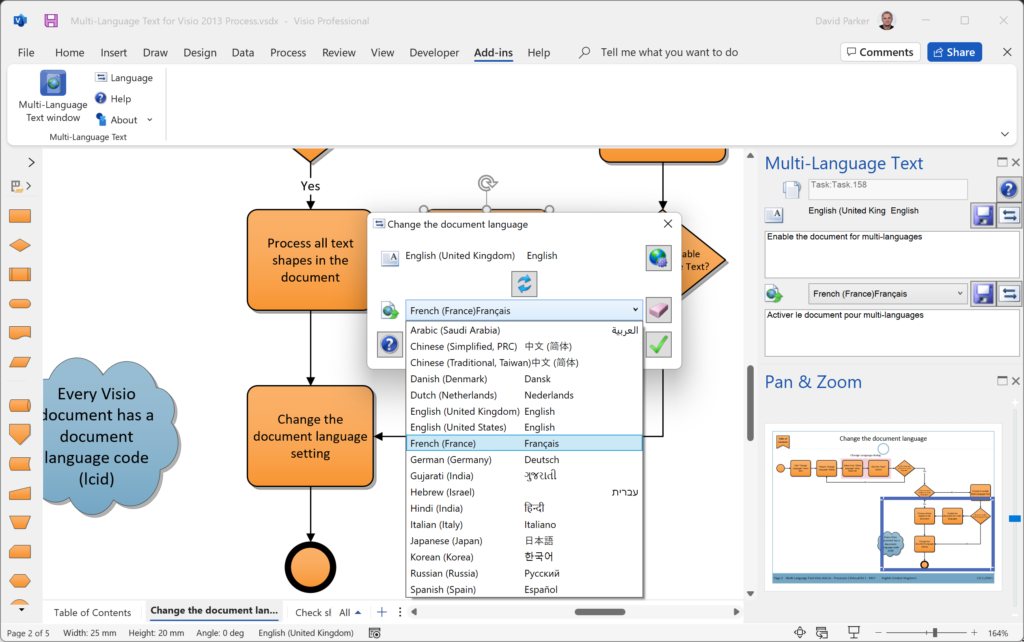
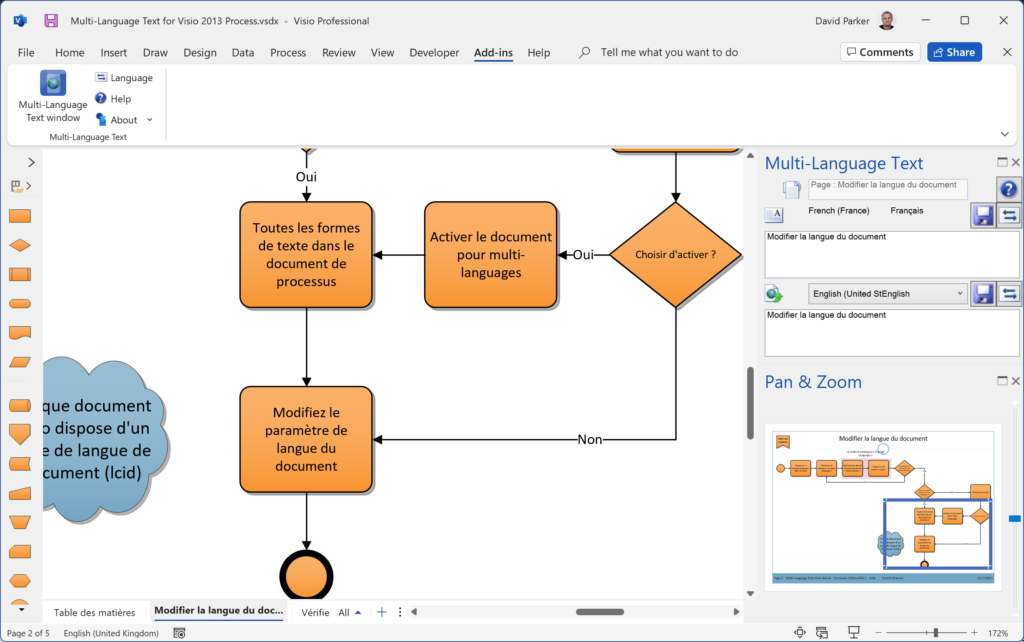
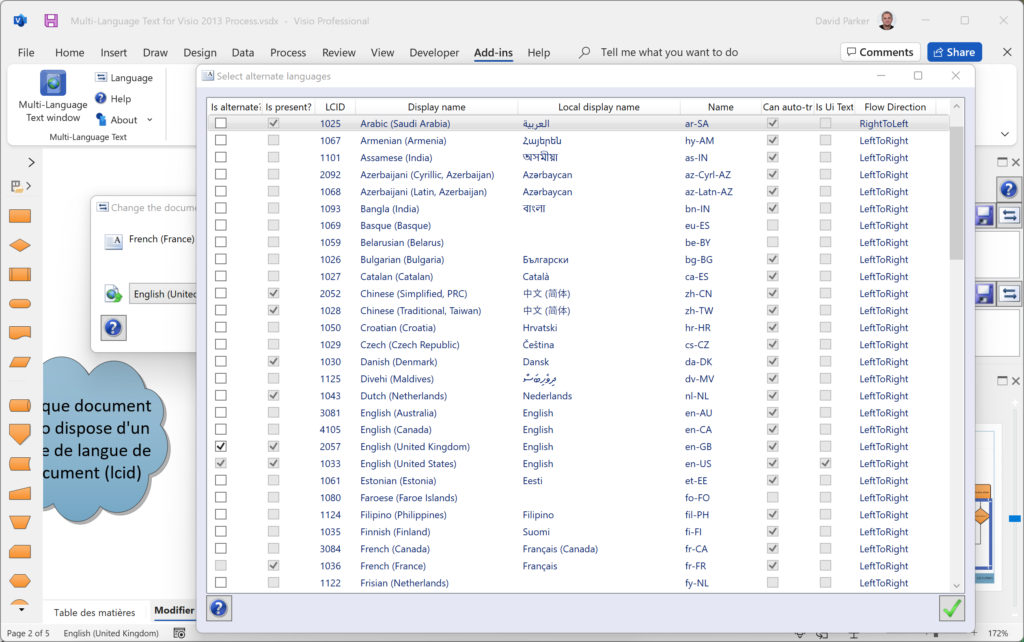
I wrote a Visio add-in a few years ago that provides the ability to switch a multi-page Visio diagram between alternative languages. This particular client had just under a hundred pages of process flowcharts, with hyperlinks between the pages. They had to produce this Visio document in seven different languages and got extremely fed-up with trying to synchronise all the different copies whenever any changes were made, so a single Visio document which can store all of the alterative shape texts and page names was a much simpler time saving-solution. Moreover, Microsoft provide an online cognitive service which is useful for automatic speedy translations, though these can be overridden by a more knowledgeable user.
However, since this add-in was written, Microsoft have changed this translation service, and Visio has introduced 64bit version as the default. Therefore, I have updated the Multi-Language Text for Visio add-in to support both of these, and taken the opportunity to change the installation and licensing system.
[Read more…] about Have multiple alternate languages in the same Visio diagram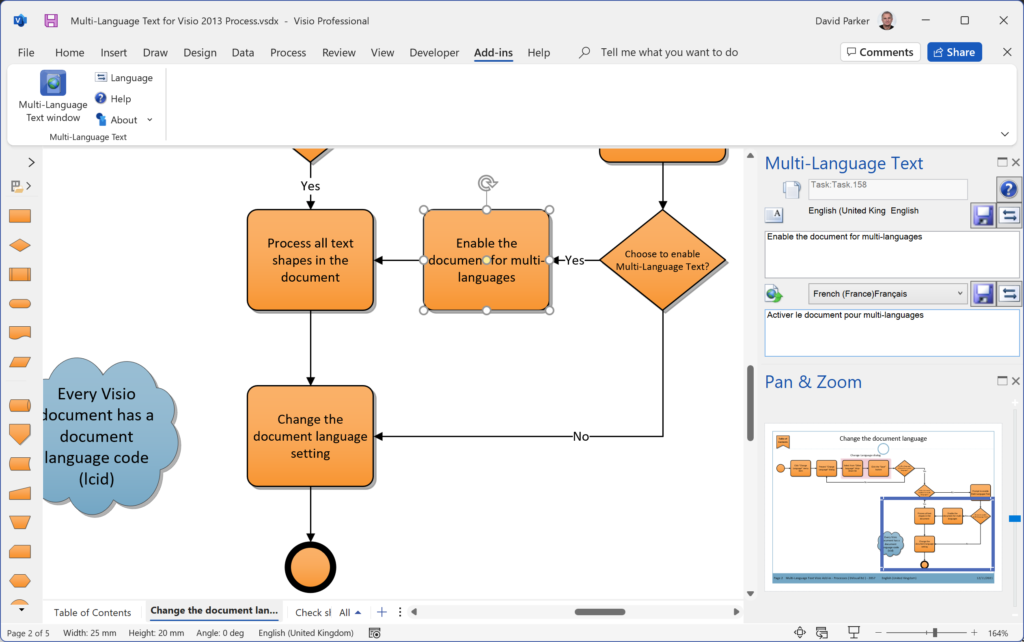
Visio in Microsoft 365? What’s that?
Now that a version of Visio is being rolled out as part of the commercial subscription of Microsoft 365, what is the difference between it and the Visio Web App that is delivered by Visio Plan 1 and Visio Plan 2 subscriptions?
Moreover, can a Visio diagram created by an M365 user be round-tripped with Visio Web App and Visio Desktop App users?
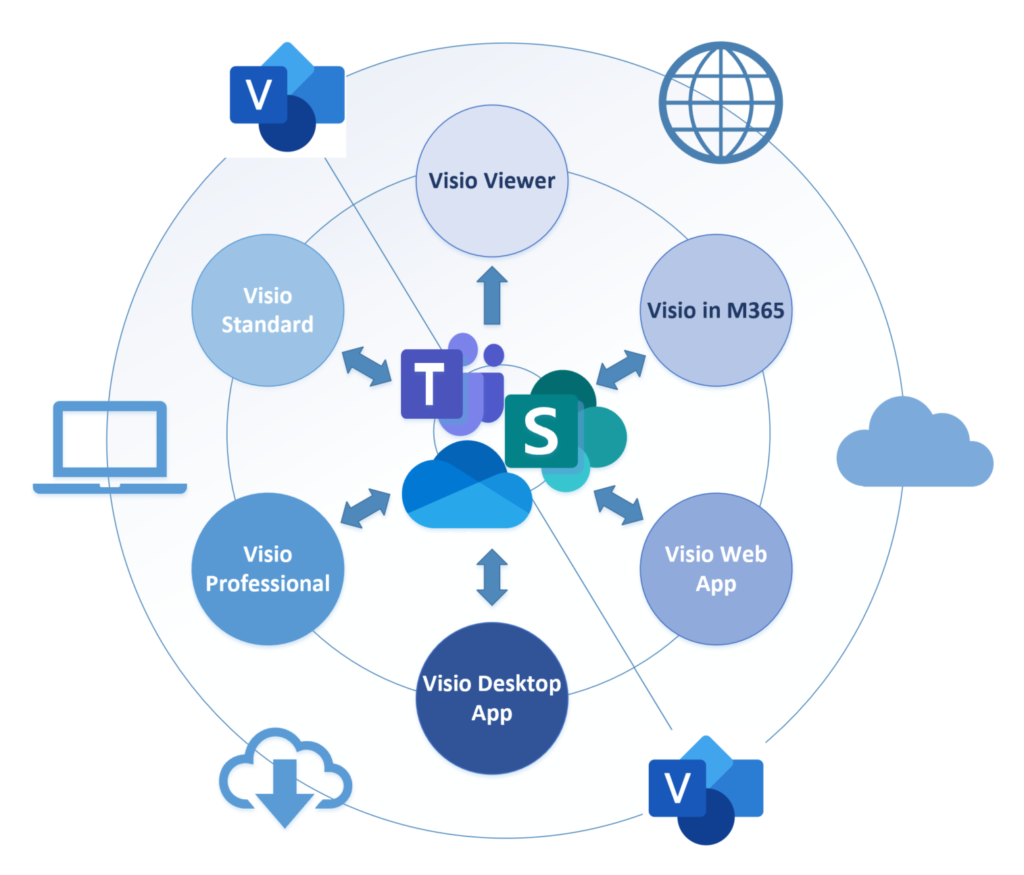
First of all, lets review the editions of Visio currently available:
- Visio in Microsoft 365 – a web app that is included in M365 for business
- Visio Web App – a web app that requires an extra Visio Plan 1 subscription
- Visio Desktop App – a web-delivered Windows app that requires an extra Visio Plan 2 subscription (includes Visio Web App)
- Visio Professional – a Windows app for a one-time purchase, previously installed via a msi package, now Click-to-Run and called LTSC
- Visio Standard – a Windows app for a one-time purchase, previously installed vi a msi package, now Click-to-Run and called LTSC
So, is that clear? The good news is that all editions use the same file format, and can be viewed by anyone, with the relevant access permission, if the Visio document is stored in OneDrive or SharePoint Online/Teams. This Visio Viewer also provides visibility of the Shape Data, Hyperlinks and Comments. It also has a JavaScript API which makes it extremely useful for developing custom web pages in SharePoint Online/Teams.
[Read more…] about Visio in Microsoft 365? What’s that?