• Skip to main content
  • Skip to primary sidebar
  • Skip to footer

bVisual

  • Home
  • Services
    • How Visio smartness can help your business
    • Visio visual in Power BI
    • Visio Consulting Services
    • Visio Bureau Services
    • Visio Training and Support Services
  • Products
    • Visio Shape Report Converter
    • SS Plus
    • LayerManager
    • visViewer
    • Metro Icons
    • Rules Tools for Visio
    • The Visio 2010 Sessions App
    • Multi-Language Text for Visio
    • Document Imager for Visio
    • multiSelect for Visio
    • pdSelect for Visio
  • Case Studies
    • Case studies overview
    • Using Visio in Education for GIS
    • Visualizing Construction Project Schedules
    • Visio Online Business Process Mapping
    • Nexans Visio Template
    • CNEE Projects, WorldCom
    • Chase Manhattan Bank
  • News
    • Recent news
    • News archive
  • Resources
    • Articles➡
      • ShapeSheet Functions A-Z
      • Comparing Visio for the Web and Desktop
      • Customising Visio Shapes for the Web App
      • Key differences between the Visio desktop and web apps
      • Using the Visio Data Visualizer in Excel
      • Using Visio in Teams
      • Creating Visio Tabs and Apps for Teams with SharePoint Framework (SPFx)
      • Designing Power Automate Flows with Microsoft Visio
      • Innovative uses of Visio Lists
    • Webcasts ➡
      • Visio in Organizations
      • My session and other Visio sessions at MSIgnite 2019
      • Power up your Visio diagrams
      • Vision up your Visio diagrams
      • The Visio 2010 MVP Sessions
    • Visio Web Learning Resources
    • Books➡
      • Visualize Complex Processes with Microsoft Visio
      • Mastering Data Visualization with Microsoft Visio
      • Microsoft Visio Business Process Diagramming and Validation
      • Visualizing Information with Microsoft Visio
  • Blog
    • Browse blog articles
    • Visio Power BI articles
    • Visio for Web articles
    • A history of messaging and encryption
  • About us
    • About bVisual
    • Testimonials
    • Bio of David Parker
    • Contact Us
    • Website Privacy Policy
    • Website terms and conditions
    • Ariba Network

Shape Design

Published on October 9, 2014 by David Parker

Using JavaScript to Find and Highlight Visio Shapes by Shape Data values in SharePoint Content Editor

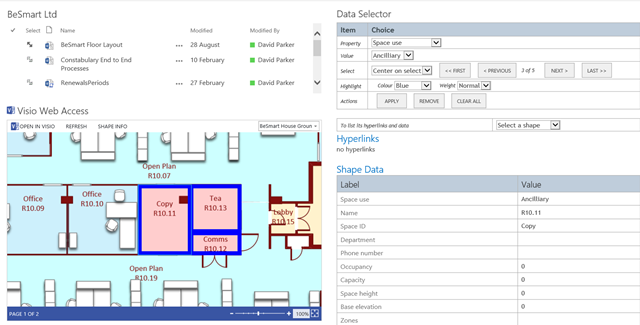
In August, I wrote about Using JavaScript to Display Visio Shape Data and Hyperlinks in SharePoint Content Editor ( see http://blog.bvisual.net/2014/08/16/using-javascript-to-display-visio-shape-data-and-hyperlinks-in-sharepoint-content-editor/ ), so now I have added the ability to select shapes by a property value. The main advantage of using JavaScript in the client is that there is no need to go back to the server to refresh the page.

In the following screenshot, I have used the standard web part connections between the BeSmart Ltd document library view and the Visio Web Access control in order to set the Drawing URL.

image

[Read more…] about Using JavaScript to Find and Highlight Visio Shapes by Shape Data values in SharePoint Content Editor

Filed Under: JavaScript, Shape Data, SharePoint, Visio 2013, Visio Services Tagged With: Shape Data, SharePoint 2013, Visio Services

Published on September 11, 2014 by David Parker

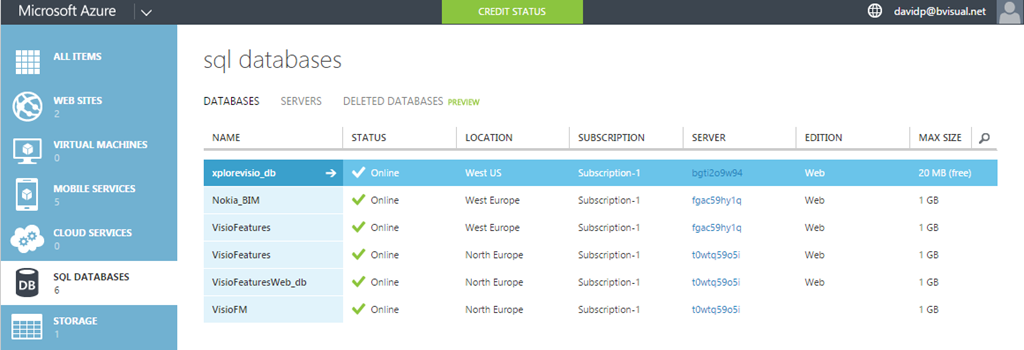
Linking SQL database on Azure to Visio

Microsoft Visio has many data sources available for Link Data to Shapes, and one of those is SQL Server. Microsoft Azure is increasingly becoming a low-cost, and always available, choice for hosting all sorts of data, and applications, so I thought I would document how easy it is to setup a SQL database on Azure for use with Visio.

Creating the SQL database on Azure

First, you need register for an Azure subscription, and then create a SQL database on a server in a suitable location.

Create Azure Sql database

[Read more…] about Linking SQL database on Azure to Visio

Filed Under: Azure, External Data, Shape Data, SQL Server, Visio 2013 Tagged With: SQL, Visio

Published on September 10, 2014 by David Parker

Union Jacked?

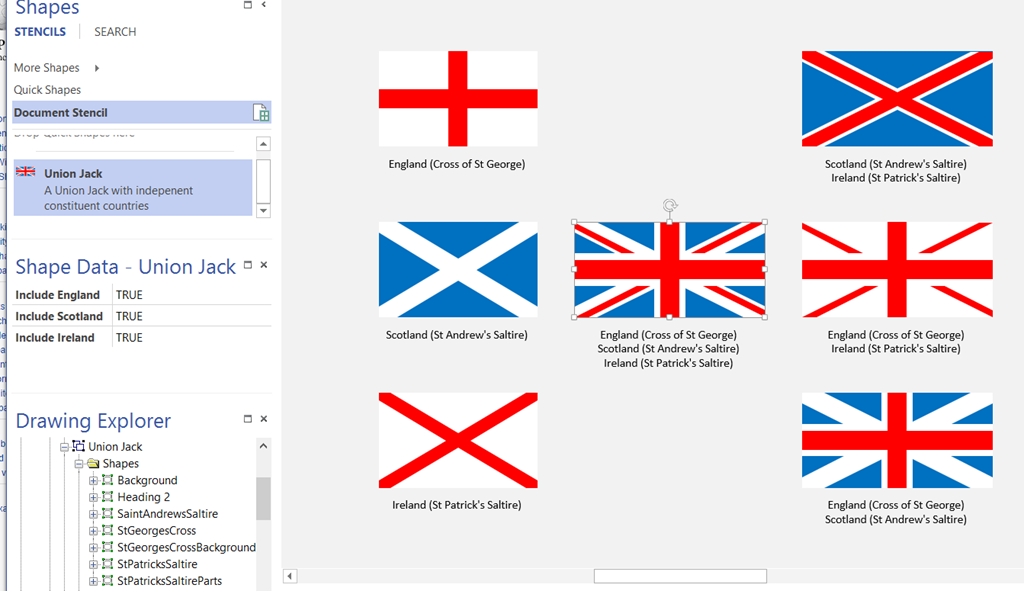
I am in Edinburgh, capital of Scotland, today. All talk is of the vote on Scottish independence next week … so, I thought I would make a Union Jack Visio shape that can be automatically changed, using Shape Data values, to represent the countries left in the union!

The Union Jack is comprised of the flags of England, Scotland and Ireland … sorry Wales, you are only a principality. Yes, I know that Northern Ireland is a province, but it was decided that St Patrick’s Saltire should be kept even after Eire got independence.

Note that a single country flag has an aspect ratio of 5:3, but a multi-country union flag has an aspect ratio of 2:1.

image
[Read more…] about Union Jacked?

Filed Under: Geographic, Shape Data, ShapeSheet Formulas, Visio Tagged With: Shape Data, ShapeSheet Functions

Published on August 21, 2014 by David Parker

Using Icon Sets shapes to display Shape Data values

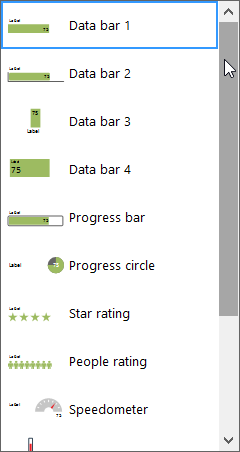
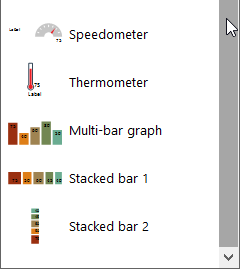
A reader of my blog recently asked whether it is possible to use the icons in out-of-the-box Visio as the main shape, and get it to refresh with data. I pointed out that all of the icon sets are available in a handy stencil under Visio Extras, so all that remains is to make the icon display change according to data values.

SNAGHTML2b09d2
[Read more…] about Using Icon Sets shapes to display Shape Data values

Filed Under: Data Graphics, Shape Data, ShapeSheet Formulas, Visio, Visio 2013 Tagged With: Shape Data

Published on April 8, 2014 by David Parker

Adding Configure Callout functionality to Visio Callouts

Visio is always improving but sometimes some functionality is hard to find, and gets forgotten about. For example, the Custom callout 1,2 and 3 masters on the Visio Extras \ Callouts stencil have been there for a few years, yet most users do not find them or realise what they can do. They provide the ability for a connected callout shape to display the values, and optional labels, of a target shape. This can be most useful for automatic annotations because they are always up to date. However, Visio recently introduced some new Callout shapes, but this ability is not there by default. In this blog, I show you how to add this useful feature to the new Callouts.

First, let’s look at the older Custom callout shapes, which automatically open a Configure Callout dialog when connected to another shape. This callout invites you to display selected Shape Data rows of the target shape:

image


[Read more…] about Adding Configure Callout functionality to Visio Callouts

Filed Under: Callouts, Visio 2013 Tagged With: Callouts

Published on March 26, 2014 by David Parker

Creating a Schema from Visio External Data record sets

Visio introduced External Data record sets in 2007, and I have made great use of them ever since. Visio 2013 has deprecated reverse engineering of databases to produce a schema, which was a function that I loved to use because it allowed me to provide clients with up to date, annotated, enhanced schema diagrams. Microsoft have, however, provided some nice database schema templates in Visio 2013 Professional, so I thought I would provide a way to use the External Data record sets to produce schema diagrams.

I have created a new custom stencil, based upon the IDEF1X Database Notation template in Visio 2013 Professional, and have added some macros to provide the guided diagramming. I say guided because page position of tables and relationships are left to you, but the macros will create table definitions from External Data record sets.

All of the three database notation templates contain an Entity and an Attribute master. In fact, they also have a Primary Key Attribute master too, but this is identical to the Attribute master, apart from a setting to say it is the primary key. This can be done from the Attribute shape anyway, so I will dispense with the Primary Key Attribute master.

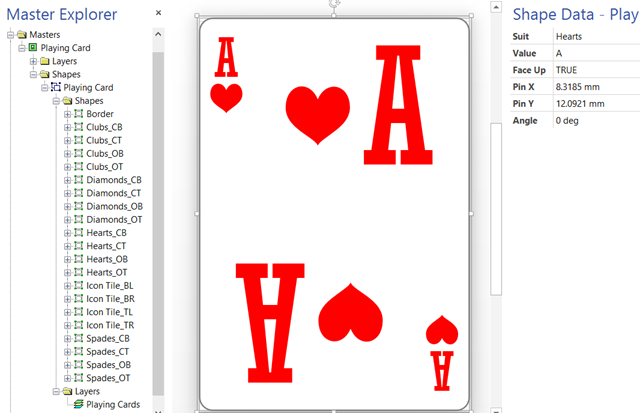
image
[Read more…] about Creating a Schema from Visio External Data record sets

Filed Under: Database, External Data, Lists, Visio, Visio 2013 Tagged With: ER Diagrams

  • « Go to Previous Page
  • Page 1
  • Interim pages omitted …
  • Page 24
  • Page 25
  • Page 26
  • Page 27
  • Page 28
  • Interim pages omitted …
  • Page 36
  • Go to Next Page »

Primary Sidebar

  • LinkedIn
  • Twitter

Recent Posts

  • My Visio Books and Old pre-C# Work
  • Migrating from Lucidchart to Visio?
  • Creating Boolean Context Menus in Visio
  • Installing Visio Templates and Stencils
  • Creating a Dynamic connector master automatically

Categories

Tags

Accessibility Add-Ins AdvancedInstaller Connectors Containers Data Export Data Graphics Data Import Data Visualizer Educational Excel GraphDatabase Hyperlinks Icon Sets JavaScript LayerManager Layers Legend Link Data to Shapes MSIgnite Office365 Org Chart PowerApps PowerBI PowerQuery Processes Setup and Deployment Shape Data Shape Design ShapeSheet ShapeSheet Functions SharePoint 2013 SQL Teams Validation VBA Video Visio Visio 2007 Visio for the desktop Visio for the Web Visio Online Visio Services Visio Viewer Webinar

Footer

bVisual Profile

The UK-based independent Visio consultancy with a worldwide reach. We have over 25 years experience of providing data visualization solutions to companies around the globe.

Learn more about bVisual

  • Amazon
  • E-mail
  • Facebook
  • LinkedIn
  • Twitter
  • YouTube

Search this website

Recent posts

  • My Visio Books and Old pre-C# Work
  • Migrating from Lucidchart to Visio?
  • Creating Boolean Context Menus in Visio
  • Installing Visio Templates and Stencils
  • Creating a Dynamic connector master automatically

Copyright © 2026 · Executive Pro on Genesis Framework · WordPress · Log in