• Skip to main content
  • Skip to primary sidebar
  • Skip to footer

bVisual

  • Home
  • Services
    • How Visio smartness can help your business
    • Visio visual in Power BI
    • Visio Consulting Services
    • Visio Bureau Services
    • Visio Training and Support Services
  • Products
    • Visio Shape Report Converter
    • SS Plus
    • LayerManager
    • visViewer
    • Metro Icons
    • Rules Tools for Visio
    • The Visio 2010 Sessions App
    • Multi-Language Text for Visio
    • Document Imager for Visio
    • multiSelect for Visio
    • pdSelect for Visio
  • Case Studies
    • Case studies overview
    • Using Visio in Education for GIS
    • Visualizing Construction Project Schedules
    • Visio Online Business Process Mapping
    • Nexans Visio Template
    • CNEE Projects, WorldCom
    • Chase Manhattan Bank
  • News
    • Recent news
    • News archive
  • Resources
    • Articles➡
      • ShapeSheet Functions A-Z
      • Comparing Visio for the Web and Desktop
      • Customising Visio Shapes for the Web App
      • Key differences between the Visio desktop and web apps
      • Using the Visio Data Visualizer in Excel
      • Using Visio in Teams
      • Creating Visio Tabs and Apps for Teams with SharePoint Framework (SPFx)
      • Designing Power Automate Flows with Microsoft Visio
      • Innovative uses of Visio Lists
    • Webcasts ➡
      • Visio in Organizations
      • My session and other Visio sessions at MSIgnite 2019
      • Power up your Visio diagrams
      • Vision up your Visio diagrams
      • The Visio 2010 MVP Sessions
    • Visio Web Learning Resources
    • Books➡
      • Visualize Complex Processes with Microsoft Visio
      • Mastering Data Visualization with Microsoft Visio
      • Microsoft Visio Business Process Diagramming and Validation
      • Visualizing Information with Microsoft Visio
  • Blog
    • Browse blog articles
    • Visio Power BI articles
    • Visio for Web articles
    • A history of messaging and encryption
  • About us
    • About bVisual
    • Testimonials
    • Bio of David Parker
    • Contact Us
    • Website Privacy Policy
    • Website terms and conditions
    • Ariba Network

Products

Published on November 10, 2025 by David Parker

How SVG in Visio can cause a Shape.BoundingBox(…) error

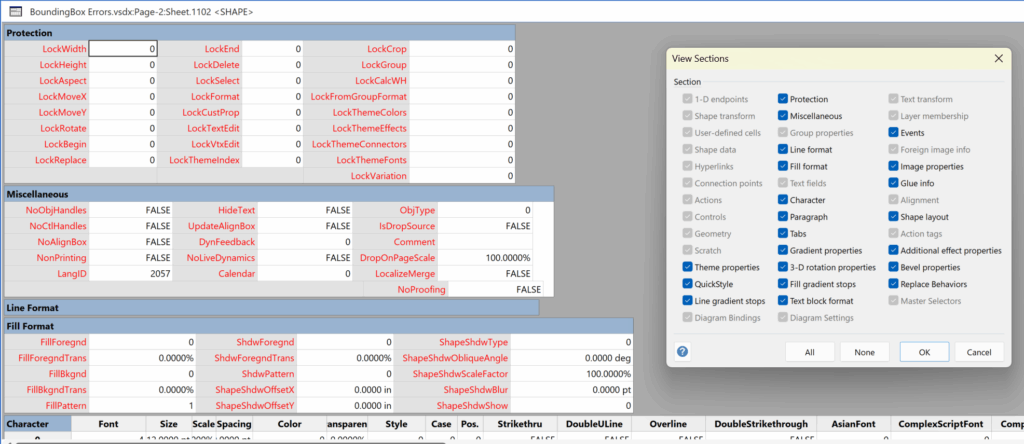
I have used Visio’s Shape.BoundingBox(…) for many, many years and I cannot ever recall it failing, but I have now managed to create some shapes that cause it to error. This caused many hours of confusion, so I nearly abandoned using the method, until I discussed it with my fellow Visio MVP, John Goldsmith (see VisualSignals), and together we examined the cause. It came down to a badly formed sub-shape within the shape that had zero dimension … and in fact had an incomplete ShapeSheet. If you look at the screenshot below, then you may notice that there is no Shape Transform section! That is a mandatory section, and should always exist … so how did this happen?
[Read more…] about How SVG in Visio can cause a Shape.BoundingBox(…) error

Filed Under: C#, Coding, eVSM Mix, ShapeSheet Formulas, Visio Tagged With: Coding, ShapeSheet, SVG, Visio

Published on November 8, 2025 by David Parker

Post-Processing Paste from Clipboard in Visio

One of my current Visio VSTO add-in projects requires me to react to users pasting custom shapes in the Visio page from the clipboard. The process involves registering the ExitScope event and then checking the Clipboard contents. Initially, I was merely testing for a line in the DataObject that started with the word “Visio “, but then testing revealed that copying and pasting text from one shape to another was also getting processed, so then I added a further check that the line also finished with the word ” Shapes”. This works fine, but then I got to wonder if I could also post-process tables copied and pasted from Excel because the standard paste maintains font settings but omits the tabs and line feeds, making the text unusable without serious manual editing. This article explains how this can done.

[Read more…] about Post-Processing Paste from Clipboard in Visio

Filed Under: Coding, eVSM Mix, Visio, Visio for Desktop Tagged With: Coding, Visio

Published on November 15, 2024 by David Parker

The importance of #layers in Visio for Power BI

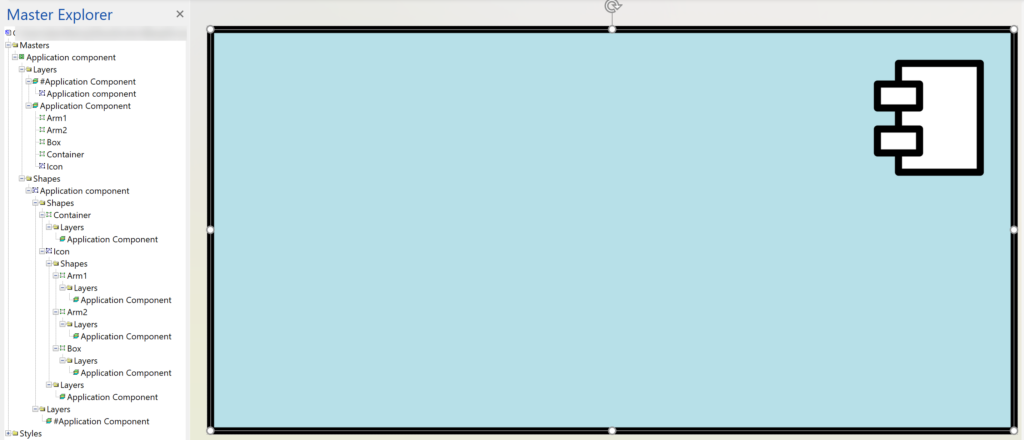
Judging by the number of downloads of my free Visio and Power BI GuIde, there is an increasing recognition of this great feature. I recently started to prepare an example for someone, but found that their sample Visio document has just over the 1,000 shape limit, so what can you do about that? The answer is to modify the master shapes so only the top level of the group has a # symbol at the start. This ensures that only the shapes on these layers are counted. In this particular example the count of shapes was reduced from 1,084 to 278 … well within the limit!

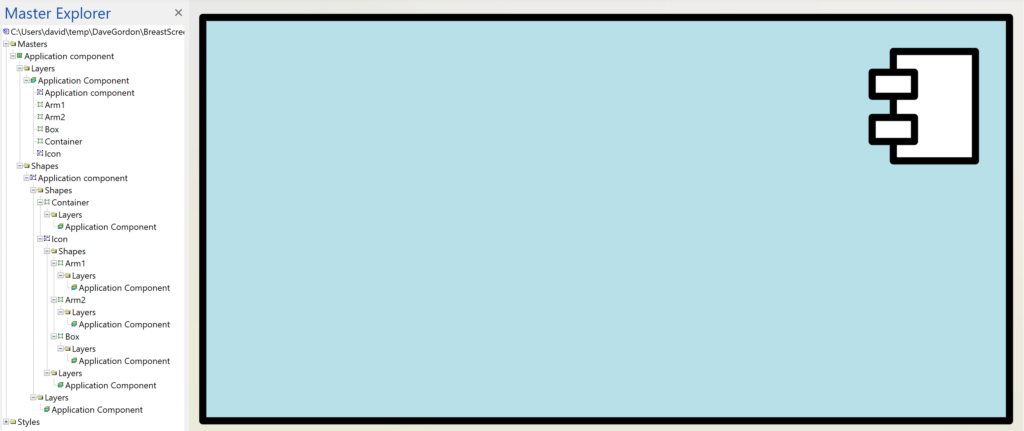
So, how is this done? Well, this can be done manually by editing each master shape. In this following example the shape count is reduced from 6 to 1 using this method, and there are 45 instances of this master shape on the page. so that makes 45*5=225 less shapes just by editing this one master.

  • Master structure before any changes to the layers
  • Master structure with # layer for the top level group
[Read more…] about The importance of #layers in Visio for Power BI

Filed Under: LayerManager, Layers, Visio

Published on June 6, 2023 by David Parker

Navigate to named areas in Visio with SS Plus

Many years ago, when I was an architect, I used a Unix CAD system with large buildings. I was able to navigate quickly to rectangular areas that I had named. Well, the Export to PowerPoint feature in Visio Plan 2 provides Slide Snippets, which are named areas that can be exported to PowerPoint. My SS Plus add-in already provides enhancements to this feature that provides formatted text and hyperlinks to be exported too, but I was missing a trick. So, now I have added in a dynamic sub-menu that provides quick navigation to these named Slide Snippet areas and can optionally integrate with LayerManager to apply a named LayerSet too!

I have made a short video to demonstrate this:

[Read more…] about Navigate to named areas in Visio with SS Plus

Filed Under: LayerManager, PowerPoint, Slide Snippets, SS Plus, Visio Plan 2 Tagged With: LayerManager, PowerPoint, SS Plus, Visio

Published on May 9, 2023 by David Parker

Layer Set menu options and calls from code added to LayerManager

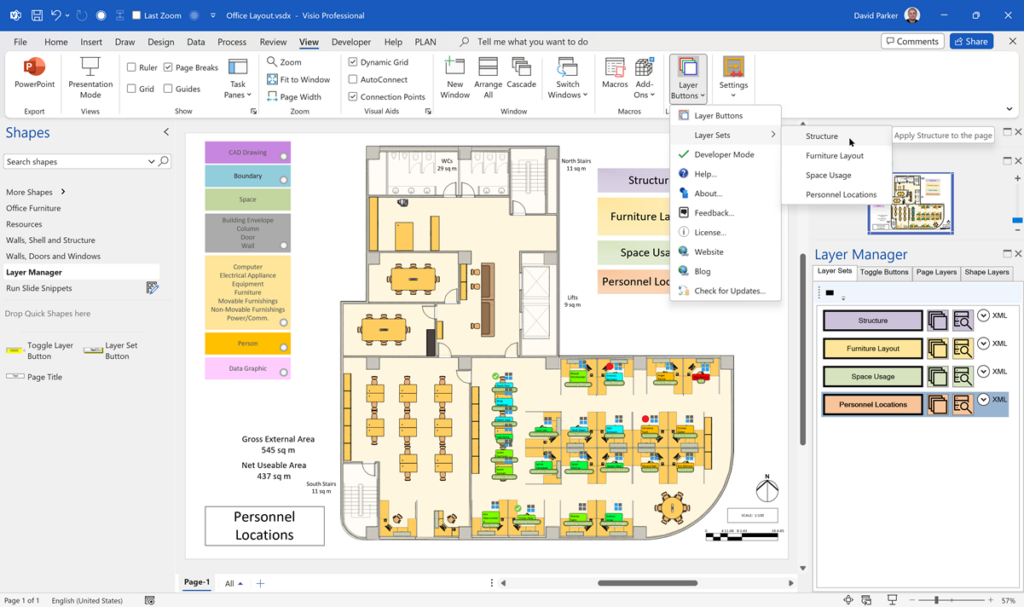
LayerManager for Microsoft Visio layer sets can now be called from external code and are also available from a sub-menu of the Layer Buttons drop-down ribbon button. The Layer Manager window does not need to be open to use the sub-menu because it detects the Layer Set buttons on the page.

[Read more…] about Layer Set menu options and calls from code added to LayerManager

Filed Under: LayerManager, Layers, Visio for Desktop Tagged With: LayerManager, Layers, Visio

Published on April 28, 2023 by David Parker

Interactive Demographics of the European Union in Visio

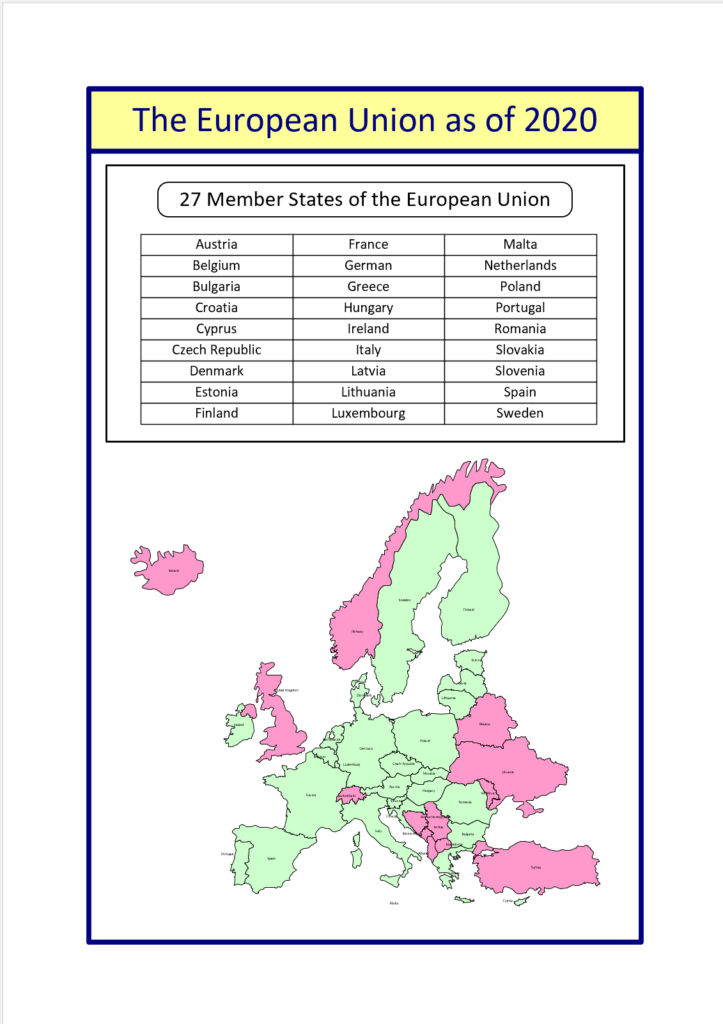
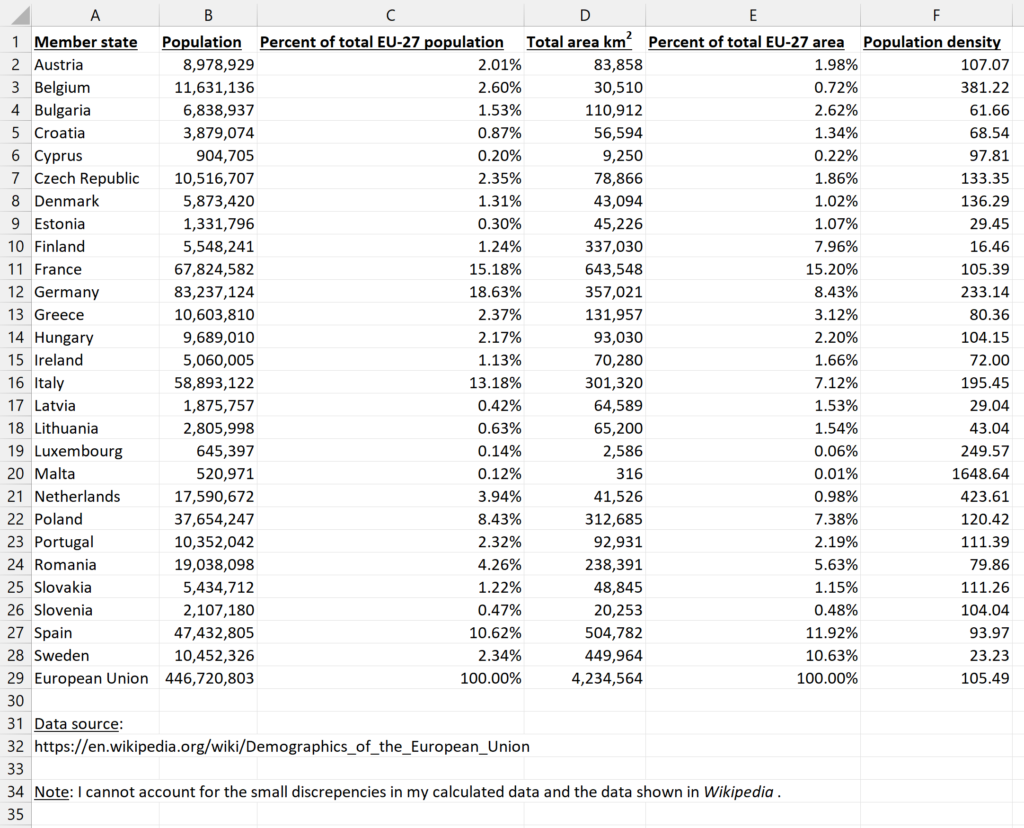
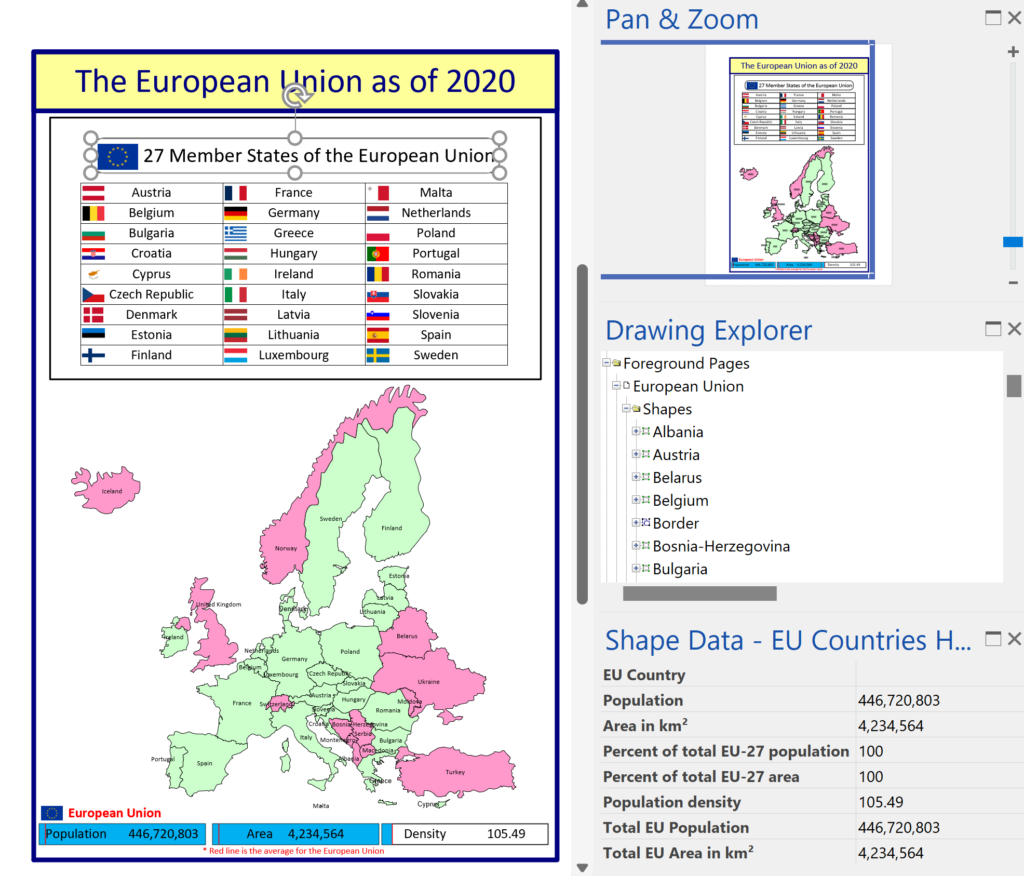
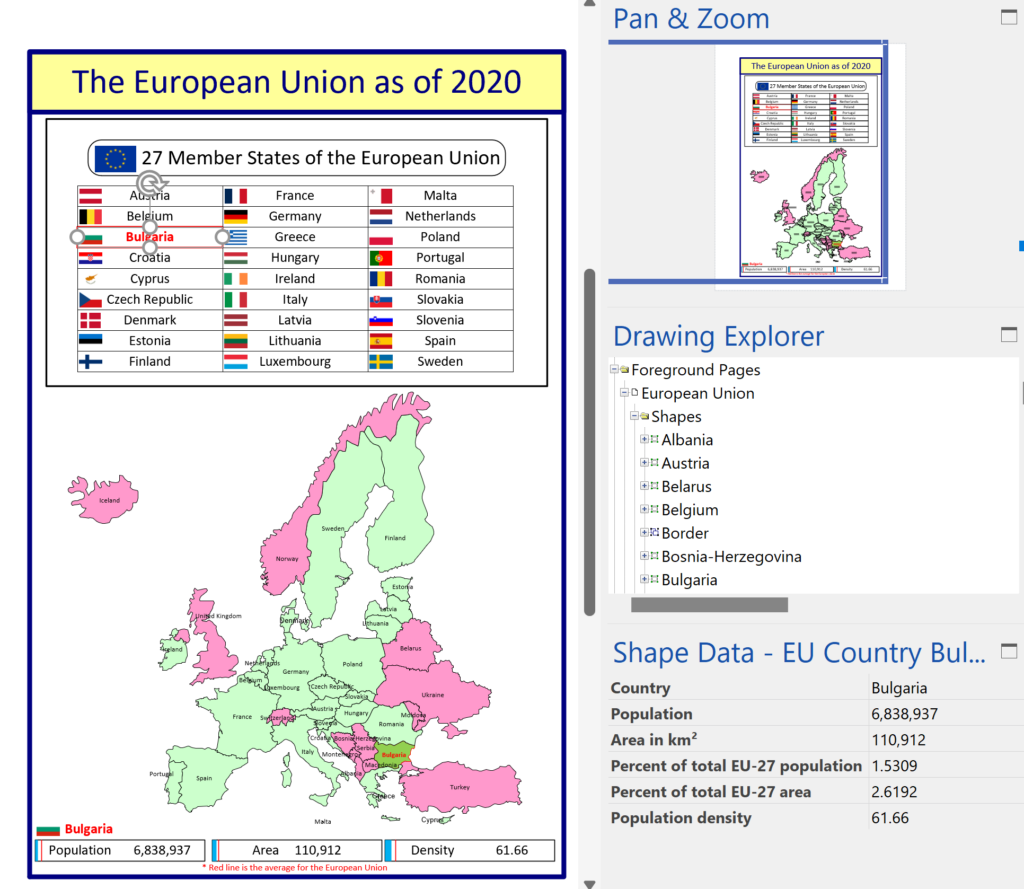
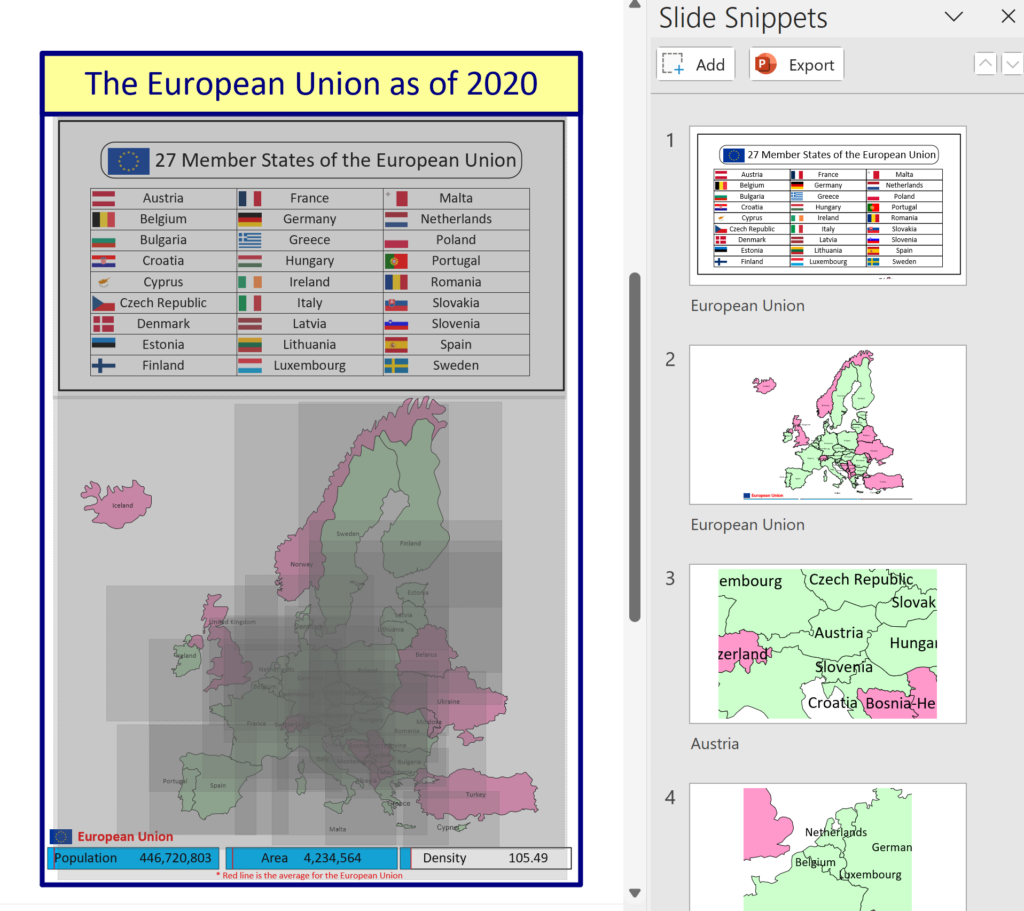
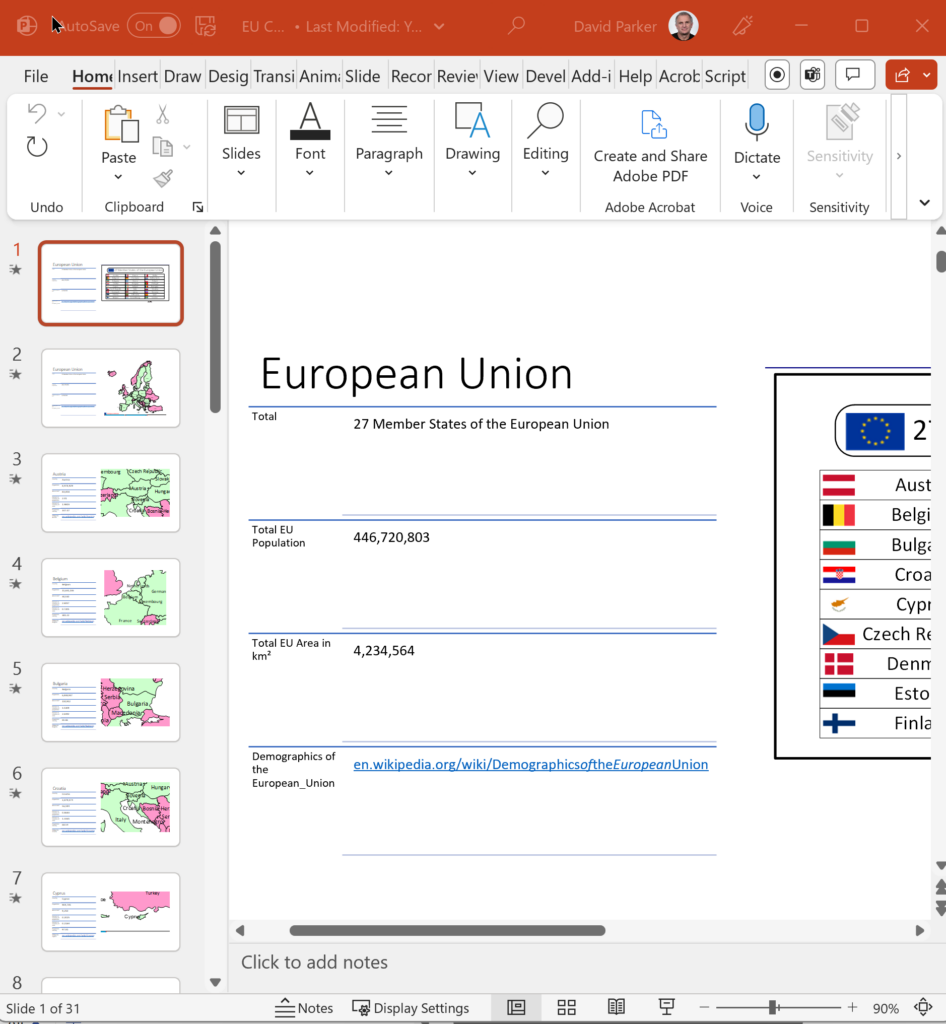
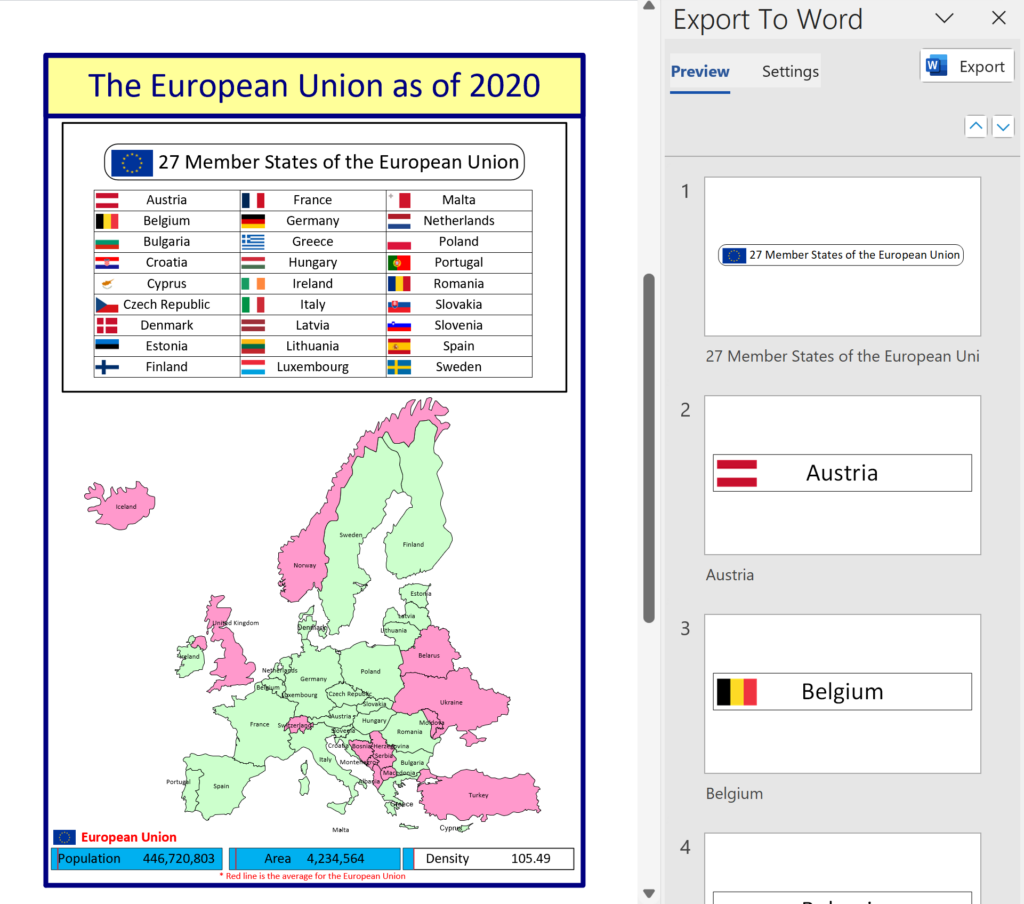
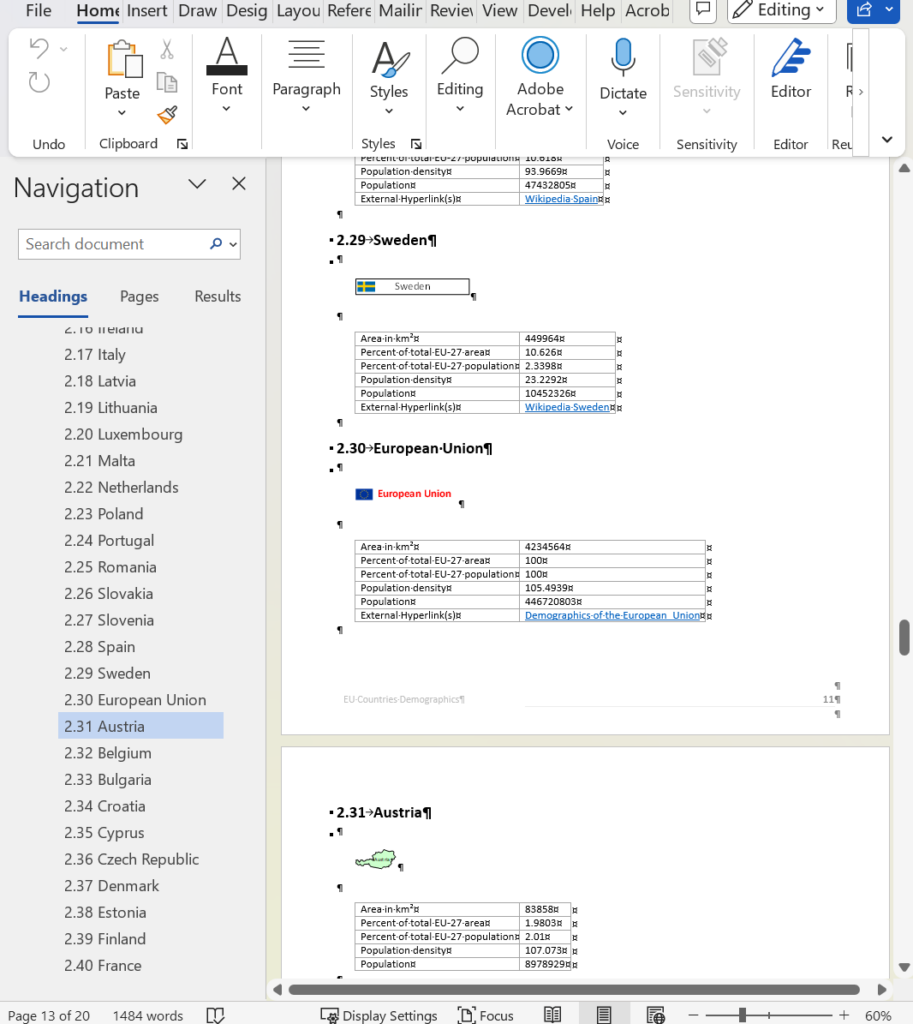
I was recently contacted by a reader, Stanley M. Max (Towson University lecturer), who had started creating a Visio map of the 27 countries in the European Union in 2020, along with the demographics culled from Wikipedia. He wanted to know if the map and stats could be combined to make a more appealing presentation. Well, that prompted me to not only combine the data and country shapes, but to explore ways in which a presentation of the map can be made more interesting in Visio. So, I added data and hyperlinks to the shapes, and set up a page property for the selected country which automatically highlights the country shape, statistics, and header, to which I added flags. So, the user can either set the page country using the Shape Data window for the page, or context menu of each country, or simply by double-clicking.

  • The original Visio page
  • The original Excel table
  • The enhanced Visio page
  • A country selected for the page
  • Adding Slide Snippets
  • Exported to PowerPoint
  • Export to Word previews
  • Exported to Word
[Read more…] about Interactive Demographics of the European Union in Visio

Filed Under: Geographic, PowerPoint, Shape Data, ShapeSheet Formulas, Slide Snippets, SS Plus, Visio for Desktop, Visio for Web Tagged With: PowerPoint, Shape Data, Slide Snippets, Visio, word

  • Page 1
  • Page 2
  • Page 3
  • Interim pages omitted …
  • Page 5
  • Go to Next Page »

Primary Sidebar

  • LinkedIn
  • Twitter

Recent Posts

  • A visual exploration of Penrose Tiling in Visio
  • How SVG in Visio can cause a Shape.BoundingBox(…) error
  • Post-Processing Paste from Clipboard in Visio
  • Are Master Shortcuts useful in Visio?
  • Jumping between Shapes in Visio

Categories

Tags

Accessibility Add-Ins Connectors Containers Data Export Data Graphics Data Import Data Visualizer Educational Excel GraphDatabase Hyperlinks Icon Sets JavaScript LayerManager Layers Legend Link Data to Shapes Lists MSIgnite MVP Office365 Org Chart PowerApps PowerBI PowerQuery Processes Shape Data Shape Design ShapeSheet ShapeSheet Functions SharePoint 2013 SQL Teams Validation VBA Video Visio Visio 2007 Visio for the desktop Visio for the Web Visio Online Visio Services Visio Viewer Webinar

Footer

bVisual Profile

The UK-based independent Visio consultancy with a worldwide reach. We have over 25 years experience of providing data visualization solutions to companies around the globe.

Learn more about bVisual

  • Amazon
  • E-mail
  • Facebook
  • LinkedIn
  • Twitter
  • YouTube

Search this website

Recent posts

  • A visual exploration of Penrose Tiling in Visio
  • How SVG in Visio can cause a Shape.BoundingBox(…) error
  • Post-Processing Paste from Clipboard in Visio
  • Are Master Shortcuts useful in Visio?
  • Jumping between Shapes in Visio

Copyright © 2025 · Executive Pro on Genesis Framework · WordPress · Log in