• Skip to main content
  • Skip to primary sidebar
  • Skip to footer

bVisual

  • Home
  • Services
    • How Visio smartness can help your business
    • Visio visual in Power BI
    • Visio Consulting Services
    • Visio Bureau Services
    • Visio Training and Support Services
  • Products
    • Visio Shape Report Converter
    • SS Plus
    • LayerManager
    • visViewer
    • Metro Icons
    • Rules Tools for Visio
    • The Visio 2010 Sessions App
    • Multi-Language Text for Visio
    • Document Imager for Visio
    • multiSelect for Visio
    • pdSelect for Visio
  • Case Studies
    • Case studies overview
    • Using Visio in Education for GIS
    • Visualizing Construction Project Schedules
    • Visio Online Business Process Mapping
    • Nexans Visio Template
    • CNEE Projects, WorldCom
    • Chase Manhattan Bank
  • News
    • Recent news
    • News archive
  • Resources
    • Articles➡
      • ShapeSheet Functions A-Z
      • Comparing Visio for the Web and Desktop
      • Customising Visio Shapes for the Web App
      • Key differences between the Visio desktop and web apps
      • Using the Visio Data Visualizer in Excel
      • Using Visio in Teams
      • Creating Visio Tabs and Apps for Teams with SharePoint Framework (SPFx)
      • Designing Power Automate Flows with Microsoft Visio
      • Innovative uses of Visio Lists
    • Webcasts ➡
      • Visio in Organizations
      • My session and other Visio sessions at MSIgnite 2019
      • Power up your Visio diagrams
      • Vision up your Visio diagrams
      • The Visio 2010 MVP Sessions
    • Visio Web Learning Resources
    • Books➡
      • Visualize Complex Processes with Microsoft Visio
      • Mastering Data Visualization with Microsoft Visio
      • Microsoft Visio Business Process Diagramming and Validation
      • Visualizing Information with Microsoft Visio
  • Blog
    • Browse blog articles
    • Visio Power BI articles
    • Visio for Web articles
    • A history of messaging and encryption
  • About us
    • About bVisual
    • Testimonials
    • Bio of David Parker
    • Contact Us
    • Website Privacy Policy
    • Website terms and conditions
    • Ariba Network

Coding

Published on June 21, 2019 by David Parker

Triggering Shape Mouse Enter and Leave JavaScript events in Visio Online

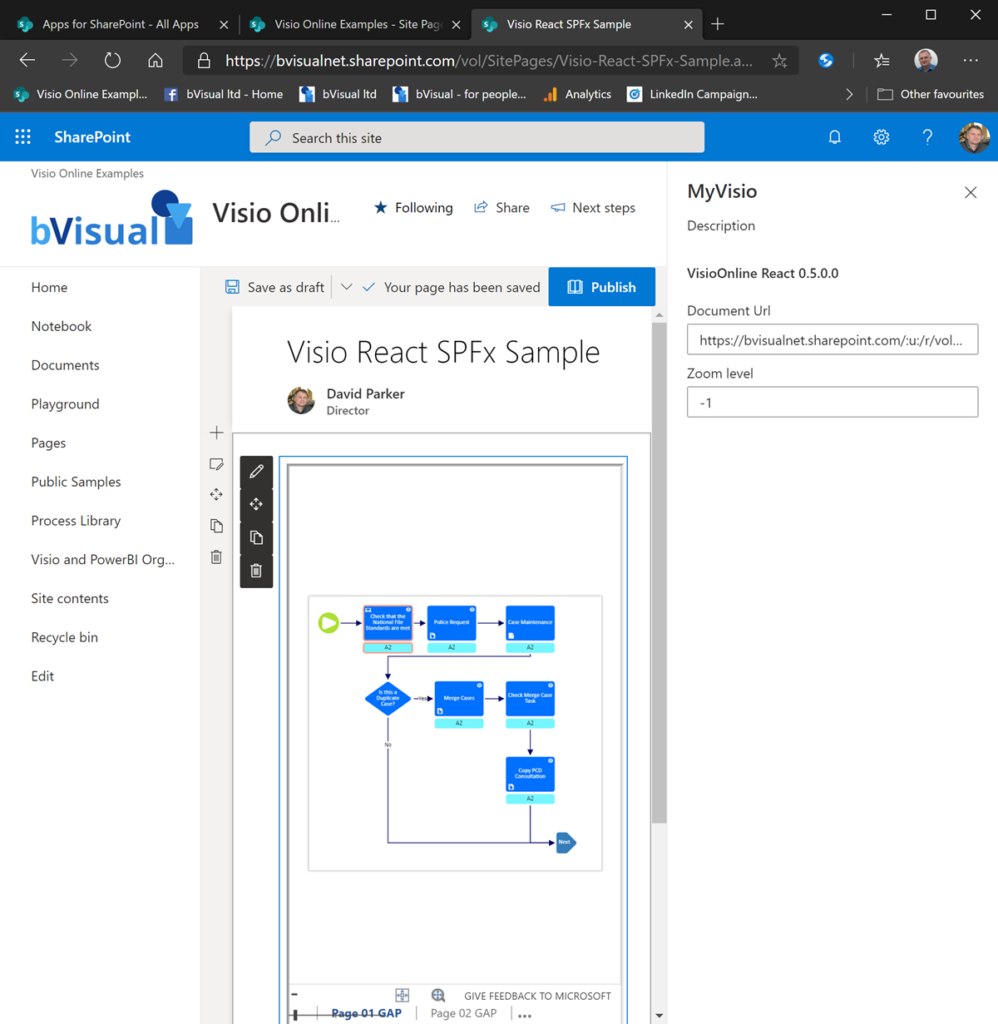
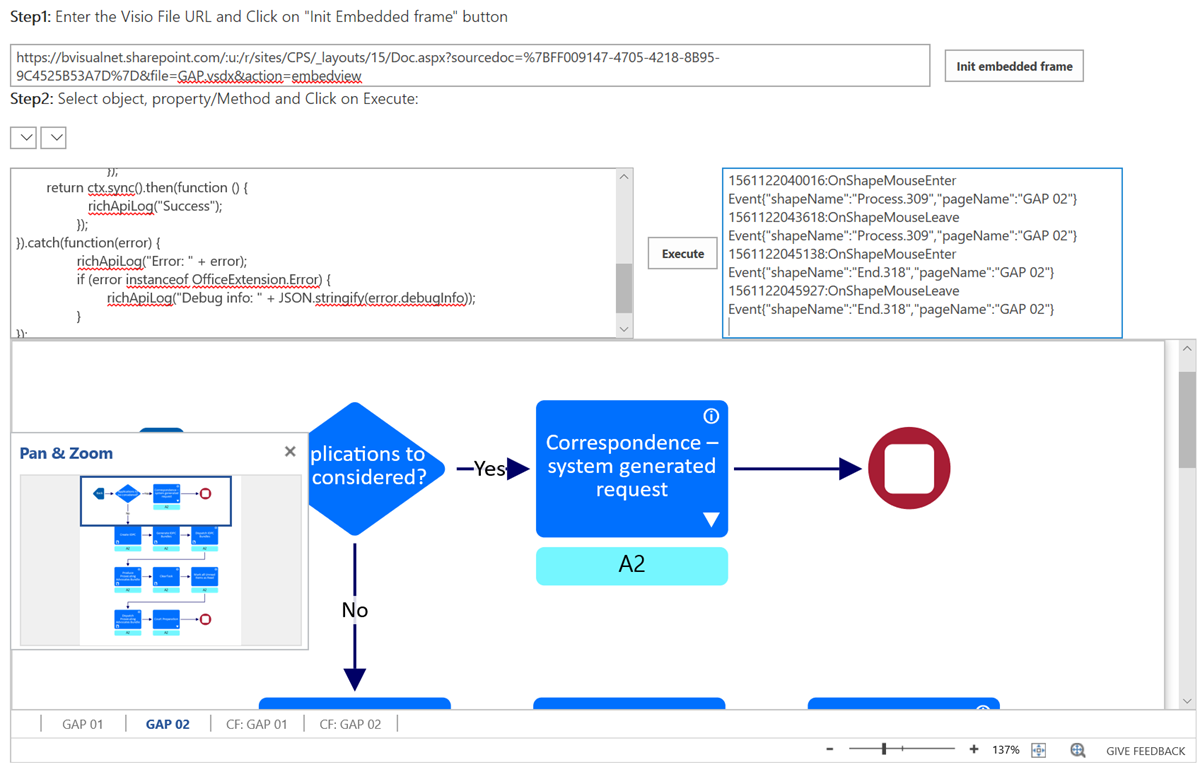
I am working on a project where Visio Online process diagrams are embedded within a SharePoint web page, and was surprised that the JavaScript onShapeMouseEnter() event was not being triggered as the mouse cursor moved over some of my shapes. After much searching by myself, and my colleague Seb Craft, we found that only the sub-shapes in the group were firing the event … So what was the problem?

[Read more…] about Triggering Shape Mouse Enter and Leave JavaScript events in Visio Online

Filed Under: JavaScript, Office 365, Process Flows, ShapeSheet Formulas, SharePoint, SOP Web Pages, Visio, Visio for Web, Visio Online Tagged With: JavaScript, ShapeSheet

Published on March 7, 2019 by David Parker

Changing Visio Shape Size and Angle with Linked Data

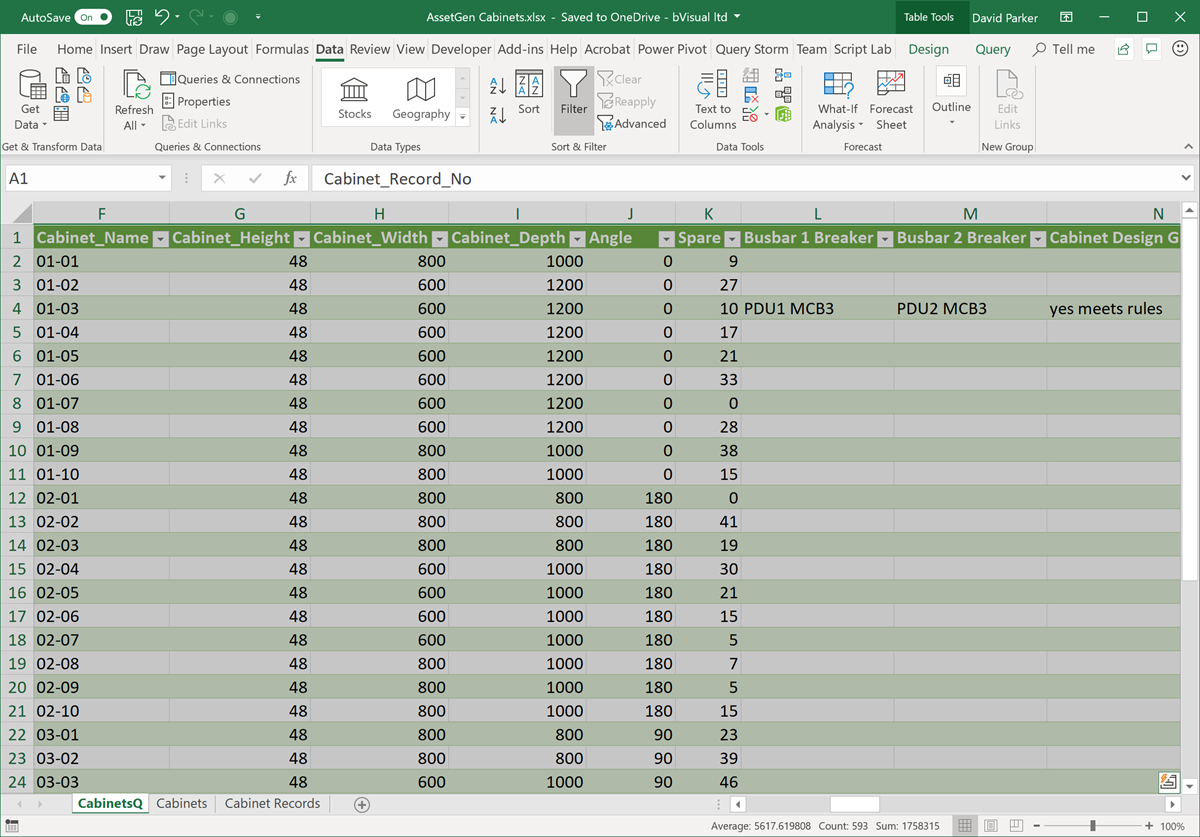
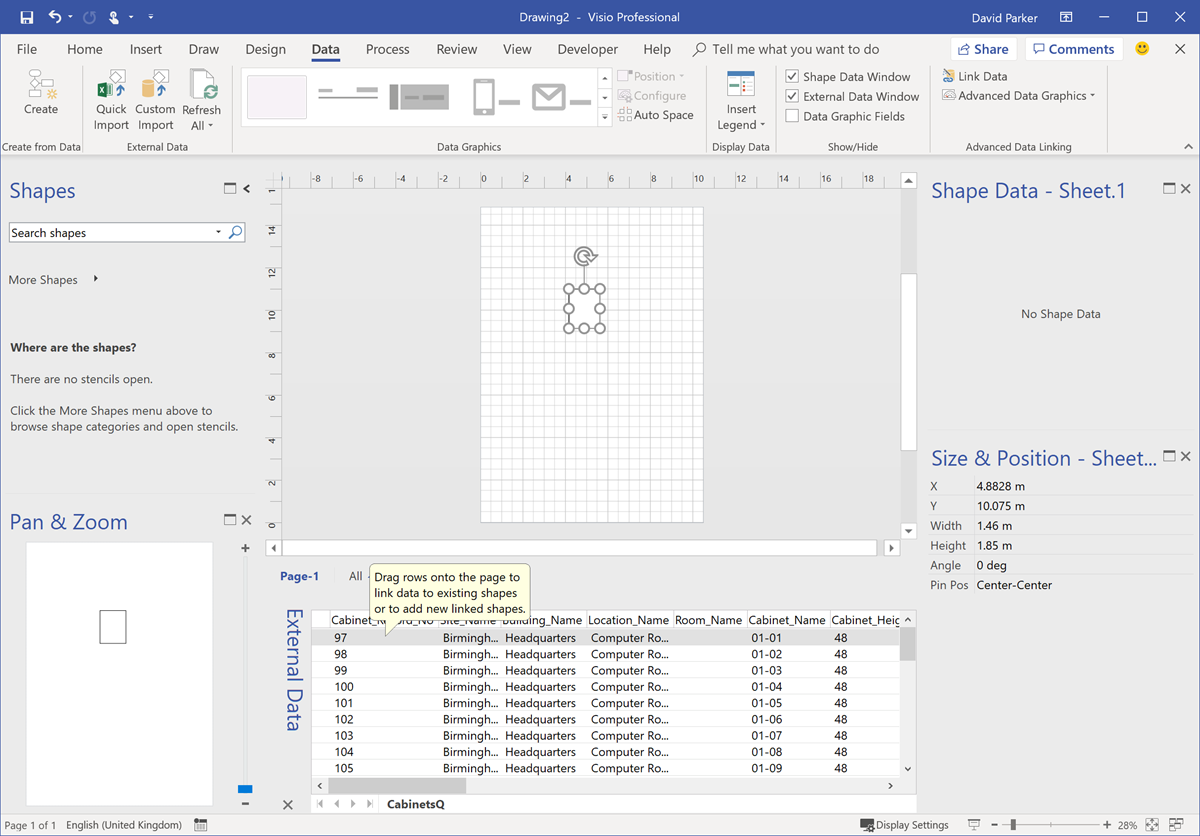
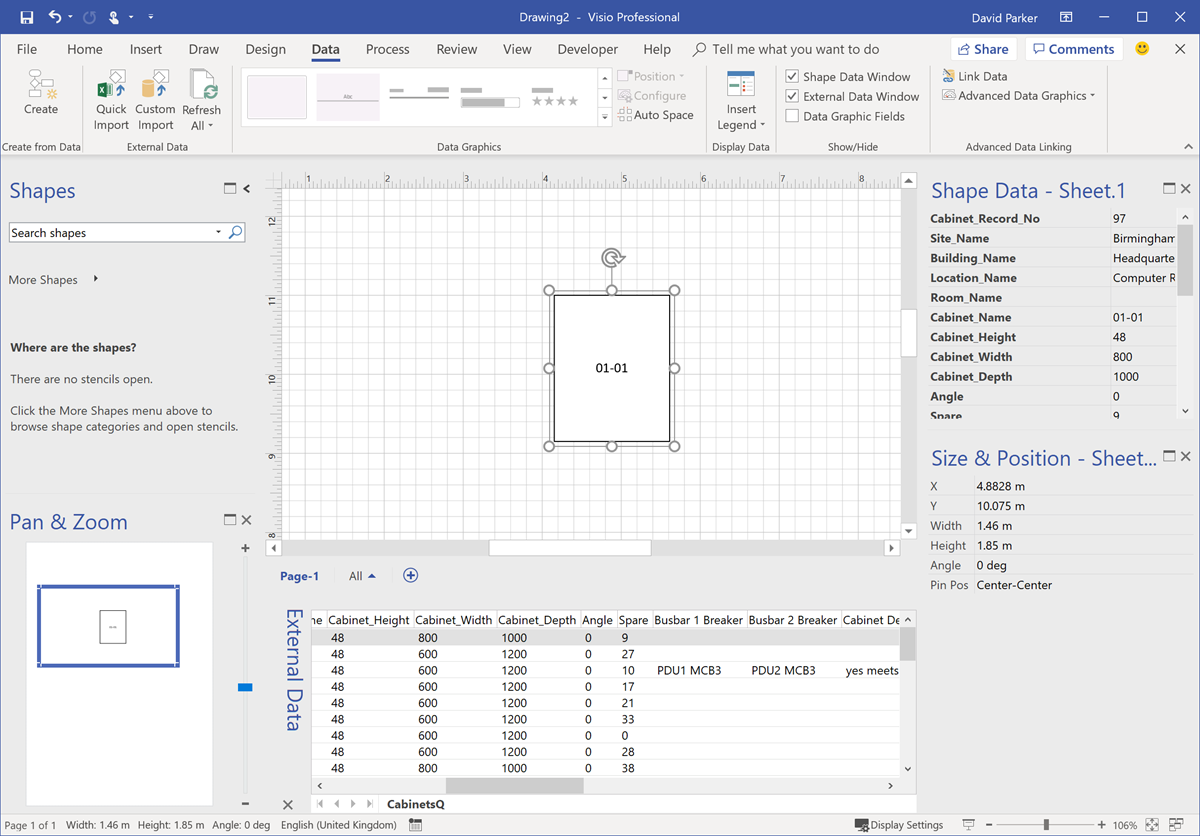
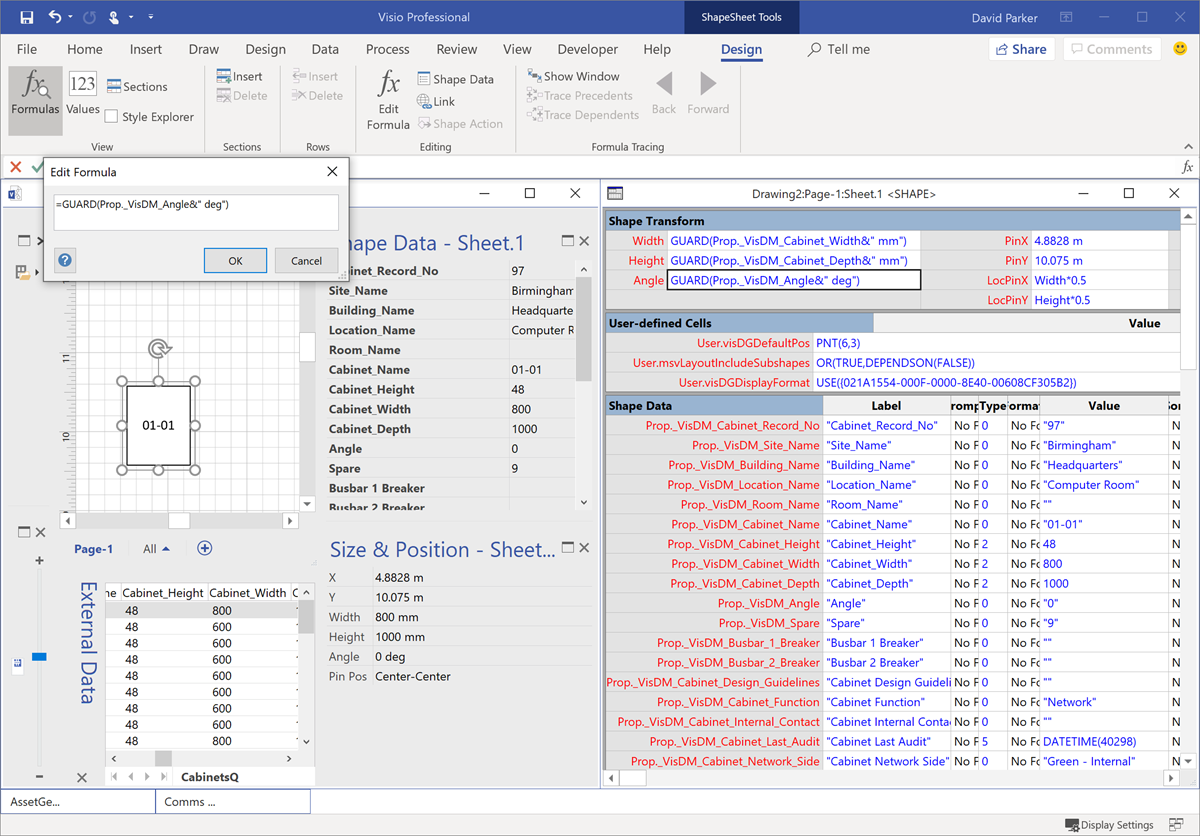
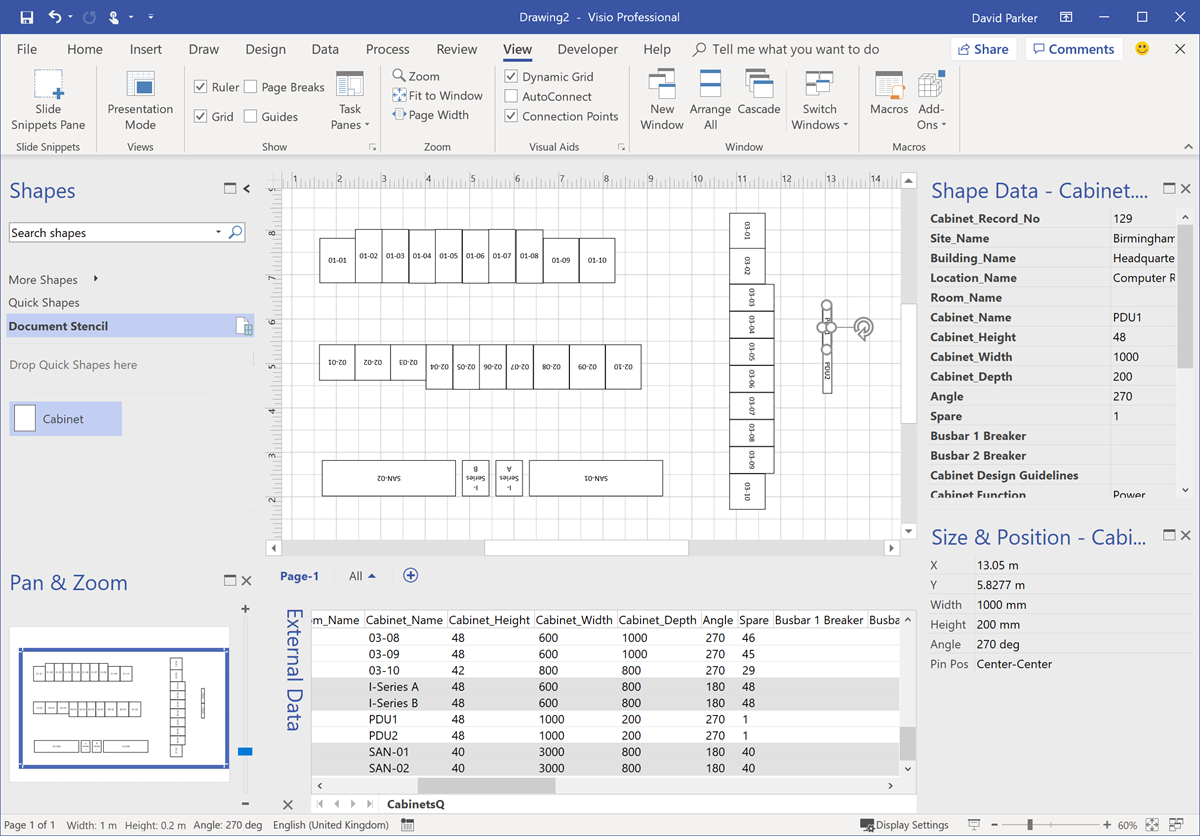
I was recently laying out a computer room floor plan to scale in Visio, from survey data of the cabinets\racks within it, and it occurred to me that I could work a bit smarter than I first thought. Originally, I was going to just add lots of rectangles, size them, rotate them, and label each them with their name. Then I thought, why not use the Width, Depth and Name columns from the survey data to do most of the work for me? It was so simple to do, and only took a few minutes, so I thought I would share my methodology because it demonstrates how easy it is to work smarter with Visio….

These are the simple steps shown above, written out for your education….

[Read more…] about Changing Visio Shape Size and Angle with Linked Data

Filed Under: Excel, External Data, mFormula, ShapeSheet Formulas, Visio Tagged With: Shape Data, Shape Design, ShapeSheet, ShapeSheet Functions

Published on February 27, 2019 by David Parker

Using Advanced Installer with Visio VSTO Add-Ins

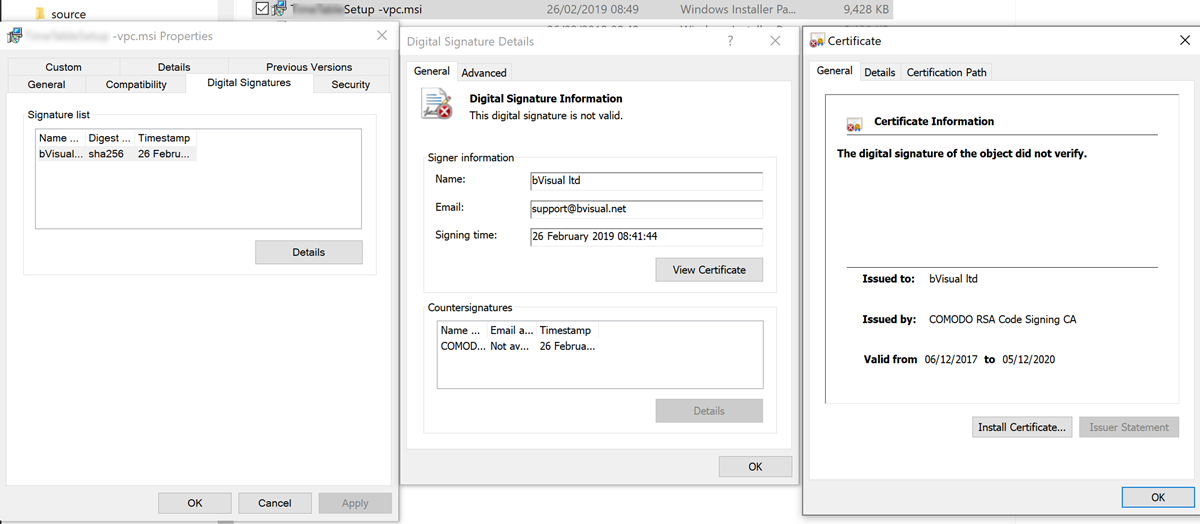
I have written many add-ins for Visio over the years, some for private clients for use in-house, some as products for public release by my clients or by me, and some just to help me with my day-to-day Visio development tasks. The ease of installation is always an issue, and I have been using a digital certificate to guarantee its authenticity in almost all of these scenarios. I have also included licensing code from a third-party for some of my own products, but have been aware that the third-party product I have been using is not ideal because it needs its own registered component on the client machine. So, when a client asked that I use Advanced Installer to create the installation setups so that their licensing system could be used, then I was (and still am) all for it because it could become a better method for myself. However, there are some issues that I am overcoming through this transition ….not least that an apparently correctly assigned digital certificate was actually not valid.

InvalidDigitalCertificate
[Read more…] about Using Advanced Installer with Visio VSTO Add-Ins

Filed Under: Deployment, TimeTable, Visio Tagged With: Add-Ins, AdvancedInstaller, Setup and Deployment, VSTO

Published on January 10, 2019 by David Parker

Replacing Images in Visio Shapes by Changing Data

I wrote an article last year about Swapping Images in a #Visio Shape manually, but I want to be able to do this whenever a Shape Data value changes. This is because I use I invariably use shapes linked to data. I also want to be able to have multiple images within a single grouped shape, and all of them changing when their referenced Shape Data values change. I believe that this will be more adaptable for a lot of scenarios than trying to repurpose Data Graphic Icon Sets ( see  Make Your Own Visio Data Graphic Icons Sets … automatically). I also discovered that the Shape.ChangePicture(…) function can just as easily work with urls as it can with network file paths, so even more possibilities are opened up! For example, the Visio Online JavaScript API has the ability to overlay an image (see ShapeView.addOverlay(…)).
So, I have created some macros to provide quick and easy selection, positioning and updating of images within a group shape.

personphotosbydata


I decided to present this article with VBA code rather than my preferred C# so that a stencil could be downloaded to provide instant usability, rather than having to install an add-in. It can be download from Image Utils.vssm, and should then be placed in to My Shapes folder, so that it becomes available to open in Visio. When it is opened, then the macros will need to be enabled.
There are just five public macros:

[Read more…] about Replacing Images in Visio Shapes by Changing Data

Filed Under: Excel, External Data, Geographic, Images, Org Charts, Shape Data, VBA, Visio Tagged With: Link Data to Shapes, Macros, ShapeSheet, VBA

Published on November 27, 2018 by David Parker

Reading the registry for Visio settings

I love writing Visio automation code, but I really don’t like writing setup & deployment scripts. There are so many variables : What Visio version, which edition? Which bitness (x86 or x64)? What are the user settings for the paths of stencils or templates?
So, I decided to write myself some C# functions that can be used in custom actions for an installation writing application, such as Advanced Installer. I think of the methods as being in one of three phases, Installation; Functionality and Configuration. The registry has three different areas to search within, Classes Root (HKCR); Local Machine (HKLM) and Current User (HKCU). In addition, the best way to get the true file version of Visio is to use FileInfo on the executable. The following screenshots are from a Cross-Functional Flowchart of the functions that get values for variables, and use them in other functions, until, eventually, the current user settings can be read.


Each of the functions I wrote handle the part of the registry that needs to be used. By that I mean that some settings for 64bit Visio on 64bit Windows will be in a different branch than 32bit Visio on 64bit Windows.
The first function gets the current version of the application associated with Visio drawings:

[Read more…] about Reading the registry for Visio settings

Filed Under: Deployment, Office 365, Visio Tagged With: Office365, Registry

Published on September 29, 2018 by David Parker

Support for the Visio JavaScript API in SharePoint Modern Framework, and more

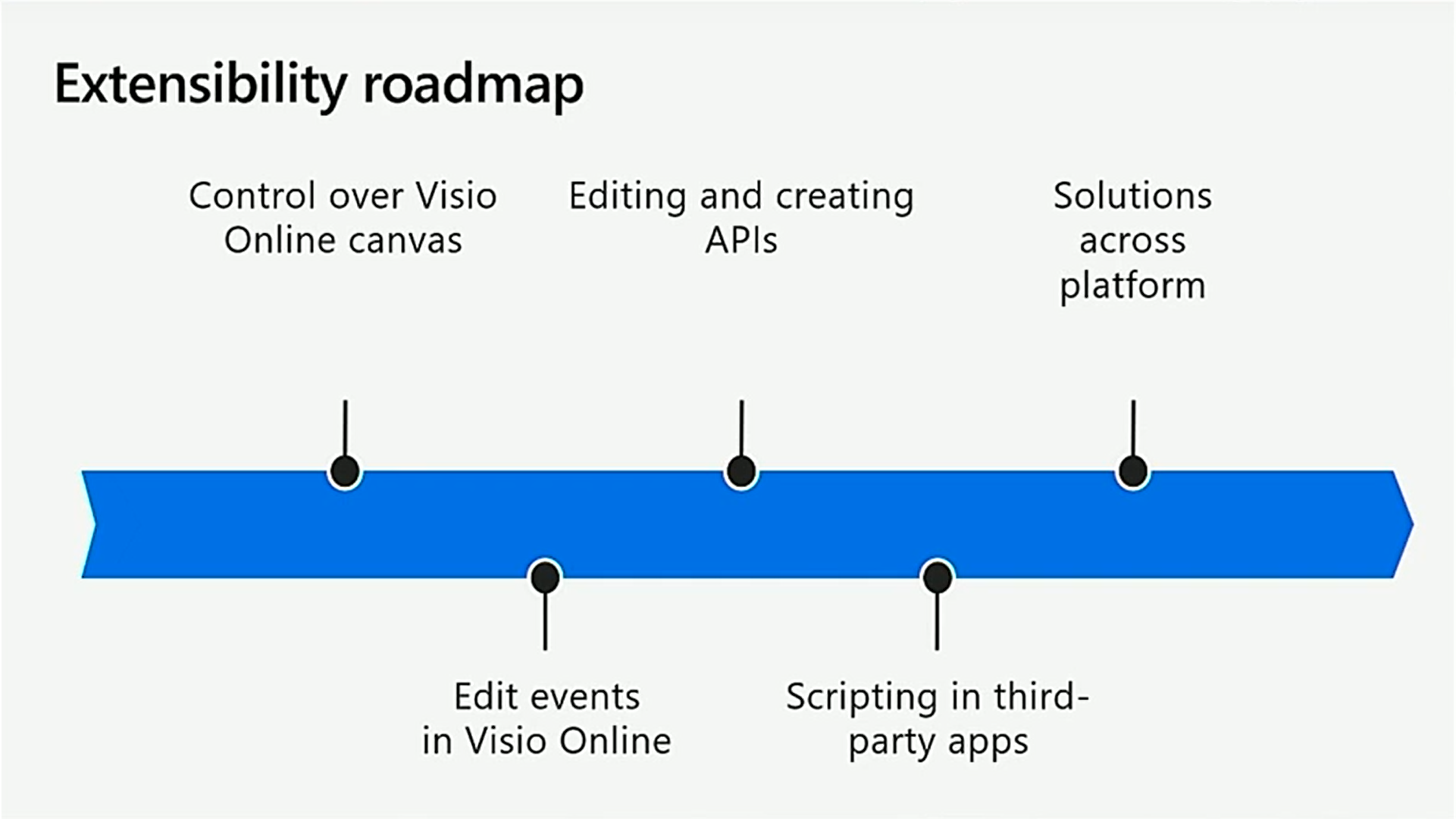
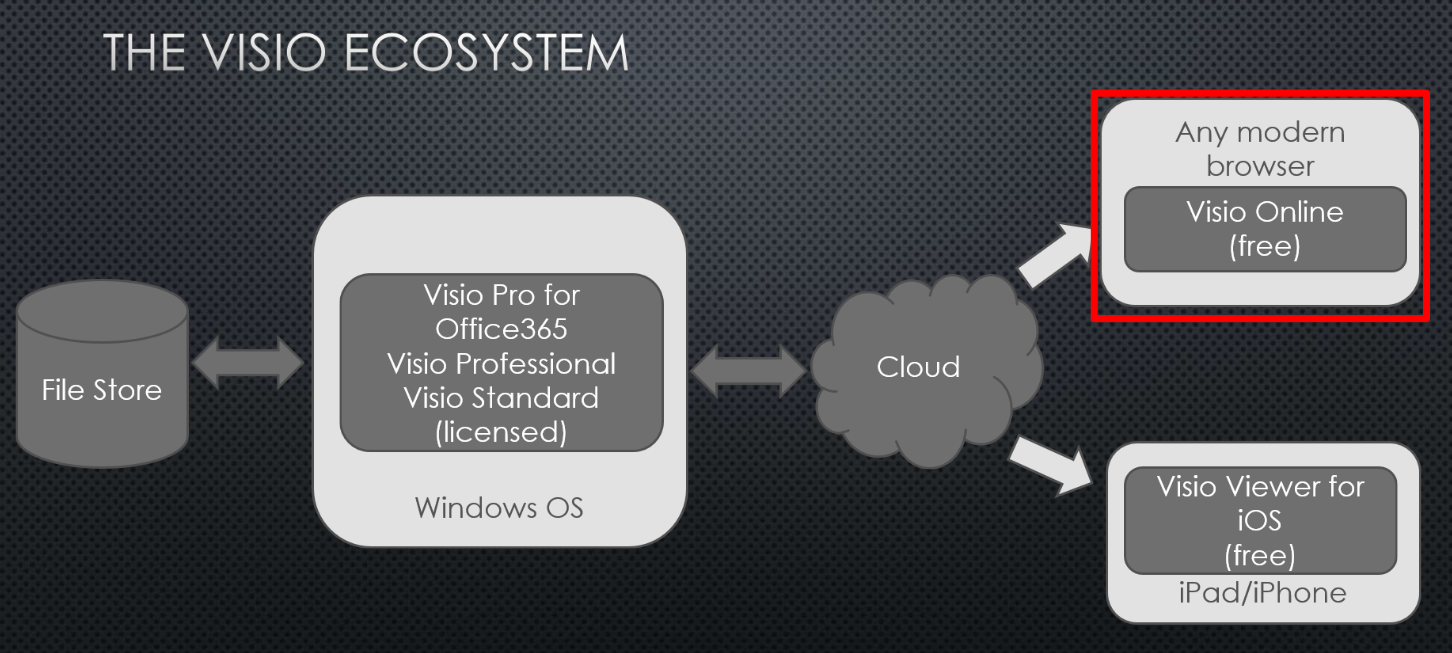
It was the last day of the MSIgnite conference today, and the video of the final presentation about Visio was worth staying for, even though some of it was content I knew about, and have mentioned in previous posts this week ( see Dive into the world of data-driven operation intelligence with Microsoft Visio, Excel and Power BI). However, there was some content I was particularly pleased to see, and that was about support for the Visio Online JavaScript API support in Modern SharePoint Framework. I have pulled out some of the key slides below, but check out the full session for more information.

The hardworking Microsoft Visio product development team have worked hard to almost match all of the functionality of the old server-side Visio services control, but they haven’t quite got everything. So I cheered when I hear that support for html overlays are in the roadmap to be supported! All I ask for now (almost) is layer control, and I will be very happy.
They also stated that they will be enabling all this functionality for non-SharePoint web sites in the future!
Go to http://aka.ms/voapireference got more details.

Filed Under: JavaScript, MSIgnite, Office 365, PowerBI, SharePoint, Visio, Visio Online Tagged With: Excel, JavaScript

  • « Go to Previous Page
  • Page 1
  • Interim pages omitted …
  • Page 3
  • Page 4
  • Page 5
  • Page 6
  • Page 7
  • Interim pages omitted …
  • Page 11
  • Go to Next Page »

Primary Sidebar

  • LinkedIn
  • Twitter

Recent Posts

  • Creating Boolean Context Menus in Visio
  • Installing Visio Templates and Stencils
  • Creating a Dynamic connector master automatically
  • A visual exploration of Penrose Tiling in Visio
  • How SVG in Visio can cause a Shape.BoundingBox(…) error

Categories

Tags

Accessibility Add-Ins AdvancedInstaller Connectors Containers Data Export Data Graphics Data Import Data Visualizer Educational Excel GraphDatabase Hyperlinks Icon Sets JavaScript LayerManager Layers Legend Link Data to Shapes MSIgnite Office365 Org Chart PowerApps PowerBI PowerQuery Processes Setup and Deployment Shape Data Shape Design ShapeSheet ShapeSheet Functions SharePoint 2013 SQL Teams Validation VBA Video Visio Visio 2007 Visio for the desktop Visio for the Web Visio Online Visio Services Visio Viewer Webinar

Footer

bVisual Profile

The UK-based independent Visio consultancy with a worldwide reach. We have over 25 years experience of providing data visualization solutions to companies around the globe.

Learn more about bVisual

  • Amazon
  • E-mail
  • Facebook
  • LinkedIn
  • Twitter
  • YouTube

Search this website

Recent posts

  • Creating Boolean Context Menus in Visio
  • Installing Visio Templates and Stencils
  • Creating a Dynamic connector master automatically
  • A visual exploration of Penrose Tiling in Visio
  • How SVG in Visio can cause a Shape.BoundingBox(…) error

Copyright © 2026 · Executive Pro on Genesis Framework · WordPress · Log in