• Skip to main content
  • Skip to primary sidebar
  • Skip to footer

bVisual

  • Home
  • Services
    • How Visio smartness can help your business
    • Visio visual in Power BI
    • Visio Consulting Services
    • Visio Bureau Services
    • Visio Training and Support Services
  • Products
    • Visio Shape Report Converter
    • SS Plus
    • LayerManager
    • visViewer
    • Metro Icons
    • Rules Tools for Visio
    • The Visio 2010 Sessions App
    • Multi-Language Text for Visio
    • Document Imager for Visio
    • multiSelect for Visio
    • pdSelect for Visio
  • Case Studies
    • Case studies overview
    • Using Visio in Education for GIS
    • Visualizing Construction Project Schedules
    • Visio Online Business Process Mapping
    • Nexans Visio Template
    • CNEE Projects, WorldCom
    • Chase Manhattan Bank
  • News
    • Recent news
    • News archive
  • Resources
    • Articles➡
      • ShapeSheet Functions A-Z
      • Comparing Visio for the Web and Desktop
      • Customising Visio Shapes for the Web App
      • Key differences between the Visio desktop and web apps
      • Using the Visio Data Visualizer in Excel
      • Using Visio in Teams
      • Creating Visio Tabs and Apps for Teams with SharePoint Framework (SPFx)
      • Designing Power Automate Flows with Microsoft Visio
      • Innovative uses of Visio Lists
    • Webcasts ➡
      • Visio in Organizations
      • My session and other Visio sessions at MSIgnite 2019
      • Power up your Visio diagrams
      • Vision up your Visio diagrams
      • The Visio 2010 MVP Sessions
    • Visio Web Learning Resources
    • Books➡
      • Visualize Complex Processes with Microsoft Visio
      • Mastering Data Visualization with Microsoft Visio
      • Microsoft Visio Business Process Diagramming and Validation
      • Visualizing Information with Microsoft Visio
  • Blog
    • Browse blog articles
    • Visio Power BI articles
    • Visio for Web articles
    • A history of messaging and encryption
  • About us
    • About bVisual
    • Testimonials
    • Bio of David Parker
    • Contact Us
    • Website Privacy Policy
    • Website terms and conditions
    • Ariba Network

Coding

Published on March 5, 2021 by David Parker

Two Quote or Not Two Quote …

… that is the question!

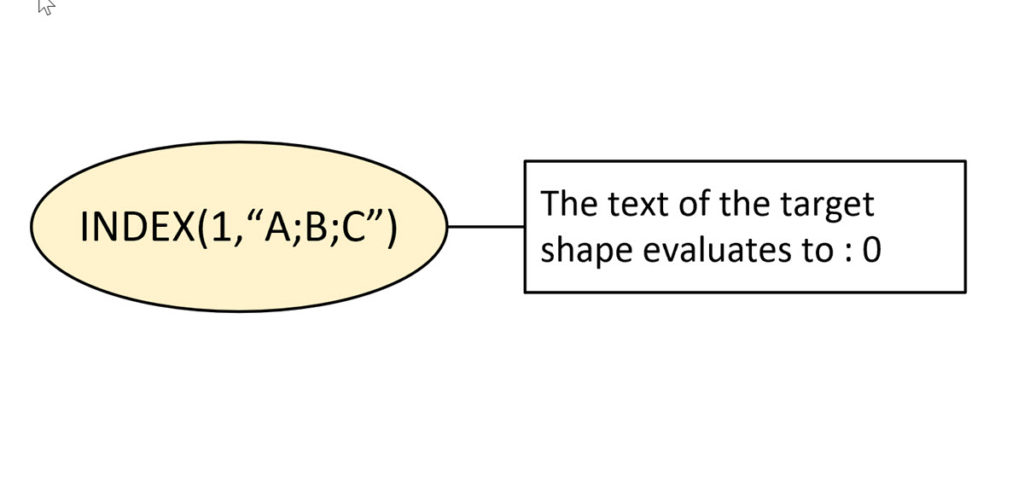
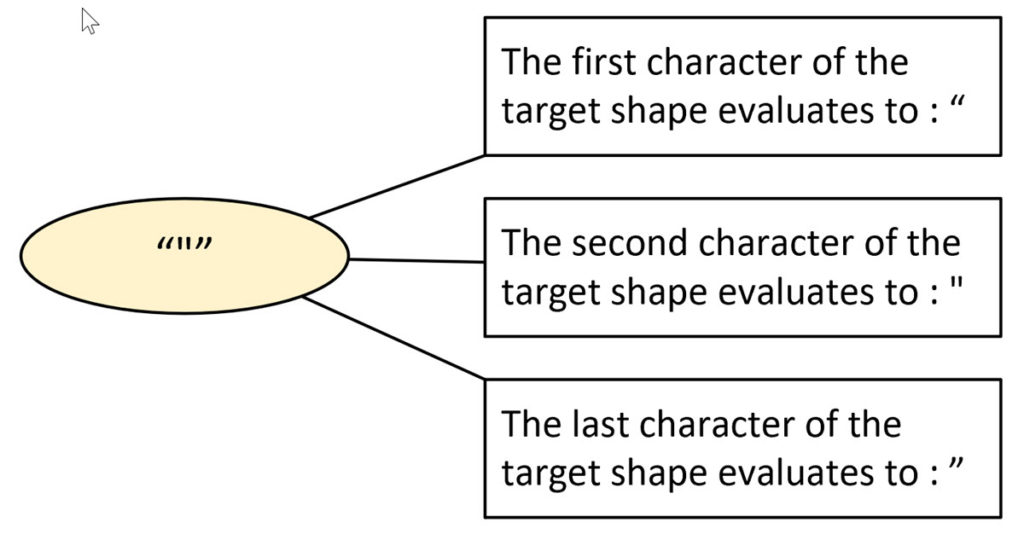
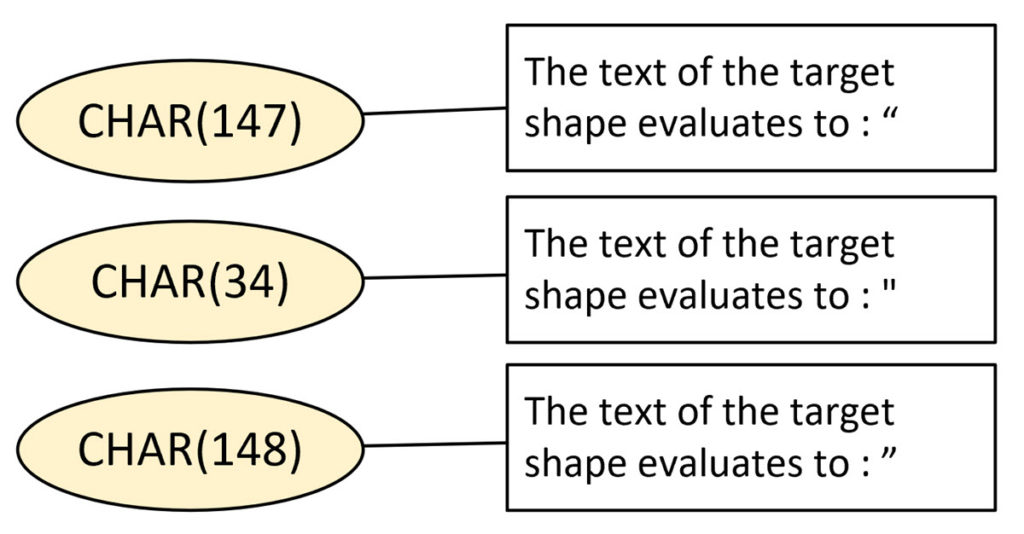
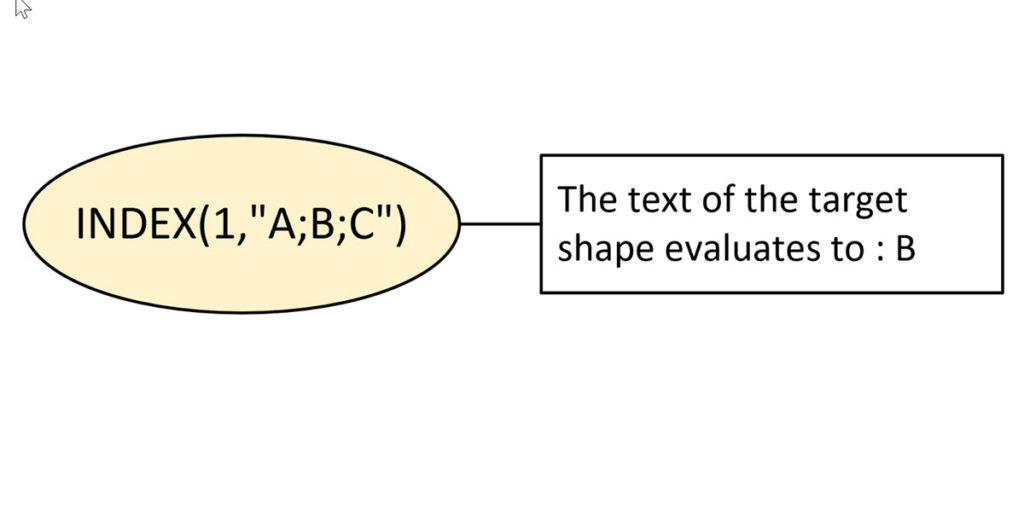
I have known for some time that it is safer to copy and paste code from the web into Notepad or similar, before copying and pasting that into my own code. It is not only new line characters that can be different but also the double-quotes. I recently noticed this when I was writing my series on Visio ShapeSheet Functions A-Z because I make copious use of the EVALTEXT(…) function, so I investigated further and found that there are different double-quotes used when typing text into a Visio shape or typing into a Visio ShapeSheet cell!

  • Text fails to evaluate with smart double-quotes
  • Three versions of double-quote
  • Evaluating the CHAR(…) function
  • Text evaluates with straight double-quotes
[Read more…] about Two Quote or Not Two Quote …

Filed Under: Coding, ShapeSheet Formulas, Visio Tagged With: ShapeSheet Functions, Visio

Published on March 3, 2021 by David Parker

Viewing Visio Document Changes in Git

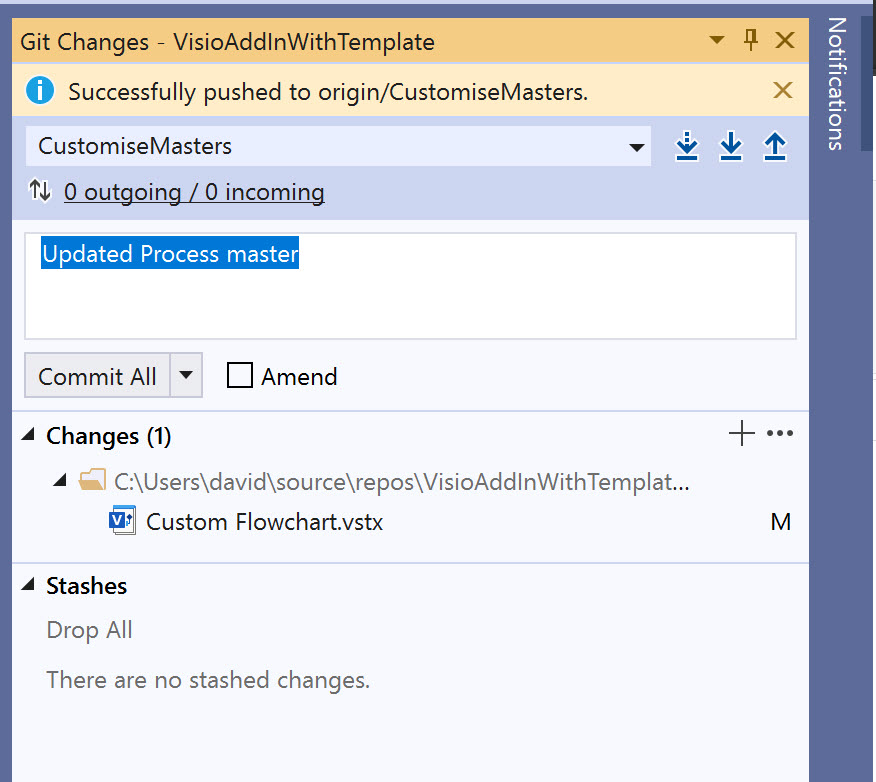
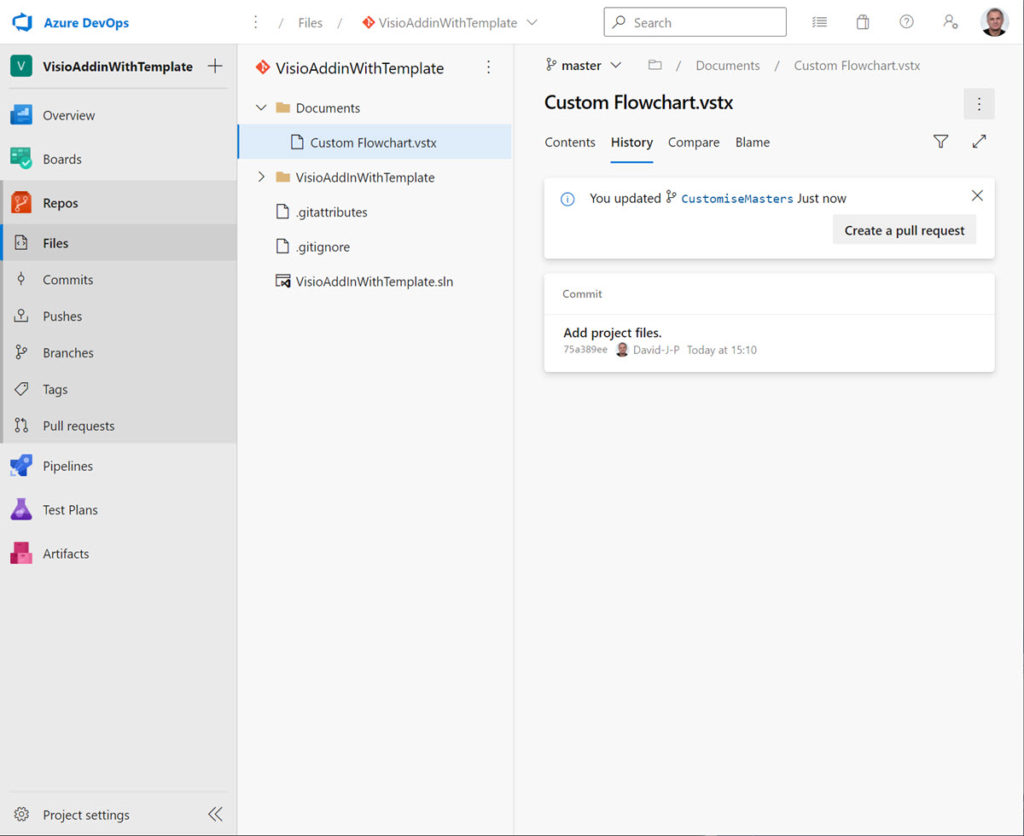
Developing a Visio solution usually involves both .Net code and Visio ShapeSheet formulas. Good practice dictates that the source code is saved into a code repository, such as Git, where changes can be committed and commented. Visual Studio 2019 now includes native Git support, and can be linked to Azure DevOps easily. The code can be viewed by others and the changes made by commits can be reviewed. This is tried and tested for the .Net code, but any changes made to a Visio template, stencil or drawing document is a black box. If the Visio document is included in the Git project, then all that is visible is the fact that the file has been changed, but the detail of the actual changes are unknown. There may be some comments with the commit, but that is not a precise definition. So, what if there was a way to easily spot the changes?

  • Make a small change to a Visio master
  • It registers as a change in Git
  • Cannot see what actually changed in DevOps
[Read more…] about Viewing Visio Document Changes in Git

Filed Under: C#, DevOps, Git, Shape Design, ShapeSheet Formulas, Visio, Visio for Desktop Tagged With: DevOps, DotNet Core, Git, ShapeSheet, Visio

Published on January 2, 2021 by David Parker

Referencing Visio Shapes

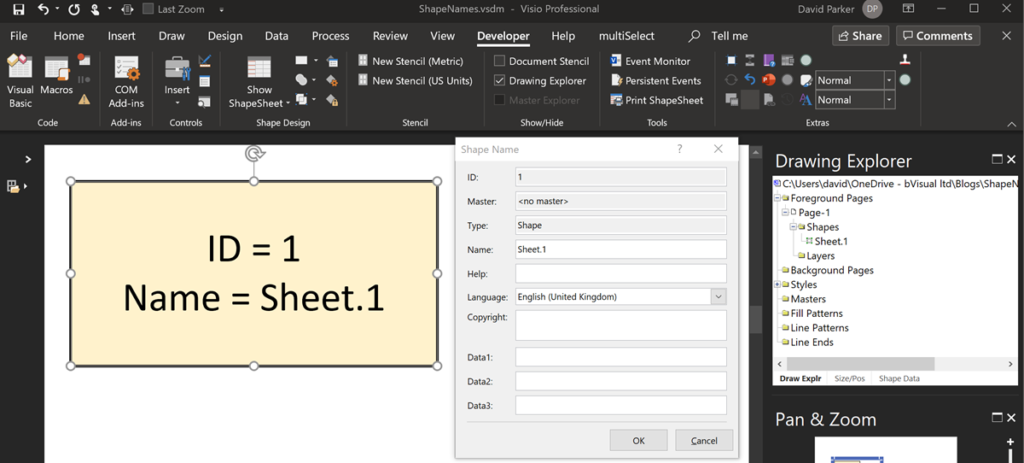
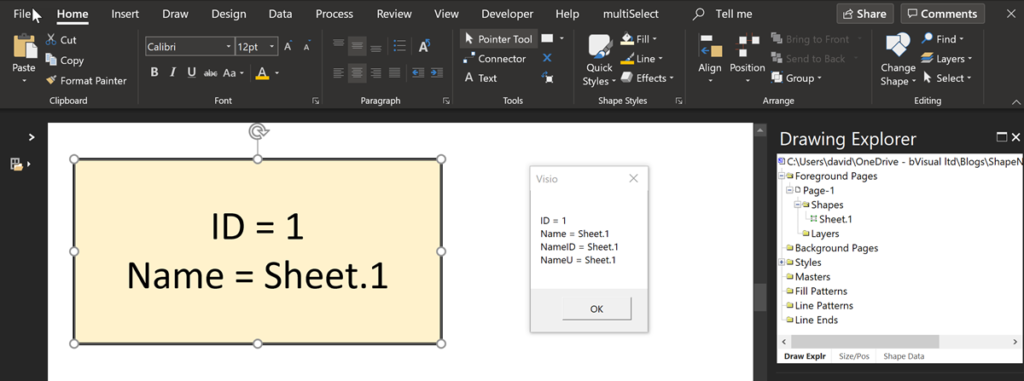
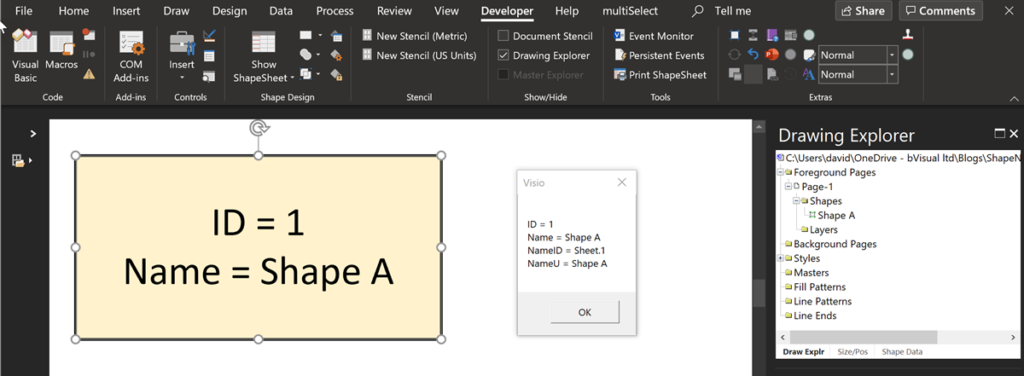
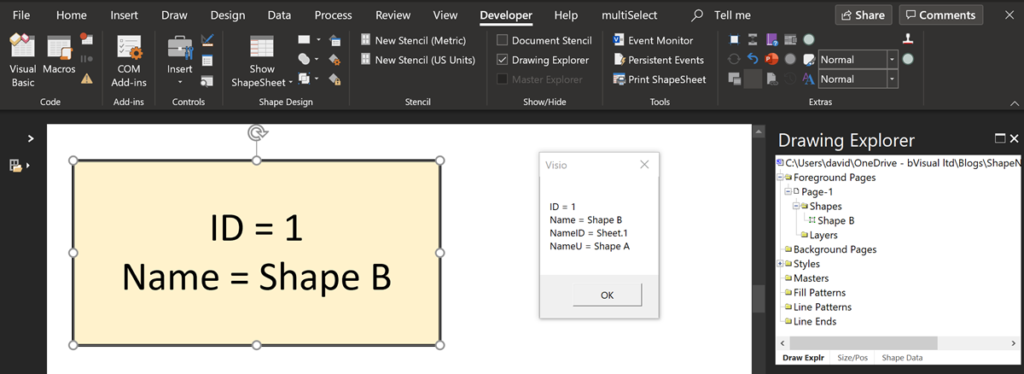
Every Visio shape must have a unique name in the collection that it belongs to, and to ensure this, Visio automatically one using the master name or just “Sheet”, if not an instance of a master, followed by a period (“.”) and the ID. However, a user can rename a shape, and Visio will then also update the universal name (NameU) to be the same as the Name. If a user chooses to re-name a shape a second time, then thee universal name is not updated … it remains as the original name.

To demonstrate this I drew a rectangle, then named, and re-named it:

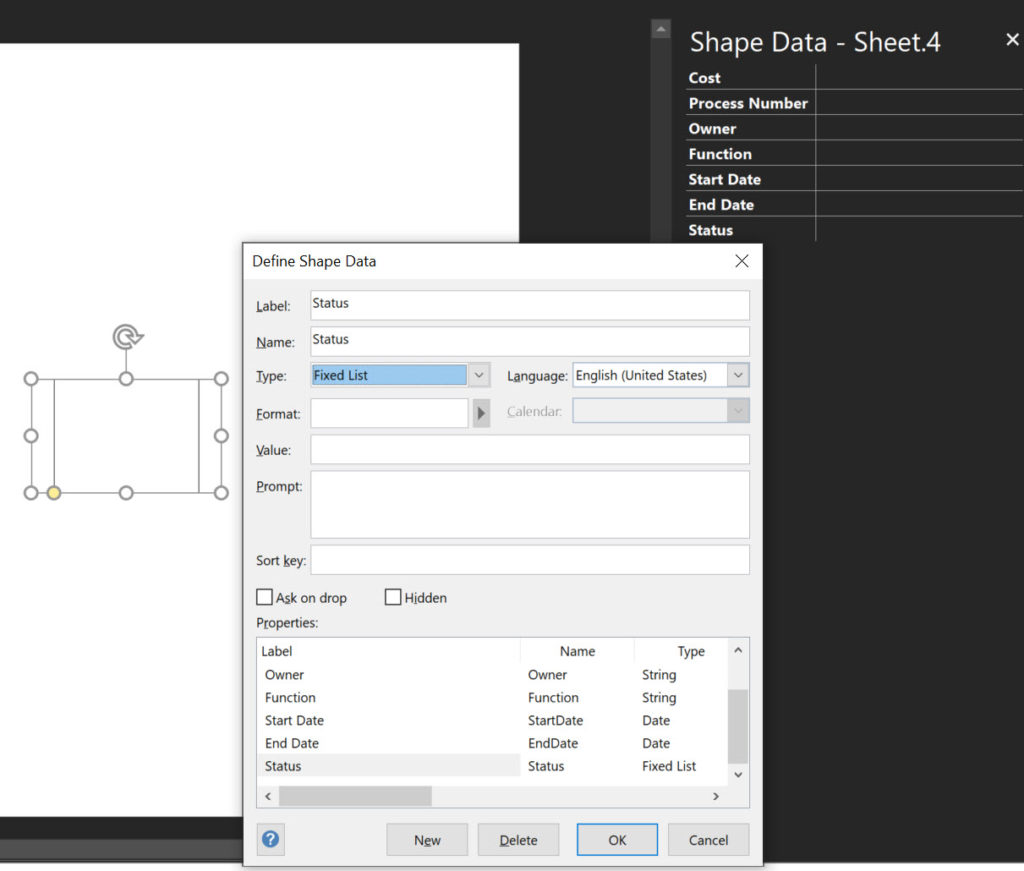
  • Shape is automatically named
  • The Name and NameU are the same
  • The Name and NameU are initially the same
  • The Name U remains unchnaged when Name changed again
[Read more…] about Referencing Visio Shapes

Filed Under: ShapeSheet Formulas, VBA, Visio Tagged With: ShapeSheet, ShapeSheet Functions, Visio

Published on November 10, 2020 by David Parker

Bi-directional Labels on Off-Page Grid References

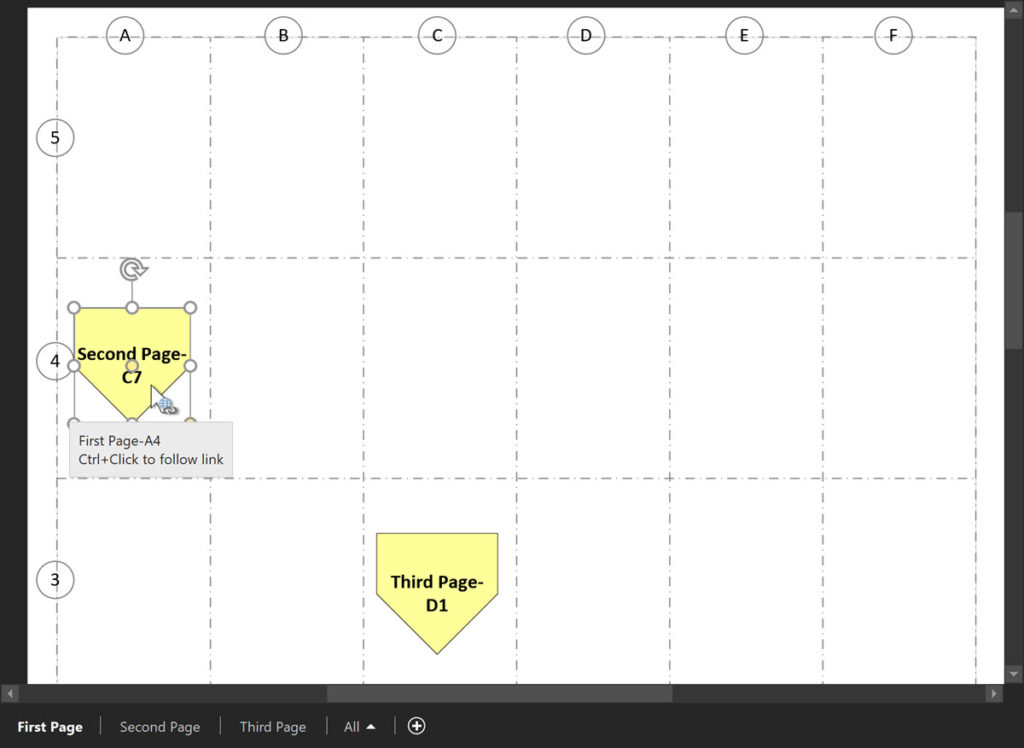
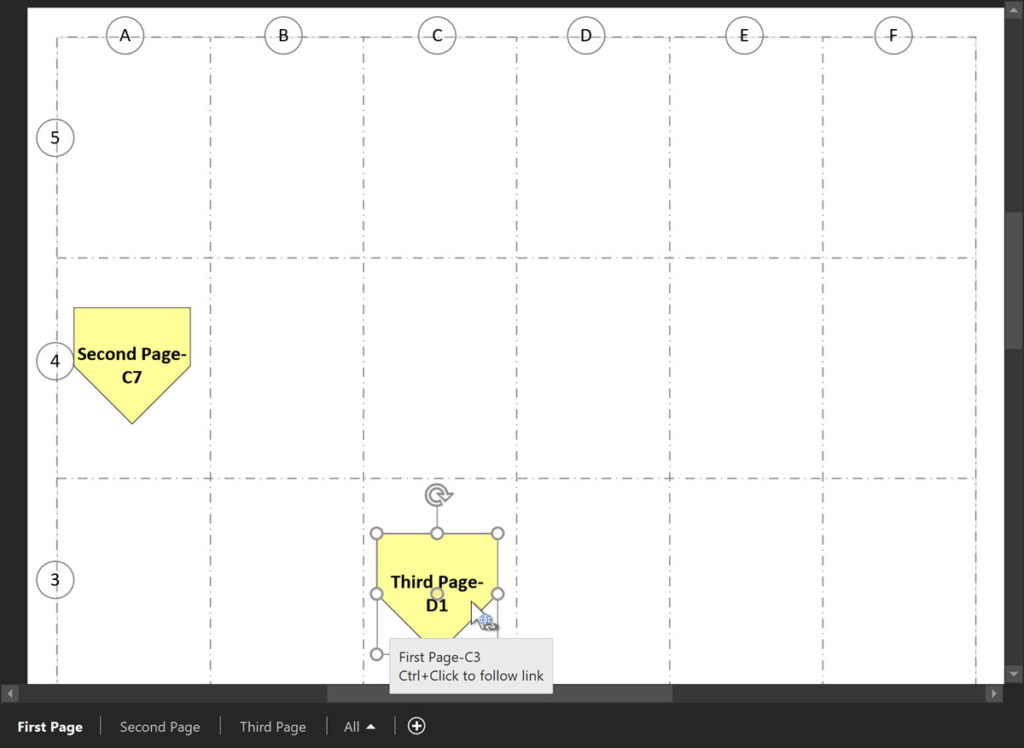
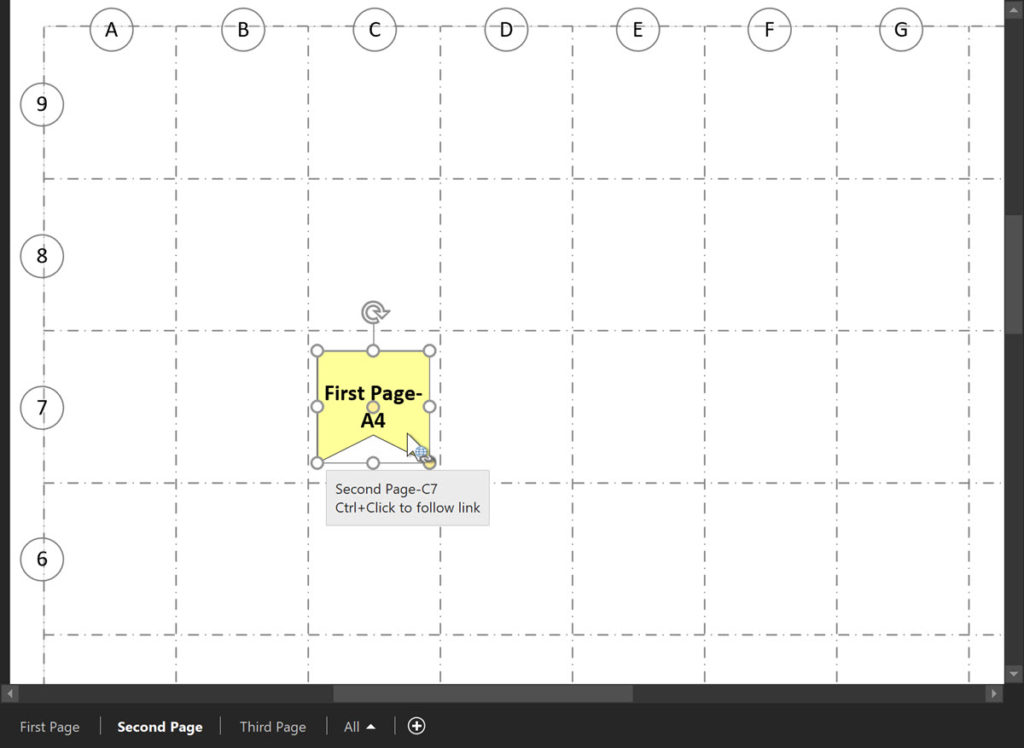
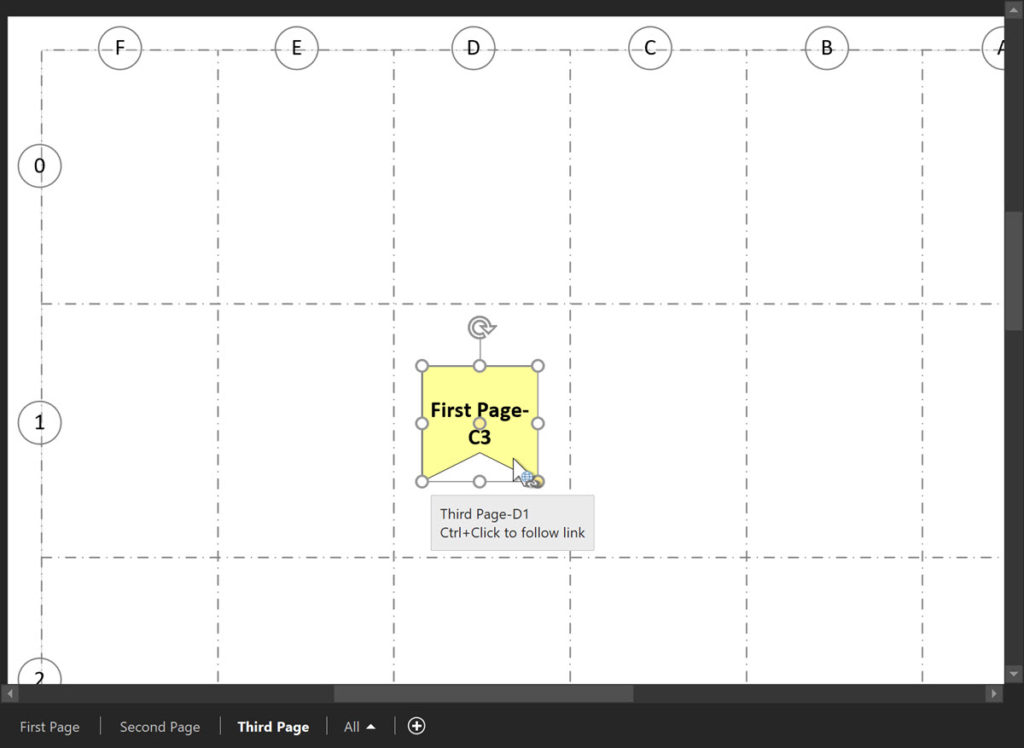
I have previously written about using off-page references and labelled page grids in Visio, see A Page Grid with Labels and Page Grids and Off Page References, however a reader pointed out that the label on the Off-Page Reference shape is duplicated on both ends. This is not always ideal, however it is all I could do using just ShapeSheet formulas alone. So, in this article, I show how a VBA macro can enhance the reciprocal labels on the twin Off-Page Reference shapes, and they automatically update if either end is moved between grids. This is especially useful in electrical wiring diagrams, but the principal can be adapted for other purposes.

  • Follow Link to Second Page-C7
  • Follow to Third Page-D1
  • Follow Link to First Page-A4
  • Follow Link to First Page-C3
[Read more…] about Bi-directional Labels on Off-Page Grid References

Filed Under: Hyperlinks, ShapeSheet Formulas, VBA, Visio Tagged With: Grids, Off-page reference, OPC, ShapeSheet Functions, VBA, Visio

Published on September 3, 2020 by David Parker

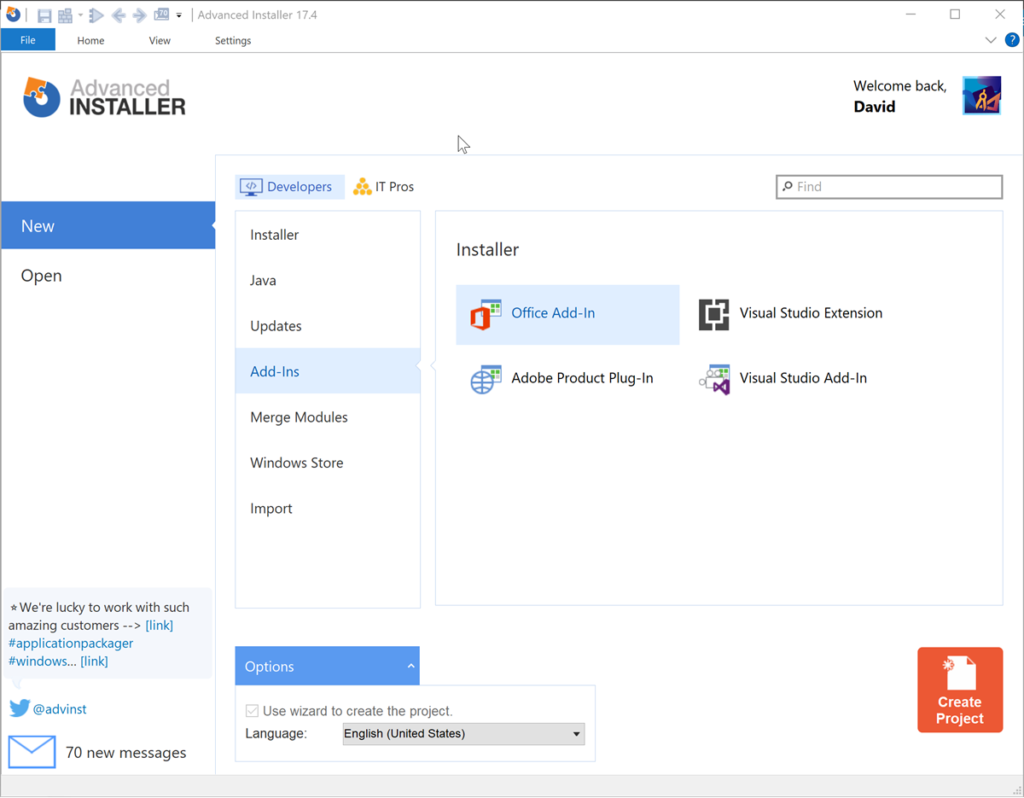
Advanced Installer now Supports Visio VSTO Add-Ins

Advanced Installer now supports creating VSTO Visio Add-Ins installation projects using the Office Add-Ins wizard! This is great news for those of us who are still having to create VSTO Add-Ins, especially since Visual Studio does not include Setup & Deployment projects (again).

[Read more…] about Advanced Installer now Supports Visio VSTO Add-Ins

Filed Under: Deployment, Visio, Visio for Desktop Tagged With: Add-Ins, AdvancedInstaller, Setup and Deployment, Visio, VSTO

Published on July 24, 2020 by David Parker

Getting the Microsoft Office Theme Value

I am working on a Visio VSTO project where I need to synchronise a UI element with the current session Microsoft Office Theme. At first, I thought that there would be some way of getting a value from the Visio object model, but I was wrong…

The Office Theme can be selected from either the Visio Options, or the Account Options panels.

  • Visio Options
  • Account Options
[Read more…] about Getting the Microsoft Office Theme Value

Filed Under: C#, Shape Design, TimeTable, Uncategorized, Visio, Visio for Desktop Tagged With: Shape Design, Visio

  • « Go to Previous Page
  • Page 1
  • Page 2
  • Page 3
  • Page 4
  • Page 5
  • Interim pages omitted …
  • Page 11
  • Go to Next Page »

Primary Sidebar

  • LinkedIn
  • Twitter

Recent Posts

  • How SVG in Visio can cause a Shape.BoundingBox(…) error
  • Post-Processing Paste from Clipboard in Visio
  • Are Master Shortcuts useful in Visio?
  • Jumping between Shapes in Visio
  • Co-authoring and Commenting with Visio Documents

Categories

Tags

Accessibility Add-Ins Connectors Containers Data Export Data Graphics Data Import Data Visualizer Educational Excel GraphDatabase Hyperlinks Icon Sets JavaScript LayerManager Layers Legend Link Data to Shapes Lists MSIgnite MVP Office365 Org Chart PowerApps PowerBI PowerQuery Processes Shape Data Shape Design ShapeSheet ShapeSheet Functions SharePoint 2013 SQL Teams Validation VBA Video Visio Visio 2007 Visio for the desktop Visio for the Web Visio Online Visio Services Visio Viewer Webinar

Footer

bVisual Profile

The UK-based independent Visio consultancy with a worldwide reach. We have over 25 years experience of providing data visualization solutions to companies around the globe.

Learn more about bVisual

  • Amazon
  • E-mail
  • Facebook
  • LinkedIn
  • Twitter
  • YouTube

Search this website

Recent posts

  • How SVG in Visio can cause a Shape.BoundingBox(…) error
  • Post-Processing Paste from Clipboard in Visio
  • Are Master Shortcuts useful in Visio?
  • Jumping between Shapes in Visio
  • Co-authoring and Commenting with Visio Documents

Copyright © 2025 · Executive Pro on Genesis Framework · WordPress · Log in