• Skip to main content
  • Skip to primary sidebar
  • Skip to footer

bVisual

  • Home
  • Services
    • How Visio smartness can help your business
    • Visio visual in Power BI
    • Visio Consulting Services
    • Visio Bureau Services
    • Visio Training and Support Services
  • Products
    • Visio Shape Report Converter
    • SS Plus
    • LayerManager
    • visViewer
    • Metro Icons
    • Rules Tools for Visio
    • The Visio 2010 Sessions App
    • Multi-Language Text for Visio
    • Document Imager for Visio
    • multiSelect for Visio
    • pdSelect for Visio
  • Case Studies
    • Case studies overview
    • Using Visio in Education for GIS
    • Visualizing Construction Project Schedules
    • Visio Online Business Process Mapping
    • Nexans Visio Template
    • CNEE Projects, WorldCom
    • Chase Manhattan Bank
  • News
    • Recent news
    • News archive
  • Resources
    • Articles➡
      • ShapeSheet Functions A-Z
      • Comparing Visio for the Web and Desktop
      • Customising Visio Shapes for the Web App
      • Key differences between the Visio desktop and web apps
      • Using the Visio Data Visualizer in Excel
      • Using Visio in Teams
      • Creating Visio Tabs and Apps for Teams with SharePoint Framework (SPFx)
      • Designing Power Automate Flows with Microsoft Visio
      • Innovative uses of Visio Lists
    • Webcasts ➡
      • Visio in Organizations
      • My session and other Visio sessions at MSIgnite 2019
      • Power up your Visio diagrams
      • Vision up your Visio diagrams
      • The Visio 2010 MVP Sessions
    • Visio Web Learning Resources
    • Books➡
      • Visualize Complex Processes with Microsoft Visio
      • Mastering Data Visualization with Microsoft Visio
      • Microsoft Visio Business Process Diagramming and Validation
      • Visualizing Information with Microsoft Visio
  • Blog
    • Browse blog articles
    • Visio Power BI articles
    • Visio for Web articles
    • A history of messaging and encryption
  • About us
    • About bVisual
    • Testimonials
    • Bio of David Parker
    • Contact Us
    • Website Privacy Policy
    • Website terms and conditions
    • Ariba Network

Shape Data

Published on March 28, 2025 by David Parker

Merging Linked Data from Similar Tables

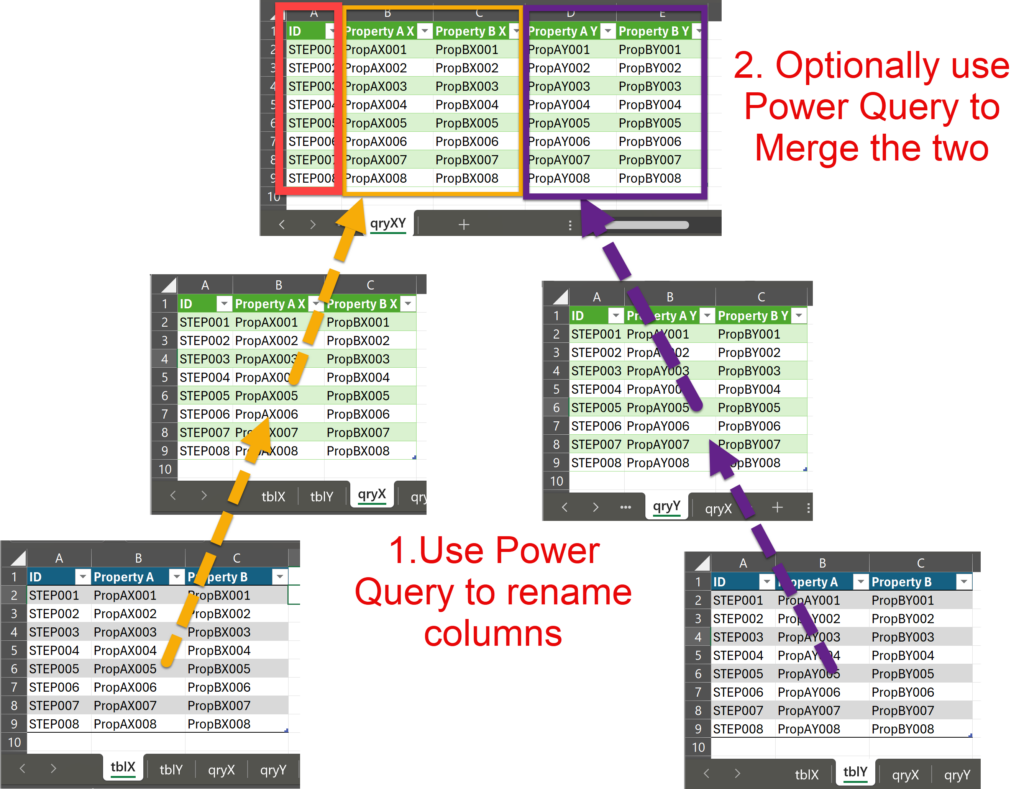
I was recently asked how to link data from different tables but with similar column names to Visio shapes. In this case, each table has the same unique identifier, but some of the column names are the same. The problem is that the data linking matches the column name with the label of a Shape Data row label, so the shared columns were updated with the values from the last linked data recordset. In this article I present a simple way that this restriction can be overcome.
[Read more…] about Merging Linked Data from Similar Tables

Filed Under: Excel, External Data, Shape Data, Visio Tagged With: Excel, External Data, Link Data to Shapes, Shape Data, Visio

Published on March 5, 2025 by David Parker

Smart Radio Buttons and Check Boxes in Visio

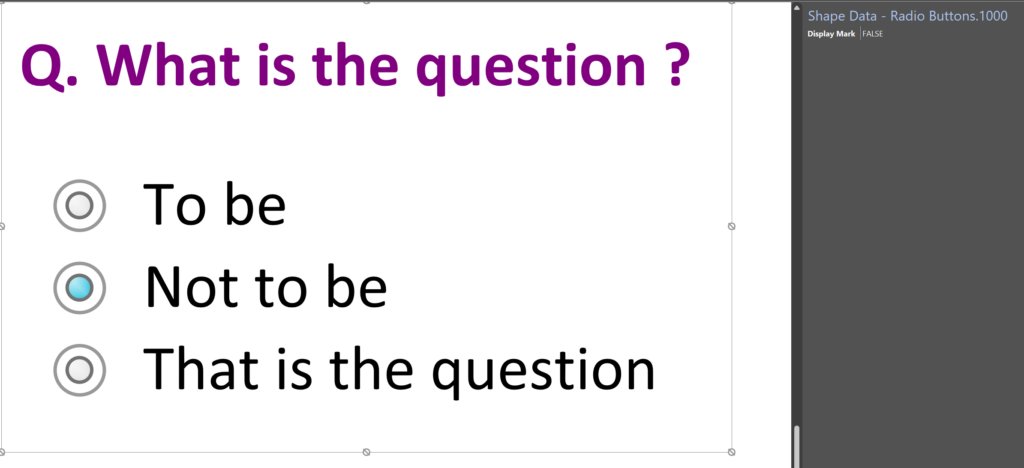
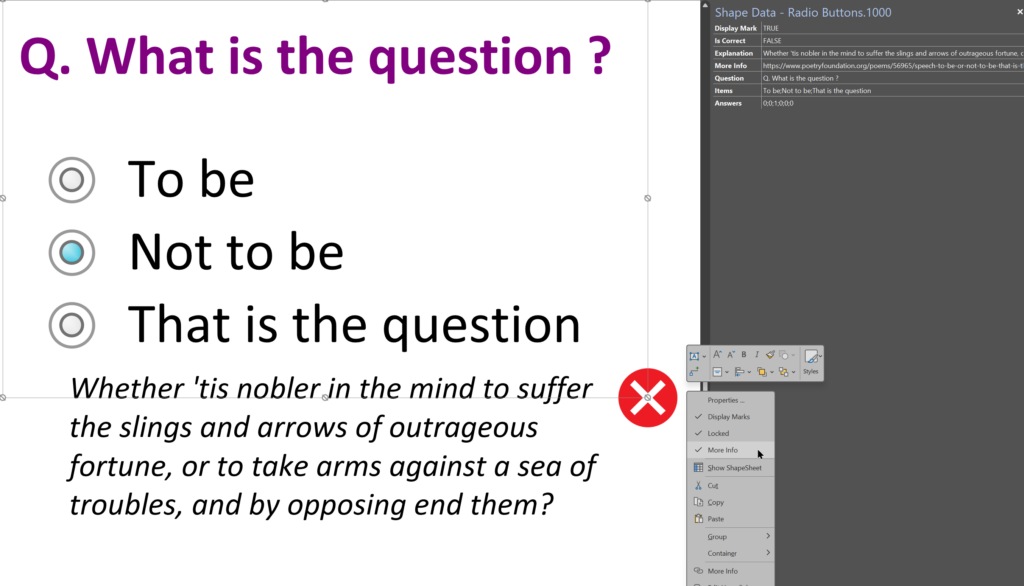
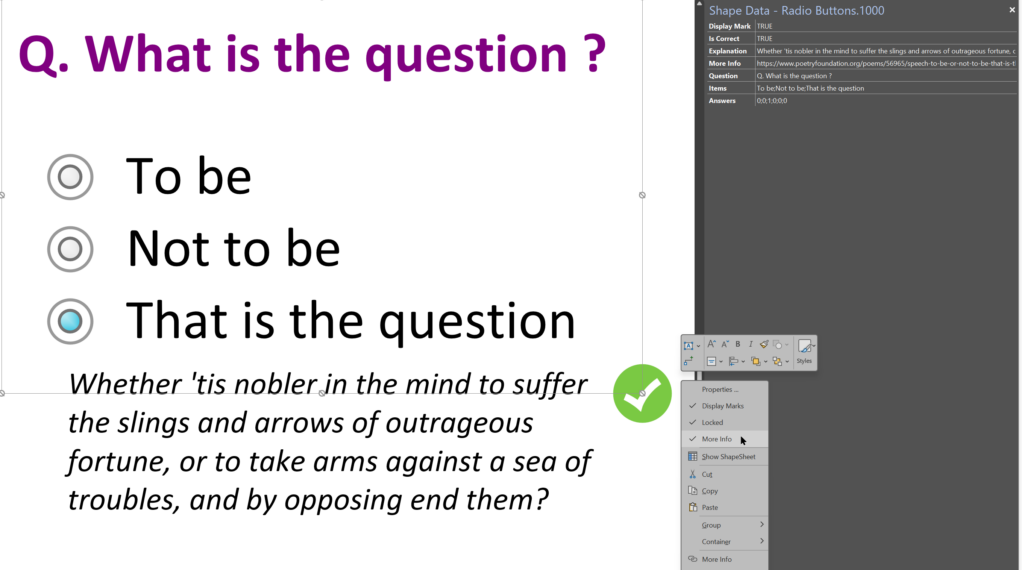
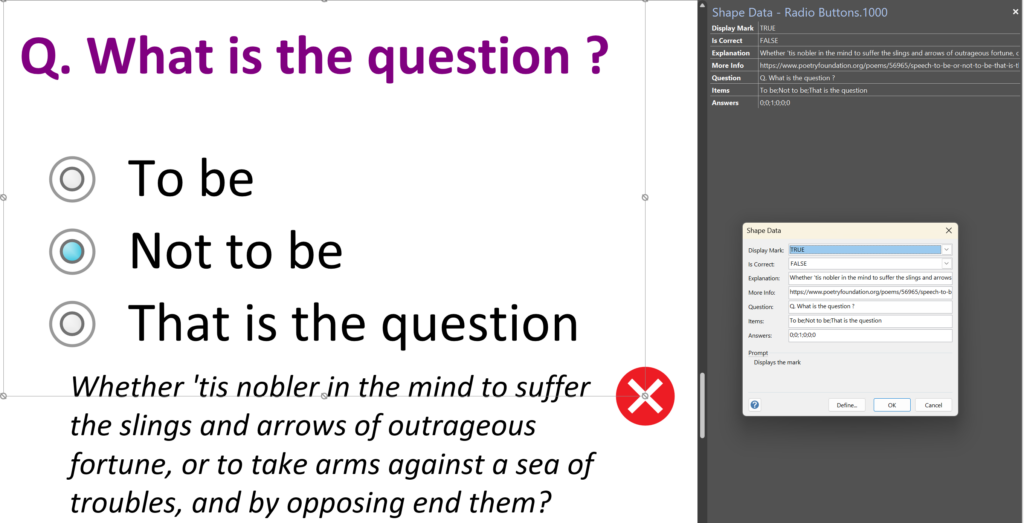
A recent project requires an interactive tutorial within Microsoft Visio desktop where a lot of the questions need a single answer using radio buttons, or multiple-choice answers using check boxes. I thought that this would be a great use of the list containers capability because the questions and answers could be part of the container shape whilst the individual questions are presented as items in the list and automatically inheriting their particular question text from the containing list shape. So, this article provides these smart master shapes, and explains how they are built.

  • In Tutor mode, the Questions, Answers, Explanation and More Info can be edited
  • In normal mode, the Questions are presented unmarked and without explanation
  • Incorrect answers are marked with a red cross. An explanation and optional more info hyperlink is available
  • Correct answers are marked with a green tick. An explanation and optional more info hyperlink is available.
[Read more…] about Smart Radio Buttons and Check Boxes in Visio

Filed Under: Containers, Lists, Shape Data, Shape Design, ShapeSheet Formulas Tagged With: Shape Data, ShapeSheet, ShapeSheet Functions, Visio

Published on January 13, 2025 by David Parker

Grid Snapping Revisited

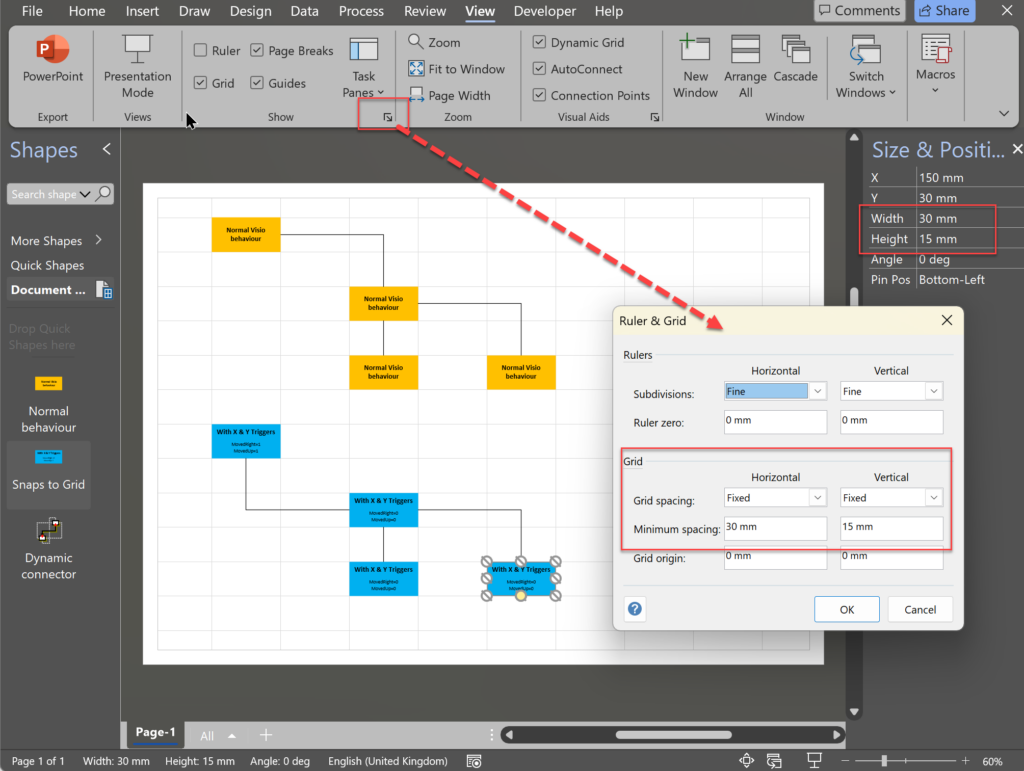
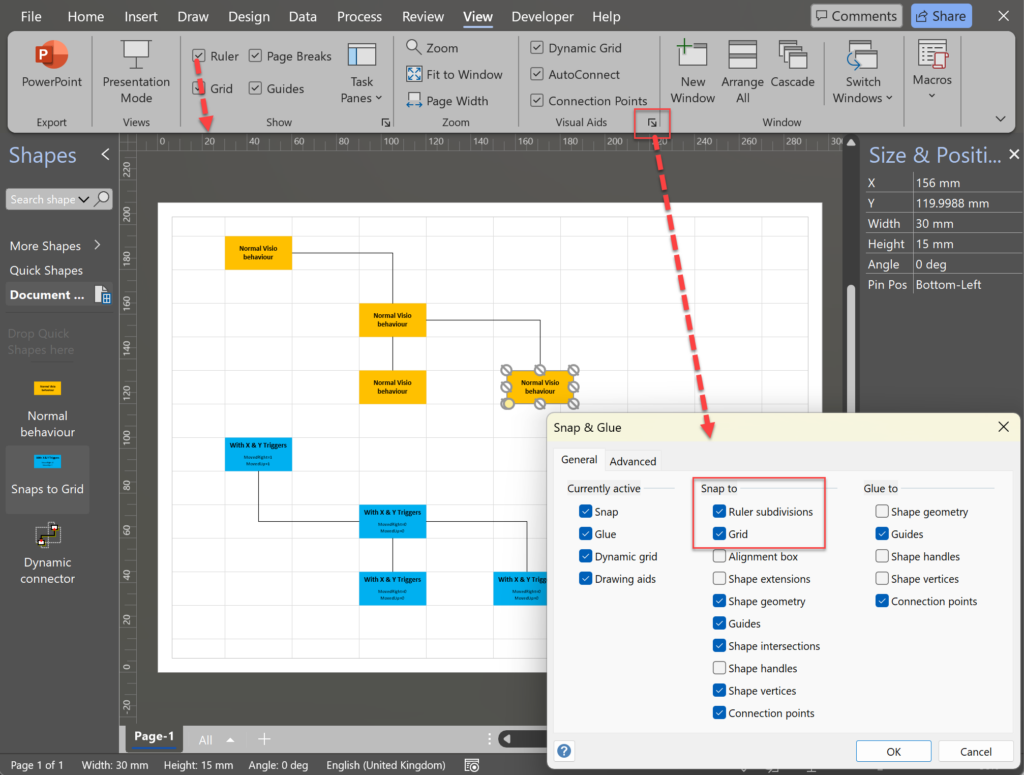
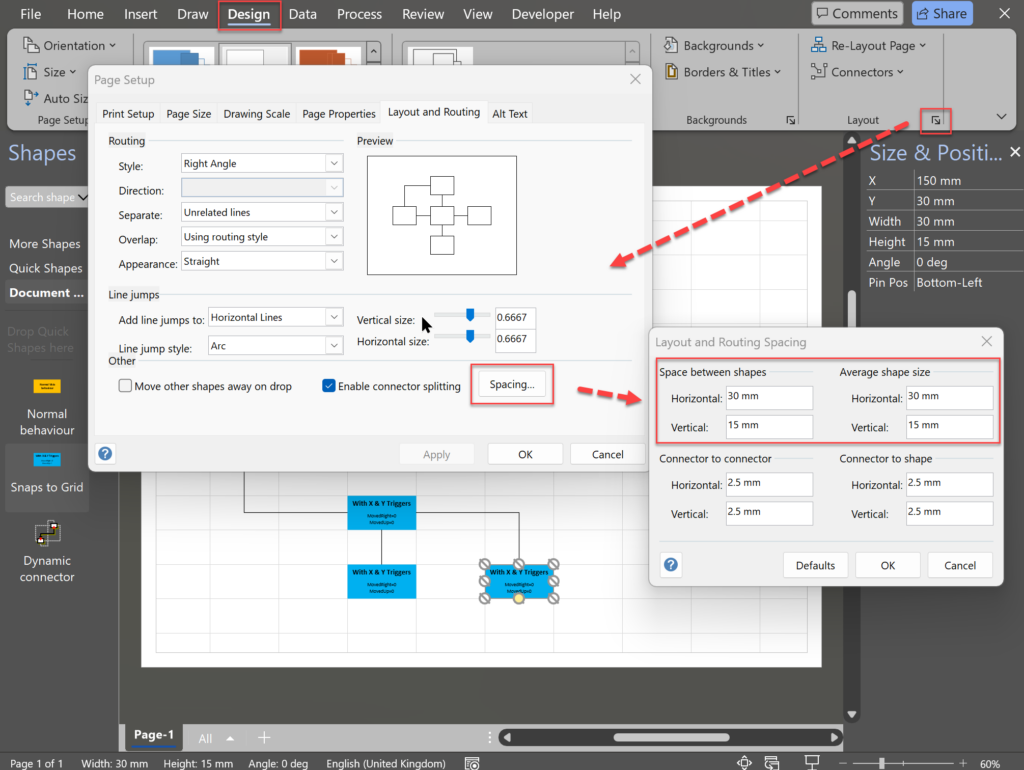
I have previously tackled the subject of snapping to grids in Visio desktop (see https://bvisual.net/2018/06/19/really-snapping-to-grids-in-visio/ ) but a recent project required me to improve the example because it did not respond to all cursor arrow keys. The problem was that the previous solution could not understand which arrow key had been clicked, therefore it did not know if to reposition to the previous or next grid. The new ShapeSheet code solution can now respond to the correct arrow key … and all without any add-in. In addition, I also show how a Control point can be made to snap to a grid spacing, and how AutoConnect can be set to add the next shape at the right offset in both the horizontal and vertical directions.

Lastly, Microsoft released the web edition of Visio since the last article, and I demonstrate the difference behaviour of grid snapping between that and the desktop edition.

  • Set the Horizontal and Vertical Grid Spacing
  • Turn OFF Snap to Ruler subdivisions and Grid ON
  • Edit Space between Shapes for AutoConnect
[Read more…] about Grid Snapping Revisited

Filed Under: Shape Data, Shape Design, ShapeSheet Formulas, Visio Tagged With: ShapeSheet, ShapeSheet Functions, Visio

Published on November 29, 2023 by David Parker

When is a Visio Callout not a Callout?

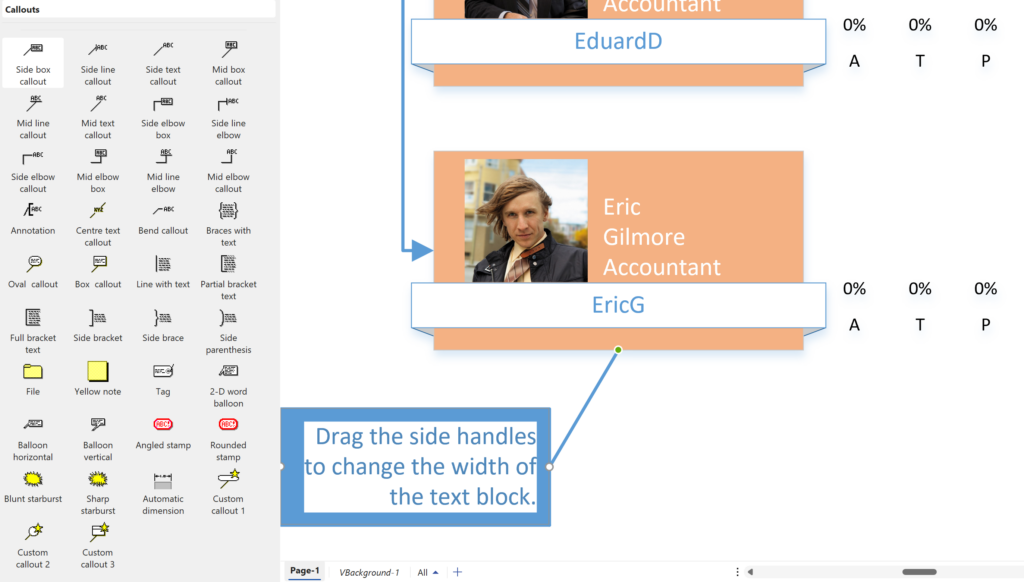
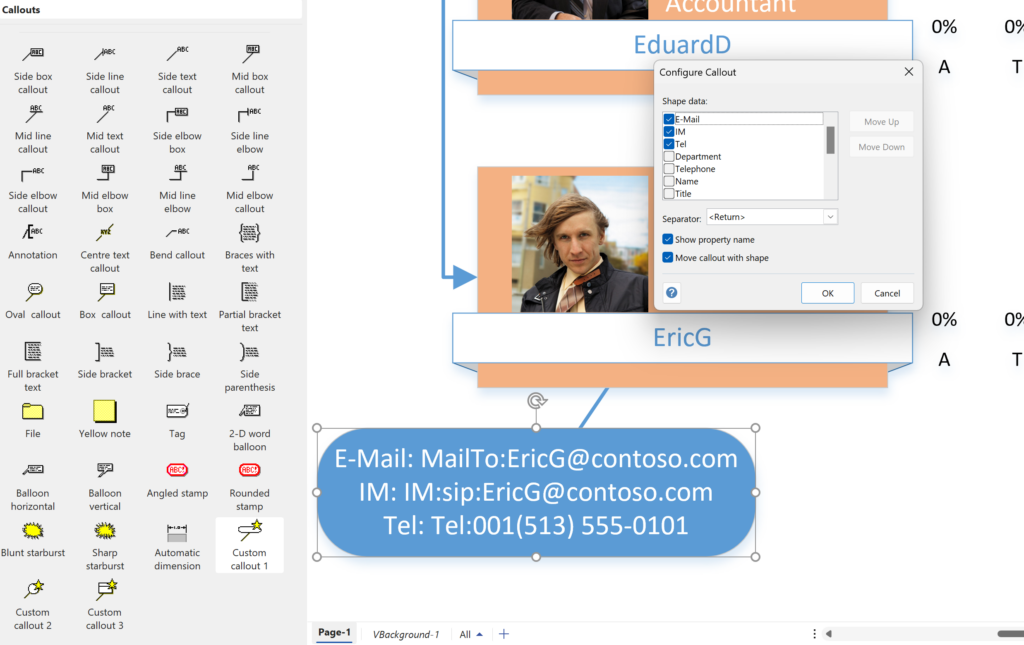
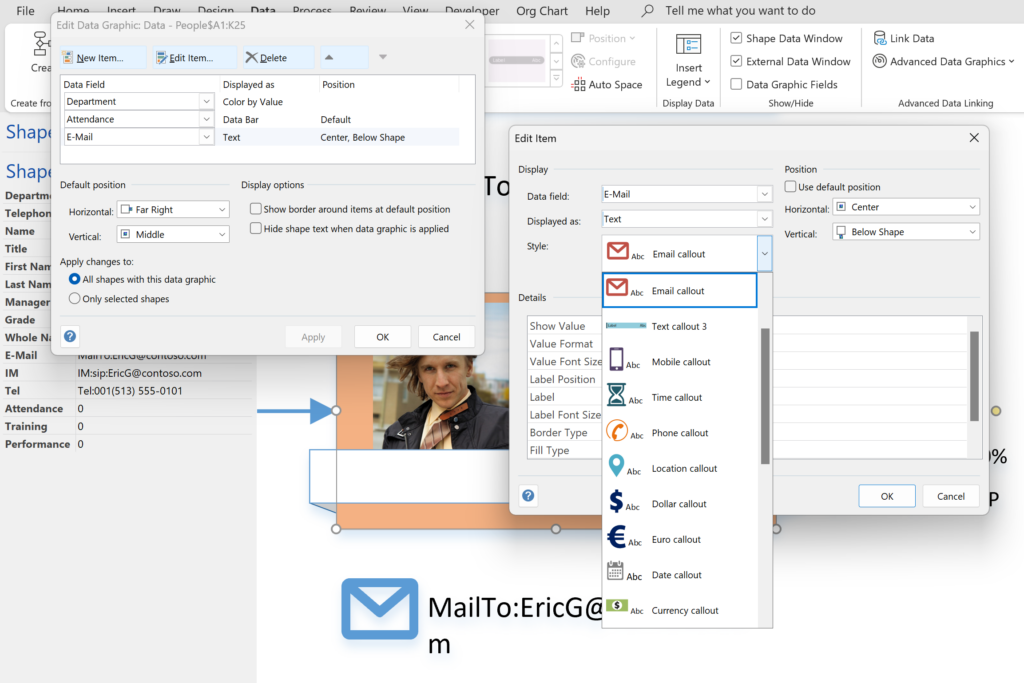
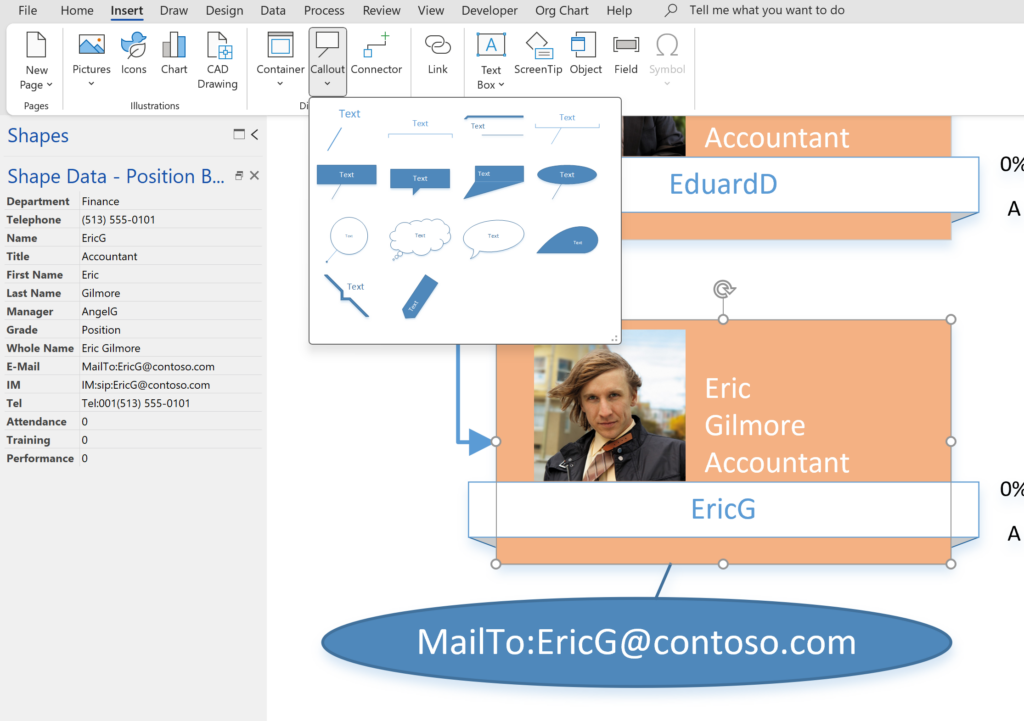
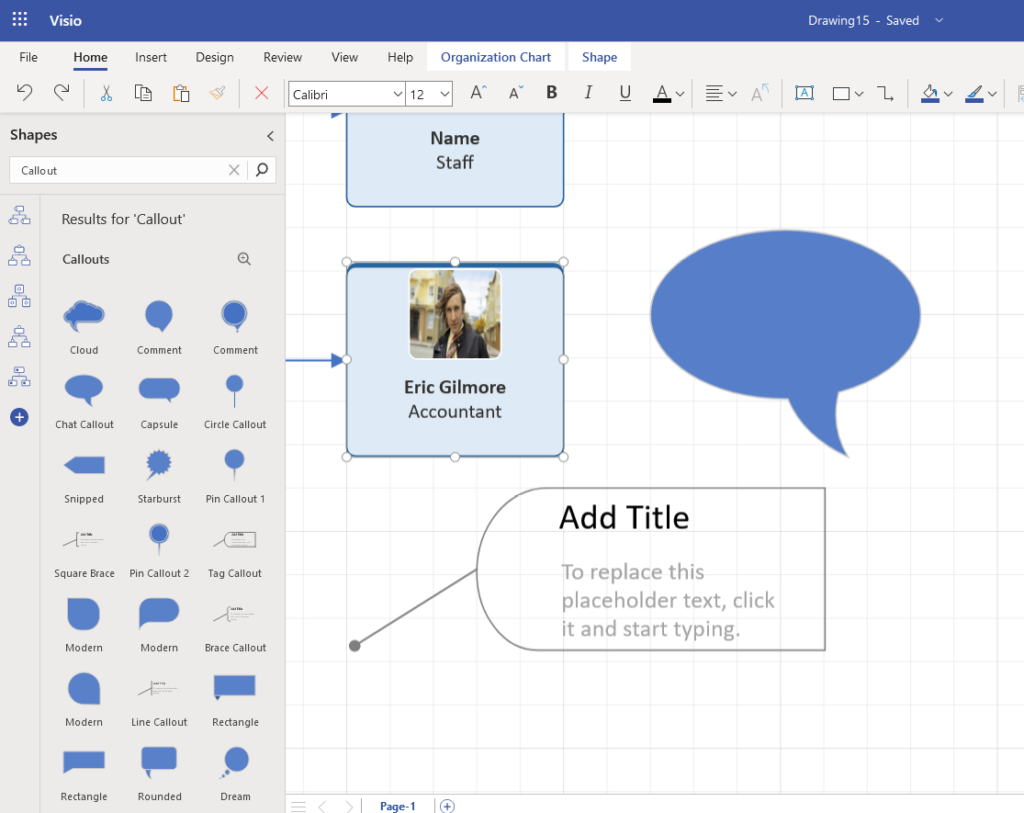
I have been a Visio user/developer since the mid-1990’s and seen the word “callout” used as part of the name of many master shapes in Visio. The images below show five ways that the term “callout” has been applied to the name of Visio master shapes. Generally, each evolution has been an advance on the previous ones, or have becoome specialised for their usage … until Microsoft made “callout” shapes available in Visio web editions. These are not an advance in evolution, but are a radical regression, and in my opinion, quite unnecessarily basic, and extremely frustrating.

  • The original Callout shapes
  • The Custom Callout shapes
  • The Data Graphic Text Callouts
  • The Structured Diagram Callouts
  • Visio Web Callouts
[Read more…] about When is a Visio Callout not a Callout?

Filed Under: Callouts, Shape Data, ShapeSheet Formulas Tagged With: Callouts, Text Callouts, Visio, Visio Online

Published on October 19, 2023 by David Parker

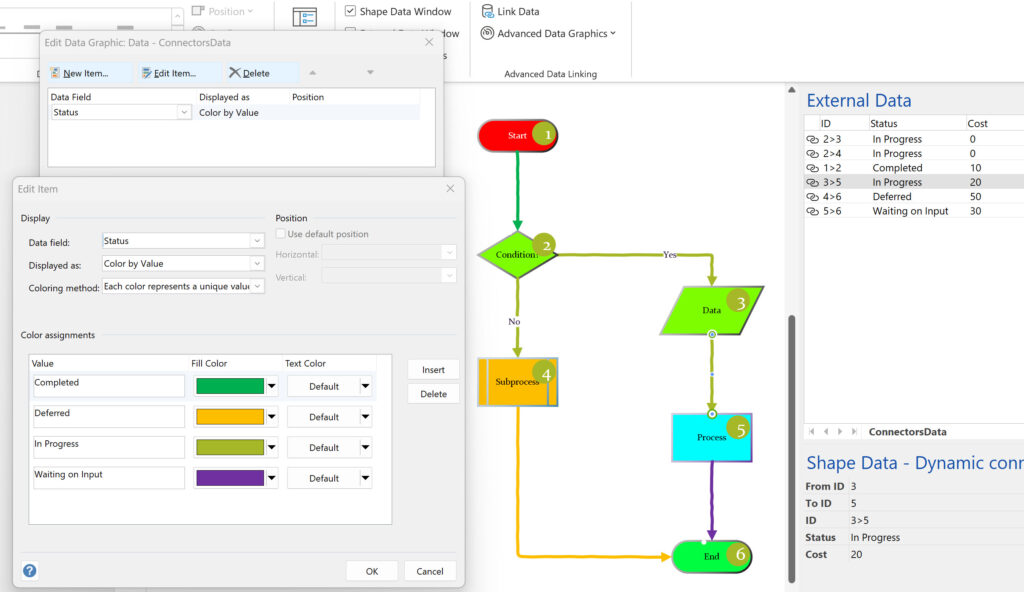
Using Visio Color by Value on Connectors

Data Graphics in Visio Plan 2 and Visio Professional is great, but it only enables us to use them with 2D shapes in Visio, i.e. not on connectors. So, what if you want to change the line colour of the connectors between the 2D shapes because of the data flowing between them? Well, it is possible … with a little preparation!

[Read more…] about Using Visio Color by Value on Connectors

Filed Under: Color, Data Graphics, External Data, Shape Data, ShapeSheet Formulas, VBA Tagged With: Data Graphics, Shape Data, ShapeSheet Functions, VBA

Published on July 14, 2023 by David Parker

More Parsing XML Data in Visio Shapes

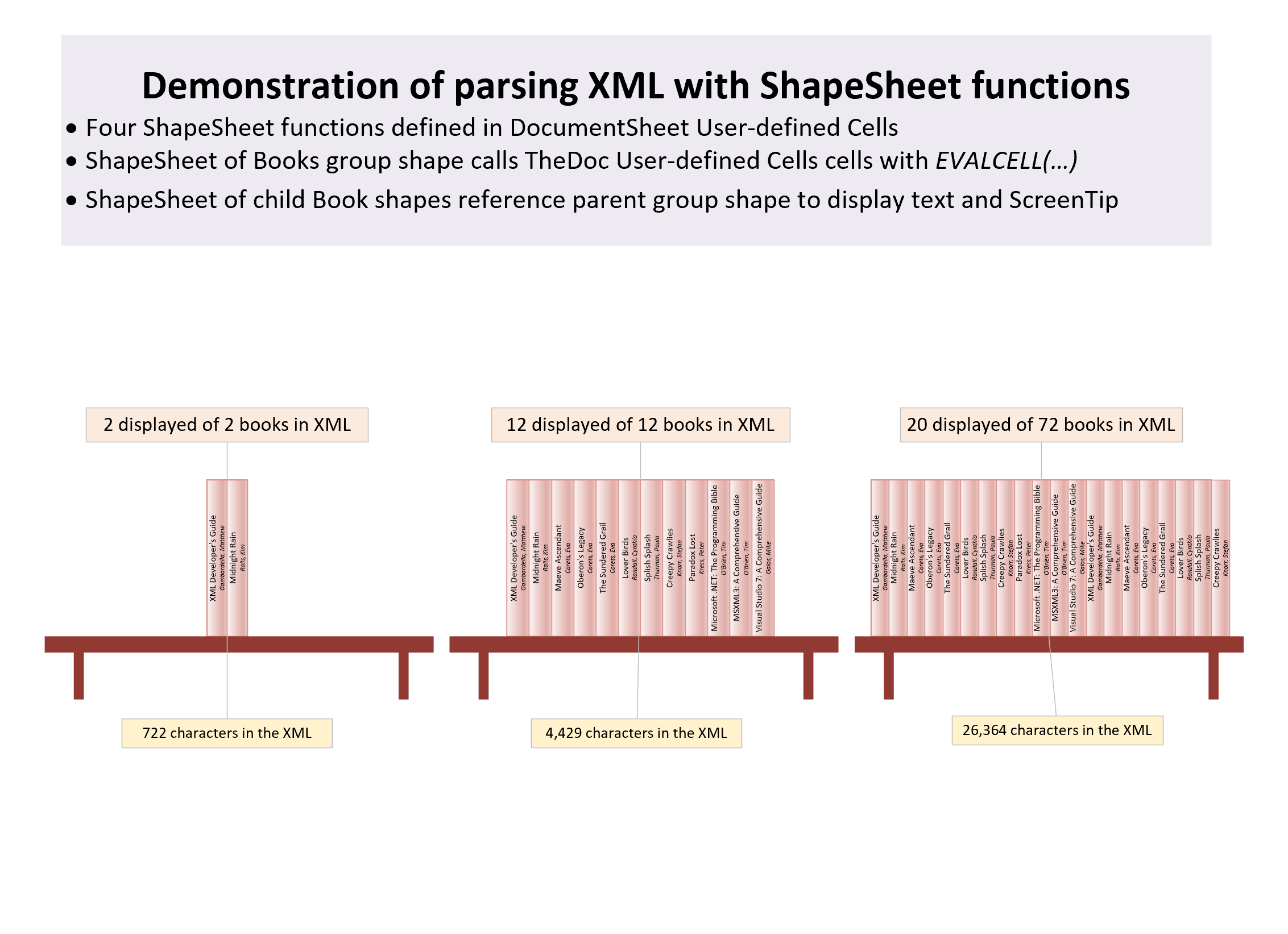
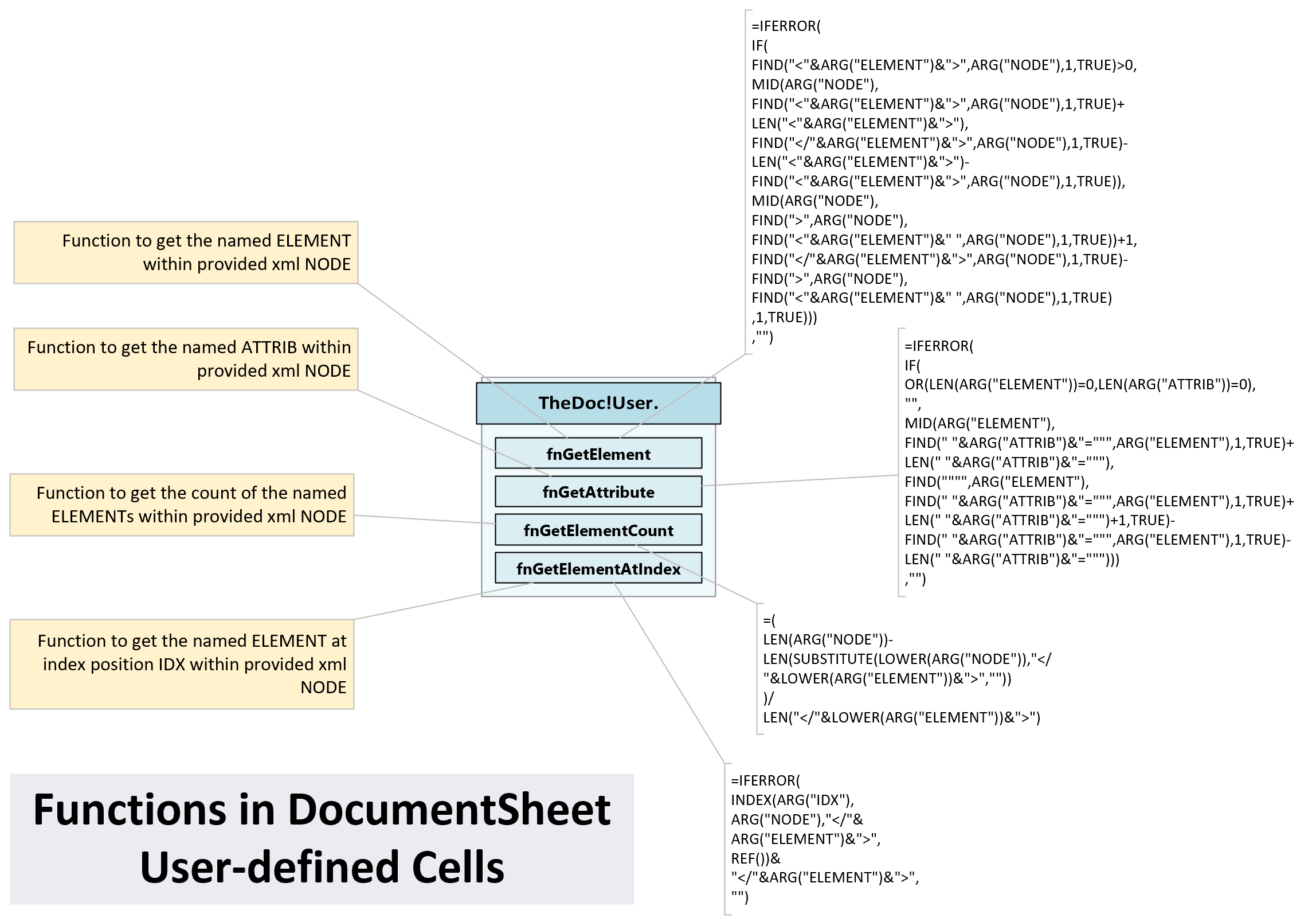
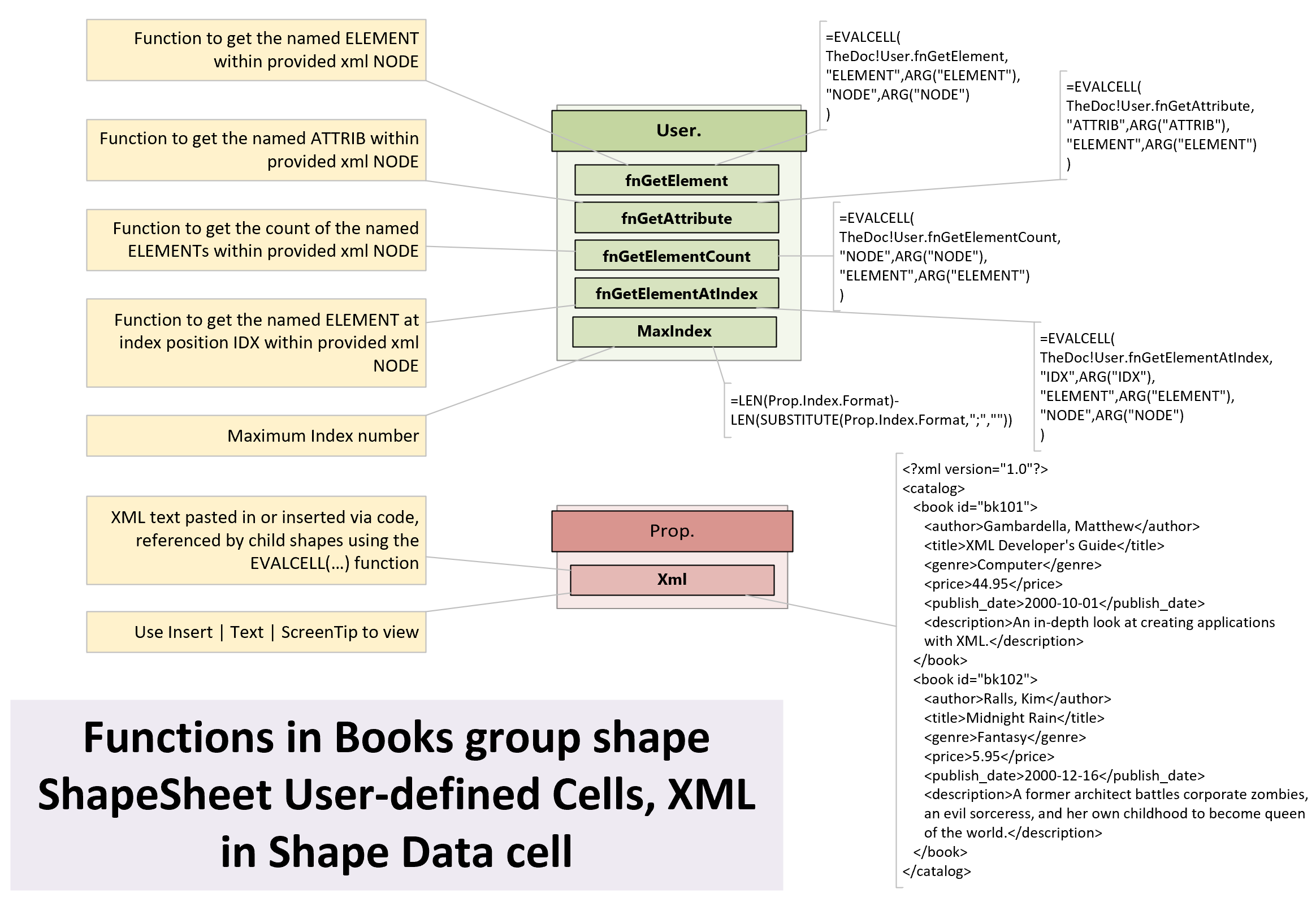
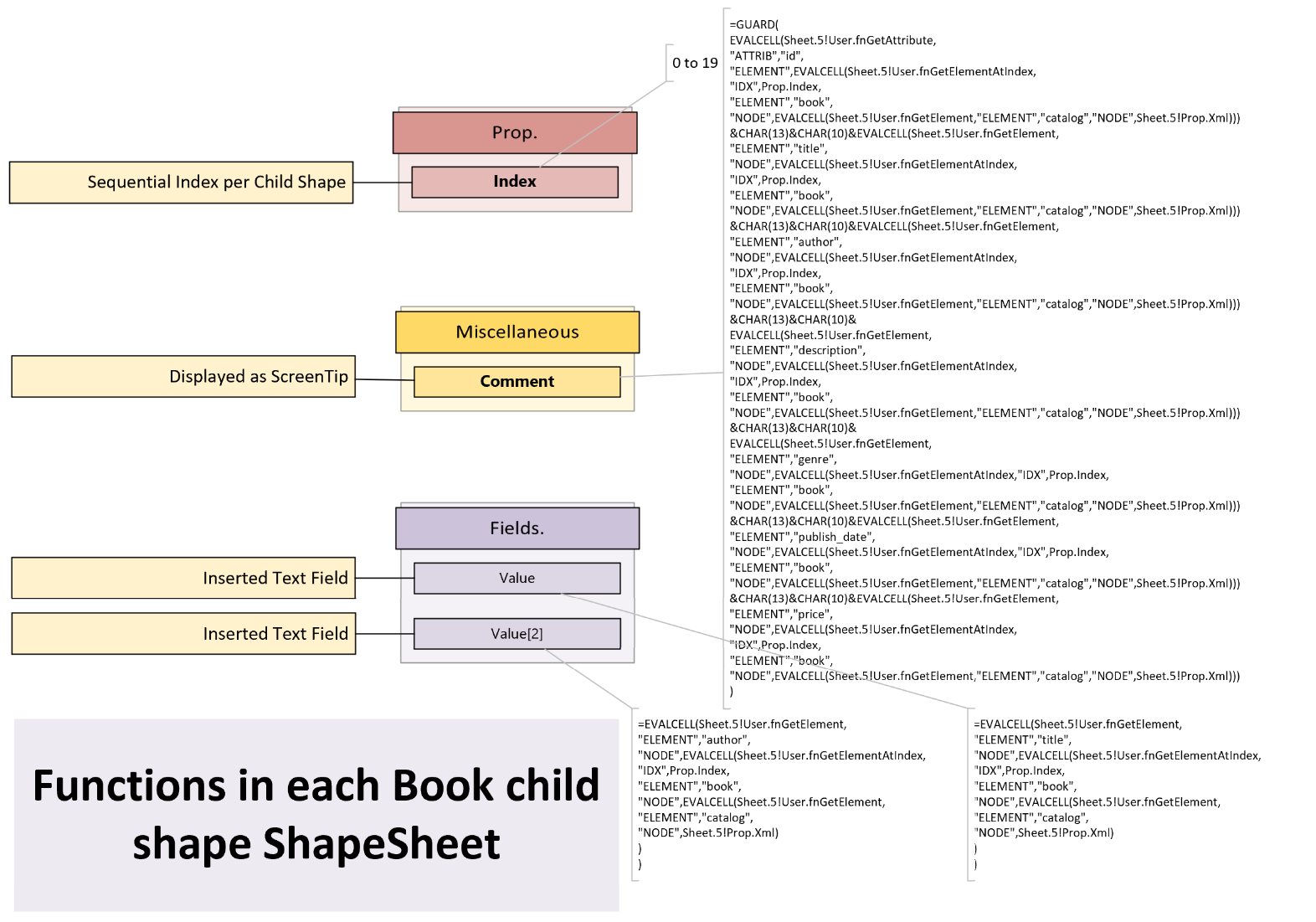
My last article looked at parsing an XML string with a known structure and order of elements and attributes. This can be acceptable in some scenarios, but what if the elements or attributes are in a different order? Then it is necessary to use the element and attribute names rather than their index position. This requires a little more complexity to the ShapeSheet functions, and this can result in longer processing time, so needs to be used cautiously, but it is possible, as I demonstrate in this article.

  • Books group shape contains 20 child book shapes
  • Main functions in the document ShapeSheet
  • Called from cells in the group shape
  • Child shapes call functions in the parent shape
[Read more…] about More Parsing XML Data in Visio Shapes

Filed Under: Shape Data, ShapeSheet Formulas, Visio Tagged With: ShapeSheet Functions, Visio, Xml

  • « Go to Previous Page
  • Page 1
  • Page 2
  • Page 3
  • Page 4
  • Interim pages omitted …
  • Page 11
  • Go to Next Page »

Primary Sidebar

  • LinkedIn
  • Twitter

Recent Posts

  • Docked Stencils in Visio for the Web
  • My Visio Books and Old pre-C# Work
  • Migrating from Lucidchart to Visio?
  • Creating Boolean Context Menus in Visio
  • Installing Visio Templates and Stencils

Categories

Tags

Accessibility Add-Ins AdvancedInstaller Connectors Containers Data Export Data Graphics Data Import Data Visualizer Educational Excel GraphDatabase Hyperlinks Icon Sets JavaScript LayerManager Layers Legend Link Data to Shapes MSIgnite Office365 Org Chart PowerApps PowerBI PowerQuery Processes Setup and Deployment Shape Data Shape Design ShapeSheet ShapeSheet Functions SharePoint 2013 SQL Teams Validation VBA Video Visio Visio 2007 Visio for the desktop Visio for the Web Visio Online Visio Services Visio Viewer Webinar

Footer

bVisual Profile

The UK-based independent Visio consultancy with a worldwide reach. We have over 25 years experience of providing data visualization solutions to companies around the globe.

Learn more about bVisual

  • Amazon
  • E-mail
  • Facebook
  • LinkedIn
  • Twitter
  • YouTube

Search this website

Recent posts

  • Docked Stencils in Visio for the Web
  • My Visio Books and Old pre-C# Work
  • Migrating from Lucidchart to Visio?
  • Creating Boolean Context Menus in Visio
  • Installing Visio Templates and Stencils

Copyright © 2026 · Executive Pro on Genesis Framework · WordPress · Log in