• Skip to main content
  • Skip to primary sidebar
  • Skip to footer

bVisual

  • Home
  • Services
    • How Visio smartness can help your business
    • Visio visual in Power BI
    • Visio Consulting Services
    • Visio Bureau Services
    • Visio Training and Support Services
  • Products
    • Visio Shape Report Converter
    • SS Plus
    • LayerManager
    • visViewer
    • Metro Icons
    • Rules Tools for Visio
    • The Visio 2010 Sessions App
    • Multi-Language Text for Visio
    • Document Imager for Visio
    • multiSelect for Visio
    • pdSelect for Visio
  • Case Studies
    • Case studies overview
    • Using Visio in Education for GIS
    • Visualizing Construction Project Schedules
    • Visio Online Business Process Mapping
    • Nexans Visio Template
    • CNEE Projects, WorldCom
    • Chase Manhattan Bank
  • News
    • Recent news
    • News archive
  • Resources
    • Articles➡
      • ShapeSheet Functions A-Z
      • Comparing Visio for the Web and Desktop
      • Customising Visio Shapes for the Web App
      • Key differences between the Visio desktop and web apps
      • Using the Visio Data Visualizer in Excel
      • Using Visio in Teams
      • Creating Visio Tabs and Apps for Teams with SharePoint Framework (SPFx)
      • Designing Power Automate Flows with Microsoft Visio
      • Innovative uses of Visio Lists
    • Webcasts ➡
      • Visio in Organizations
      • My session and other Visio sessions at MSIgnite 2019
      • Power up your Visio diagrams
      • Vision up your Visio diagrams
      • The Visio 2010 MVP Sessions
    • Visio Web Learning Resources
    • Books➡
      • Visualize Complex Processes with Microsoft Visio
      • Mastering Data Visualization with Microsoft Visio
      • Microsoft Visio Business Process Diagramming and Validation
      • Visualizing Information with Microsoft Visio
  • Blog
    • Browse blog articles
    • Visio Power BI articles
    • Visio for Web articles
    • A history of messaging and encryption
  • About us
    • About bVisual
    • Testimonials
    • Bio of David Parker
    • Contact Us
    • Website Privacy Policy
    • Website terms and conditions
    • Ariba Network

Shape Design

Published on November 22, 2021 by David Parker

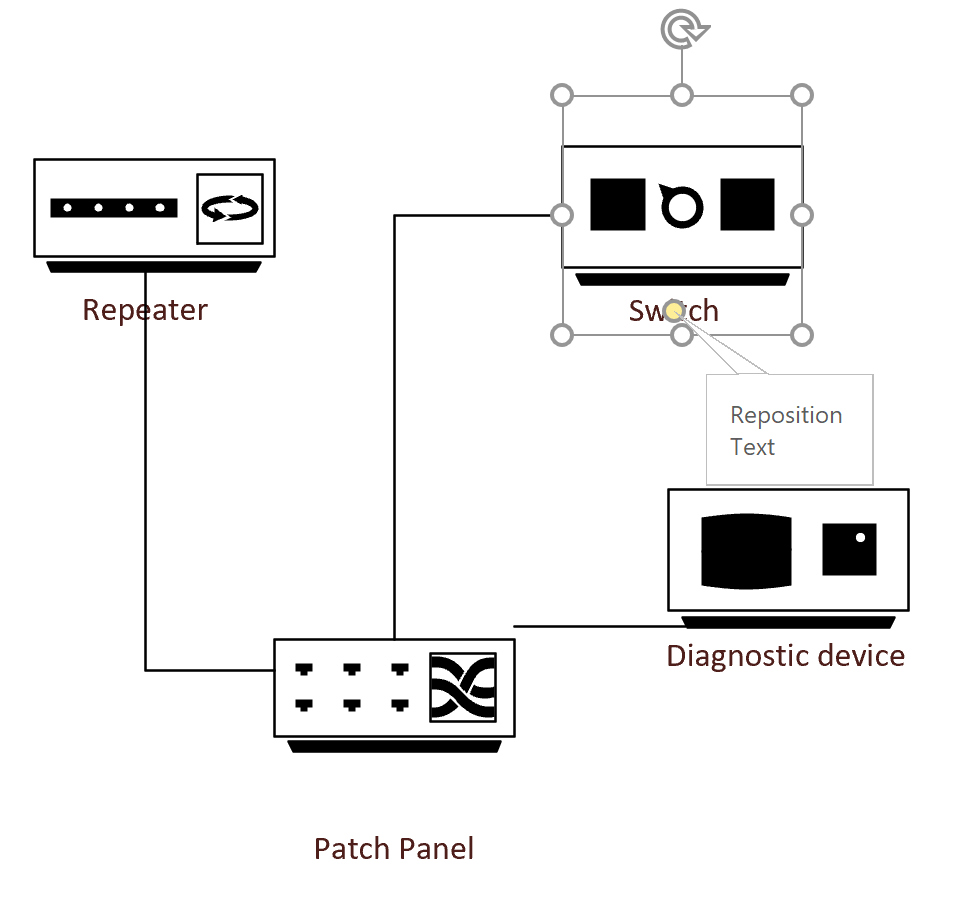
Correcting the Text Control Handle on Visio Network Shapes

There are literally thousands of master shapes in the stencils supplied with Microsoft Visio, so I guess that mistakes can creep in. One error that I have noticed is the inability of the default text control handle of many of the network shapes to actually move the text block horizontally.

[Read more…] about Correcting the Text Control Handle on Visio Network Shapes

Filed Under: ShapeSheet Formulas, Visio Tagged With: Shape Design, ShapeSheet Functions, Visio

Published on November 20, 2021 by David Parker

Using a formula for Shape Data labels prevents multiple updates

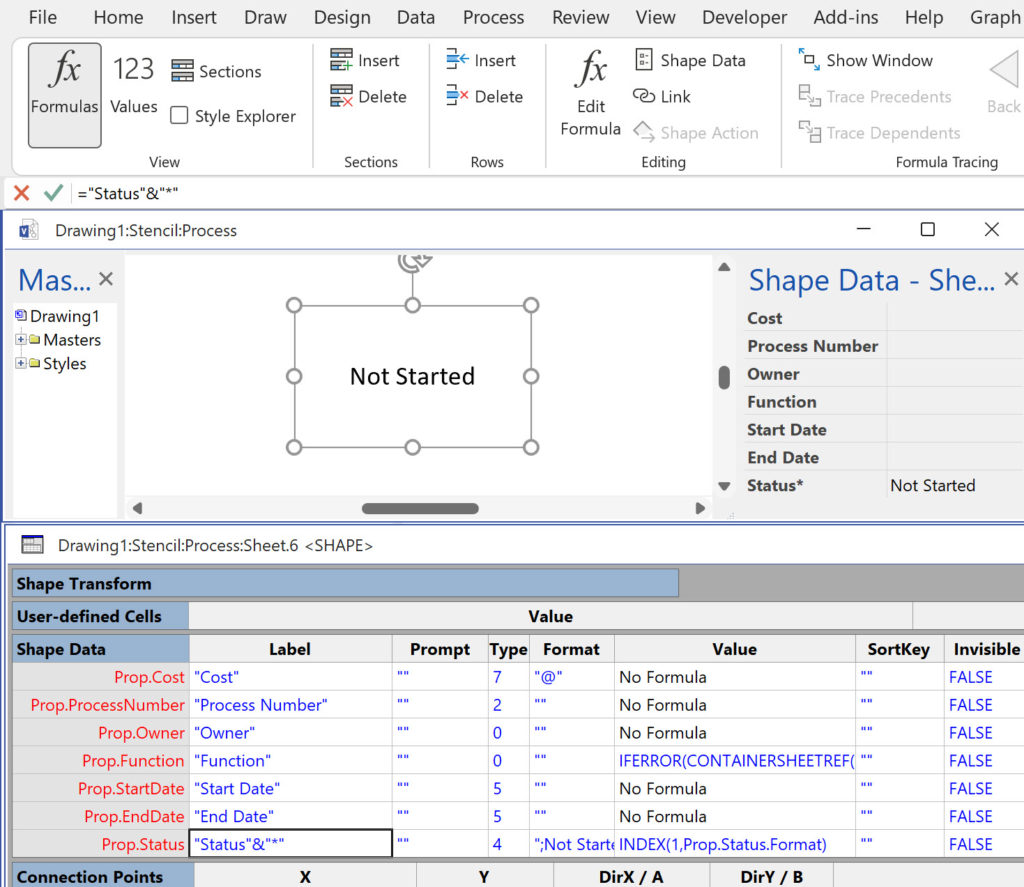
I have only been developing Visio solutions for 25 years, but I got a surprise this week when I was trying to understand why I couldn’t update the value of a Shape Data row of multiple selected shapes. It is something that I often do, so it took me a while to understand why I was failing to change the values, even though it appeared to initially change in the Shape Data window. There was no problem selecting the shapes individually, but every time I selected multiple shapes and edited these particular rows, I could see the new value in the Shape Data window, but as soon as I looked at the individual shapes, I could see that the values never got changed. I checked my code in vain, and ran the Events Monitor from the Visio SDK. Visio seemed to enter the Shape Data scope, but then immediately exited it without attempting to apply the new value to the shapes. Very strange!

[Read more…] about Using a formula for Shape Data labels prevents multiple updates

Filed Under: Shape Data, ShapeSheet Formulas, Visio Tagged With: Shape Data, ShapeSheet, Visio

Published on October 22, 2021 by David Parker

Automatically displaying Visio shape text in other shapes

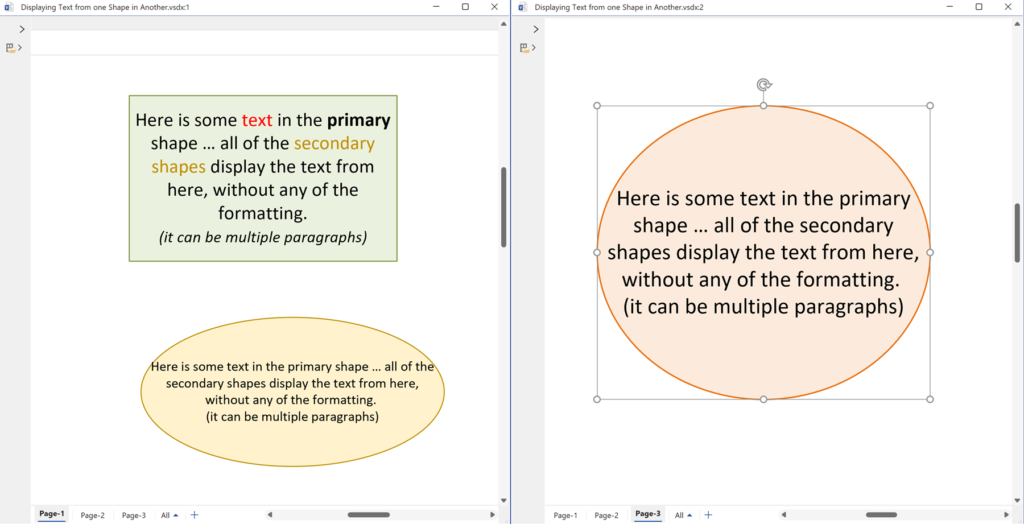
There are times, in Visio, when you just need to ensure that the text in a primary shape is synchronised with the text in different secondary shapes … even if they are on different pages of a Visio document. My previous article, Forcing Display Update of Inherited Data Values , describes a method of synchronising the values in Shape Data rows from a central data source in the document, and that allows for the values to be viewed and edited in multiple pages or shapes. However, the text of a Visio shape is different because it is not stored in a single ShapeSheet cell, so how can you display the text of one shape in another?

[Read more…] about Automatically displaying Visio shape text in other shapes

Filed Under: ShapeSheet Formulas, Visio Tagged With: ShapeSheet Functions, Visio

Published on October 20, 2021 by David Parker

Forcing Display Update of Inherited Data Values

I was going to title this “When is a truth not a truth?” because I have found that Visio can sometimes refuse to apparently update the displayed value in a cell, even though it has been changed. However, this was, in this instance, down to a misunderstanding of the formula evaluation events on my part. Take the scenario where you have some data that you want to be available to all pages and all shapes in the Visio document. There are some built-in Document Properties in Visio that are accessible to all pages and shapes using ShapeSheet functions ( eg TITLE(), SUBJECT(), COMPANY(), Categories / CATEGORY(), Tags / KEYWORDS(), Comments / DESCRIPTION(), Author / CREATOR(), MANAGER() and HYPERLINKBASE()). However, Visio does not have custom Document Properties like the other Office applications. Instead, Visio allows for the addition of User-Defined Cells and Shape Data rows in the DocumentSheet of the document. These can be uniquely named, and Shape Data rows can be given a data type (of sorts), a label, prompt and format.

These values can be accessed via a ShapeSheet function from anywhere within the document, which ensures that you only have one version of the truth. However, there is no non-developer user-interface to edit these DocumentSheet Shape Data values in Visio, so what do you do? And how can you be sure that you are always seeing these centralised values correctly?

I created the following master shape to test how this can be done. It is a group shape that contains a single StartDate Shape Data row, which is used to edit or view the date in the similarly named Shape Data row in the DocumentSheet. For good measure, I also added a similarly named Shape Data row to the page, so the Shape Data window in the page could also be used. I then used Insert / Field to display the values in the ShapeSheet, PageSheet and DocumentSheet:

[Read more…] about Forcing Display Update of Inherited Data Values

Filed Under: Shape Data, ShapeSheet Formulas, Visio Tagged With: Shape Data, Shape Design, ShapeSheet Functions, Visio

Published on October 19, 2021 by David Parker

Using Custom Fill Patterns from a List

A reader asked how to fill a shape with a custom fill pattern from a fixed list in of a shape. They had no trouble with the first 25 standard fill patterns, but couldn’t figure out how to apply a custom pattern. So, I shall try to explain how this can be done …

[Read more…] about Using Custom Fill Patterns from a List

Filed Under: FillPattern, Shape Data, ShapeSheet Formulas, Visio Tagged With: FillPatterns, ShapeSheet Functions, Visio

Published on October 1, 2021 by David Parker

Visio in Microsoft 365? What’s that?

Now that a version of Visio is being rolled out as part of the commercial subscription of Microsoft 365, what is the difference between it and the Visio Web App that is delivered by Visio Plan 1 and Visio Plan 2 subscriptions?

Moreover, can a Visio diagram created by an M365 user be round-tripped with Visio Web App and Visio Desktop App users?

The current Visio editions

First of all, lets review the editions of Visio currently available:

  • Visio in Microsoft 365 – a web app that is included in M365 for business
  • Visio Web App – a web app that requires an extra Visio Plan 1 subscription
  • Visio Desktop App – a web-delivered Windows app that requires an extra Visio Plan 2 subscription (includes Visio Web App)
  • Visio Professional – a Windows app for a one-time purchase, previously installed via a msi package, now Click-to-Run and called LTSC
  • Visio Standard – a Windows app for a one-time purchase, previously installed vi a msi package, now Click-to-Run and called LTSC

So, is that clear? The good news is that all editions use the same file format, and can be viewed by anyone, with the relevant access permission, if the Visio document is stored in OneDrive or SharePoint Online/Teams. This Visio Viewer also provides visibility of the Shape Data, Hyperlinks and Comments. It also has a JavaScript API which makes it extremely useful for developing custom web pages in SharePoint Online/Teams.

[Read more…] about Visio in Microsoft 365? What’s that?

Filed Under: Office 365, ShapeSheet Formulas, SharePoint Online, Teams, Visio, Visio for Desktop, Visio for Web Tagged With: Microsoft 365, Visio

  • « Go to Previous Page
  • Page 1
  • Interim pages omitted …
  • Page 7
  • Page 8
  • Page 9
  • Page 10
  • Page 11
  • Interim pages omitted …
  • Page 36
  • Go to Next Page »

Primary Sidebar

  • LinkedIn
  • Twitter

Recent Posts

  • Creating Boolean Context Menus in Visio
  • Installing Visio Templates and Stencils
  • Creating a Dynamic connector master automatically
  • A visual exploration of Penrose Tiling in Visio
  • How SVG in Visio can cause a Shape.BoundingBox(…) error

Categories

Tags

Accessibility Add-Ins AdvancedInstaller Connectors Containers Data Export Data Graphics Data Import Data Visualizer Educational Excel GraphDatabase Hyperlinks Icon Sets JavaScript LayerManager Layers Legend Link Data to Shapes MSIgnite Office365 Org Chart PowerApps PowerBI PowerQuery Processes Setup and Deployment Shape Data Shape Design ShapeSheet ShapeSheet Functions SharePoint 2013 SQL Teams Validation VBA Video Visio Visio 2007 Visio for the desktop Visio for the Web Visio Online Visio Services Visio Viewer Webinar

Footer

bVisual Profile

The UK-based independent Visio consultancy with a worldwide reach. We have over 25 years experience of providing data visualization solutions to companies around the globe.

Learn more about bVisual

  • Amazon
  • E-mail
  • Facebook
  • LinkedIn
  • Twitter
  • YouTube

Search this website

Recent posts

  • Creating Boolean Context Menus in Visio
  • Installing Visio Templates and Stencils
  • Creating a Dynamic connector master automatically
  • A visual exploration of Penrose Tiling in Visio
  • How SVG in Visio can cause a Shape.BoundingBox(…) error

Copyright © 2026 · Executive Pro on Genesis Framework · WordPress · Log in