• Skip to main content
  • Skip to primary sidebar
  • Skip to footer

bVisual

  • Home
  • Services
    • How Visio smartness can help your business
    • Visio visual in Power BI
    • Visio Consulting Services
    • Visio Bureau Services
    • Visio Training and Support Services
  • Products
    • Visio Shape Report Converter
    • SS Plus
    • LayerManager
    • visViewer
    • Metro Icons
    • Rules Tools for Visio
    • The Visio 2010 Sessions App
    • Multi-Language Text for Visio
    • Document Imager for Visio
    • multiSelect for Visio
    • pdSelect for Visio
  • Case Studies
    • Case studies overview
    • Using Visio in Education for GIS
    • Visualizing Construction Project Schedules
    • Visio Online Business Process Mapping
    • Nexans Visio Template
    • CNEE Projects, WorldCom
    • Chase Manhattan Bank
  • News
    • Recent news
    • News archive
  • Resources
    • Articles➡
      • ShapeSheet Functions A-Z
      • Comparing Visio for the Web and Desktop
      • Customising Visio Shapes for the Web App
      • Key differences between the Visio desktop and web apps
      • Using the Visio Data Visualizer in Excel
      • Using Visio in Teams
      • Creating Visio Tabs and Apps for Teams with SharePoint Framework (SPFx)
      • Designing Power Automate Flows with Microsoft Visio
      • Innovative uses of Visio Lists
    • Webcasts ➡
      • Visio in Organizations
      • My session and other Visio sessions at MSIgnite 2019
      • Power up your Visio diagrams
      • Vision up your Visio diagrams
      • The Visio 2010 MVP Sessions
    • Visio Web Learning Resources
    • Books➡
      • Visualize Complex Processes with Microsoft Visio
      • Mastering Data Visualization with Microsoft Visio
      • Microsoft Visio Business Process Diagramming and Validation
      • Visualizing Information with Microsoft Visio
  • Blog
    • Browse blog articles
    • Visio Power BI articles
    • Visio for Web articles
    • A history of messaging and encryption
  • About us
    • About bVisual
    • Testimonials
    • Bio of David Parker
    • Contact Us
    • Website Privacy Policy
    • Website terms and conditions
    • Ariba Network

Visio

Published on June 25, 2015 by David Parker

My first Office Mix … and it’s about visViewer

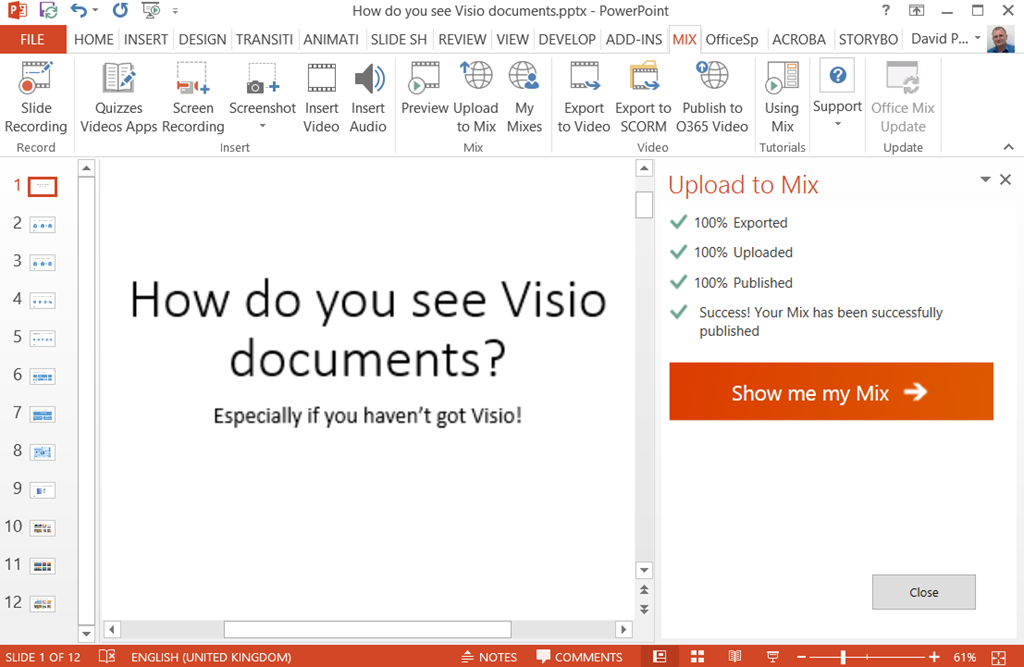
As I have been using PowerPoint a fair bit recently, I noticed a template for Microsoft Office Mix. It lead me to install a free PowerPoint add-in that enables me to add optional audio and video to the presentation before uploading to the Mix website ( see https://mix.office.com/ ).
image

At first, I didn’t realise that my voice was being recorded, so I did it again … but maybe I should keep my mouth shut!

You can see my initial efforts at : https://mix.office.com/watch/1xf8jyin4s364
Filed Under: Office Mix, Visio Tagged With: Outlook, Shape Data, Visio Viewer, visViewer

Published on June 18, 2015 by David Parker

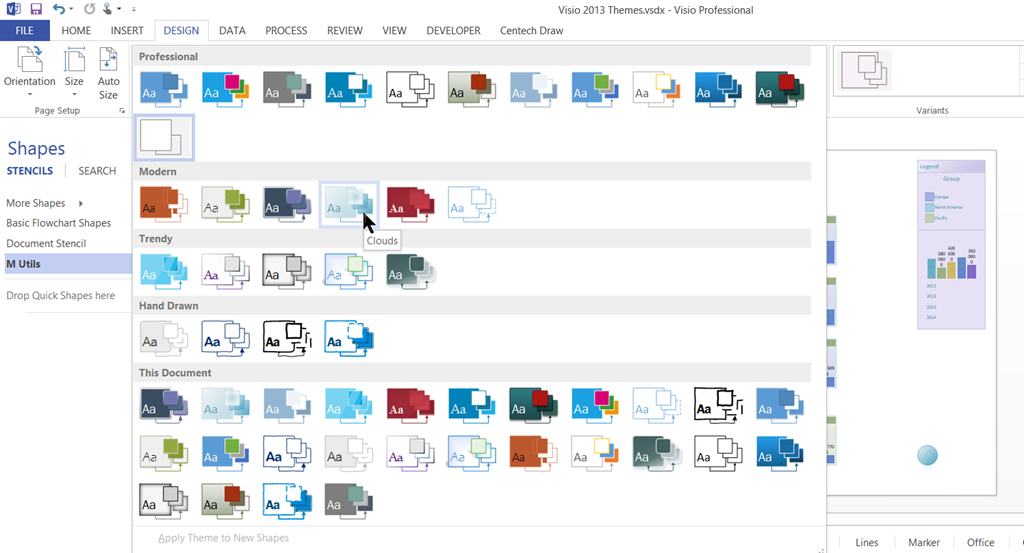
Microsoft Visio 2013 Themes

Visio supports Microsoft Office themes with their variants, and I have been experimenting with their affect on data graphics, so I thought I would create a document with examples of each theme applied to some data graphics. I would hesitate before using some of these, but it is interesting to see the appearance of each.

image


[Read more…] about Microsoft Visio 2013 Themes

Filed Under: Themes, Visio 2013 Tagged With: Link Data to Shapes, SQL, Themes

Published on June 15, 2015 by David Parker

SQL Saturday Business Intelligence Special in Edinburgh

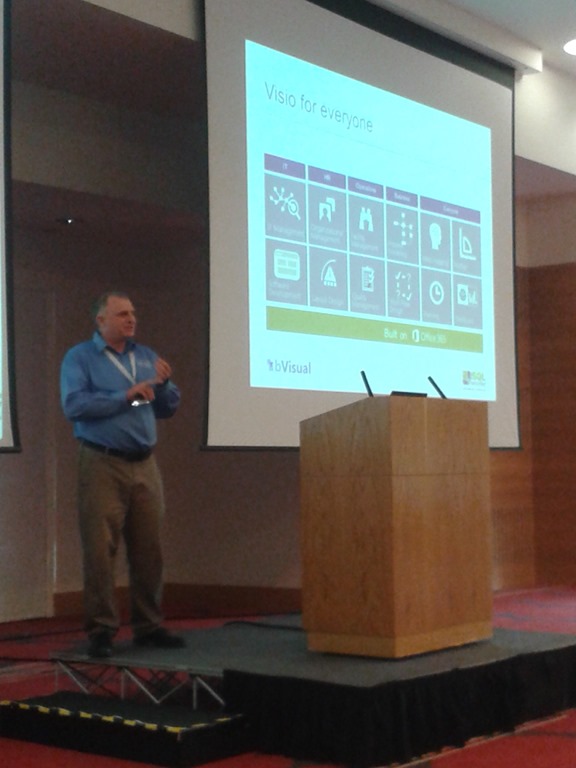
We had a fantastic weekend in Edinburgh where I presented Visio as a BI solution for SQL professionals at SQL Saturday. I volunteered because, quite frankly, I do not think that Microsoft promote Visio for BI enough, even though they have put in the BI domain for Microsoft partner competencies. This was a community event, so many thanks to all of the sponsors for enabling it, the many volunteers for running around, and especially to Jen Stirrup for organising it ( see http://jenstirrup.com/2015/06/15/jens-pass-diary-sqlsaturday-edinburgh-my-heartfelt-thanks-go-to/ ).

Adam Velo, a fellow MVP, took this photo of me, and he followed up with an excellent presentation about the psychology of data graphics (see http://blog.crmguru.co.uk/ ).

SQLSaturdayJune2015
[Read more…] about SQL Saturday Business Intelligence Special in Edinburgh

Filed Under: SQL Server, Visio 2013 Tagged With: SharePoint 2013, SQL, Visio

Published on June 14, 2015 by David Parker

Dropping and Connecting Linked Data Shapes in Visio

I like linking data to shapes in Visio. It saves time in filling in Shape Data and adding text, or any Data Graphic to them. Basically I am lazy, and I also like to create macros for repetitive tasks, so in this blog I provide two macros to save the drudgery of two tasks I do so often:

  1. Dropping and data linking a number of items from an External Data recordset filtered by values in a column or columns
  2. Connecting shapes together following a parent-child relationship between Shape Data values
[Read more…] about Dropping and Connecting Linked Data Shapes in Visio

Filed Under: Visio 2010, Visio 2013 Tagged With: DataRecordset, Macros, VBA, Visio

Published on May 28, 2015 by David Parker

Filter Visio External Data to Drop Shapes

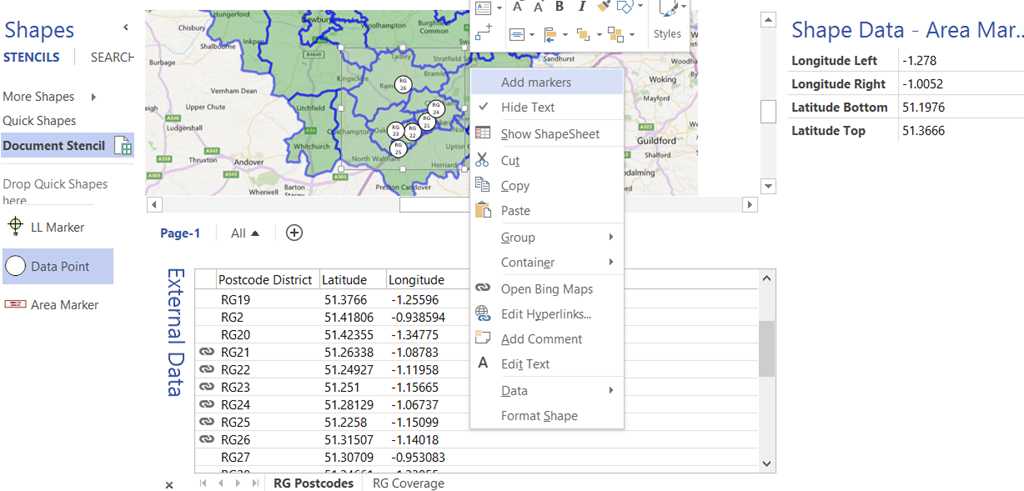
I have recently been demonstrating how to automatically drop data point shapes into the correct latitude \ longitude position over a map image in Visio, and in this instalment I show how to automatically filter the dropped data points by a rectangular area. This will only work after calibrating the map image as in my previous article http://blog.bvisual.net/2015/05/26/calibrating-a-map-in-visio/ and then using the Data Point shape (or similar) from http://blog.bvisual.net/2015/05/27/distributing-data-points-automatically-on-maps-in-visio/

The principles of reading the Shape Data value from a selected shape to automatically drop rows from the active External Data window using the selected master shape could be applied to many scenarios.

image
[Read more…] about Filter Visio External Data to Drop Shapes

Filed Under: Bing Maps, Visio Tagged With: Macros, Shape Data, ShapeSheet Functions, VBA

Published on May 27, 2015 by David Parker

Distributing Data Points Automatically on Maps in Visio

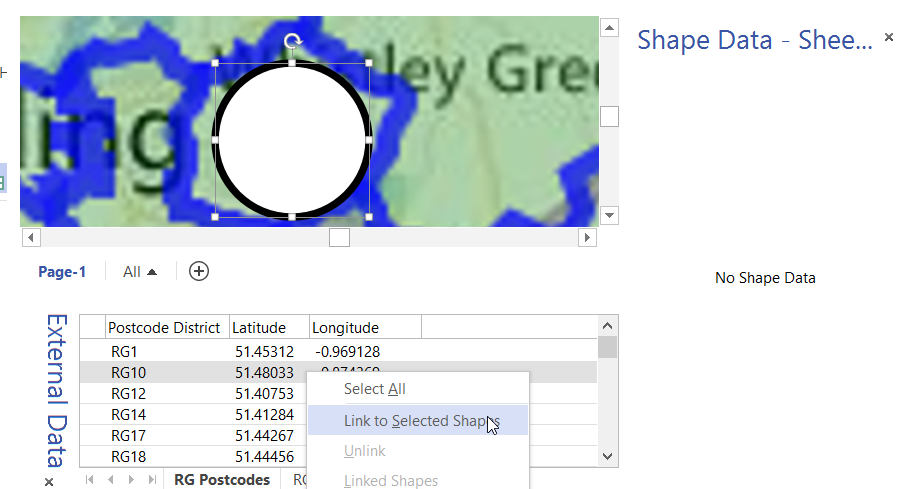
In my last article, I described how to calibrate a map in Visio ( see http://blog.bvisual.net/2015/05/26/calibrating-a-map-in-visio/ ), and in this article I use a calibrated map to distribute data points from a linked data source automatically.

For this example, I drew a simple shape at the size that I want, but you could add this smartness to any shape. All you need is an external data recordset that contains the Latitude and Longitude values that need to be linked to each data point.

image
[Read more…] about Distributing Data Points Automatically on Maps in Visio

Filed Under: Bing Maps, External Data, Geographic, Shape Data, ShapeSheet Formulas, Visio 2013 Tagged With: Link Data to Shapes, Shape Data, ShapeSheet Functions

  • « Go to Previous Page
  • Page 1
  • Interim pages omitted …
  • Page 39
  • Page 40
  • Page 41
  • Page 42
  • Page 43
  • Interim pages omitted …
  • Page 71
  • Go to Next Page »

Primary Sidebar

  • LinkedIn
  • Twitter

Recent Posts

  • Introducing a free Visio Report Runner application
  • Protecting the integrity of custom Visio masters
  • Docked Stencils in Visio for the Web
  • My Visio Books and Old pre-C# Work
  • Migrating from Lucidchart to Visio?

Categories

Tags

Accessibility Add-Ins AdvancedInstaller Connectors Containers Data Export Data Graphics Data Import Data Visualizer Educational Excel GraphDatabase Hyperlinks Icon Sets JavaScript LayerManager Layers Legend Link Data to Shapes MSIgnite Office365 Org Chart PowerApps PowerBI PowerQuery Processes Setup and Deployment Shape Data Shape Design ShapeSheet ShapeSheet Functions SharePoint 2013 SQL Teams Validation VBA Video Visio Visio 2007 Visio for the desktop Visio for the Web Visio Online Visio Services Visio Viewer Webinar

Footer

bVisual Profile

The UK-based independent Visio consultancy with a worldwide reach. We have over 25 years experience of providing data visualization solutions to companies around the globe.

Learn more about bVisual

  • Amazon
  • E-mail
  • Facebook
  • LinkedIn
  • Twitter
  • YouTube

Search this website

Recent posts

  • Introducing a free Visio Report Runner application
  • Protecting the integrity of custom Visio masters
  • Docked Stencils in Visio for the Web
  • My Visio Books and Old pre-C# Work
  • Migrating from Lucidchart to Visio?

Copyright © 2026 · Executive Pro on Genesis Framework · WordPress · Log in