I have been creating Microsoft Visio solutions for 30 years now … my first was in 1996! I have been an advocate for custom Masters from the very start, every since I learnt how editing the Master can automatically update all of its instance shapes can be automatically updated throughout the document. Whenever you drag and drop a Master from a Stencil into a document for the first time, it copies that Master to the Document Stencil, and from then on it will use the local Master in the Document Stencil to create new shape instances that reference the local Master. If you need to customise the local Master, then you should ensure that the Match master by name on drop is checked. All of the provided stencils contain Masters where this property is not checked. The main exception to this is the Dynamic connector Master. Not only is this Master provided with this property checked, it is also automatically created when you do certain actions. This article explains when this is done in the UI and in code.
[Read more…] about Creating a Dynamic connector master automaticallyConnections
Counting glued and connected shapes in Visio
I got a surprise in one of my projects when I counted the shapes glued together using the Shape.GluedShapes(…) method … the sum of the filtered glued shapes just didn’t add up to the unfiltered count. So, I thought I should check the Shape.ConnectedShapes(…) method too … and there is a scenario where that has a similar result.
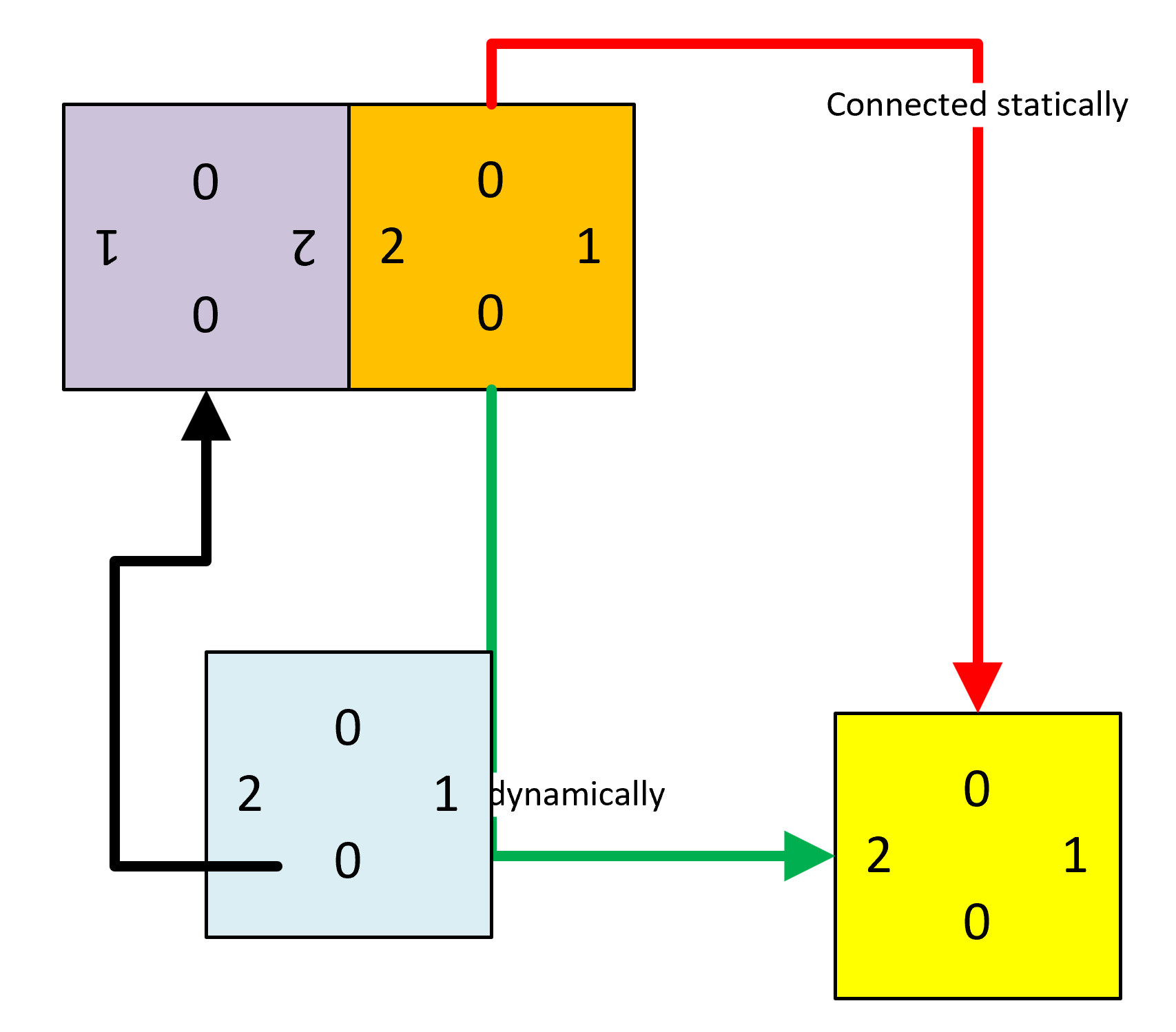
In the following diagram, I have different coloured squares with connection points of different types at the centre of each edge (as denoted by the connection type numbers), and one under a control point in the bottom left corner. I have glued the ends of coloured connector lines, statically (Red and Black) and dynamically (Green), and glued the Purple Square directly to the Orange Square. The Blue Square shape is glued to a connection point on the green dynamic connector.

I then ran some code to get the count of glued and connected shapes … and noticed some apparent discrepancies…
[Read more…] about Counting glued and connected shapes in VisioUnderstanding Visio Connections
A reader recently asked if I could explain how to programmatically get the shapes connected to a shape in Visio. So, I thought I would have a go, because there are alternatives, depending upon which functions are used, and what parameters are passed to them. The following animated gif is rotating around the different types of selections that can be made from the lower Decision shape. Normally, two 2D shapes are connected together using a 1D shape. The 1D shape has a direction because it starts from “BeginX” and finishes at “EndX”. This is irrespective of an arrowheads that the user may have chosen to adorn the 1D connector with at either end.