• Skip to main content
  • Skip to primary sidebar
  • Skip to footer

bVisual

  • Home
  • Services
    • How Visio smartness can help your business
    • Visio visual in Power BI
    • Visio Consulting Services
    • Visio Bureau Services
    • Visio Training and Support Services
  • Products
    • Visio Shape Report Converter
    • SS Plus
    • LayerManager
    • visViewer
    • Metro Icons
    • Rules Tools for Visio
    • The Visio 2010 Sessions App
    • Multi-Language Text for Visio
    • Document Imager for Visio
    • multiSelect for Visio
    • pdSelect for Visio
  • Case Studies
    • Case studies overview
    • Using Visio in Education for GIS
    • Visualizing Construction Project Schedules
    • Visio Online Business Process Mapping
    • Nexans Visio Template
    • CNEE Projects, WorldCom
    • Chase Manhattan Bank
  • News
    • Recent news
    • News archive
  • Resources
    • Articles➡
      • ShapeSheet Functions A-Z
      • Comparing Visio for the Web and Desktop
      • Customising Visio Shapes for the Web App
      • Key differences between the Visio desktop and web apps
      • Using the Visio Data Visualizer in Excel
      • Using Visio in Teams
      • Creating Visio Tabs and Apps for Teams with SharePoint Framework (SPFx)
      • Designing Power Automate Flows with Microsoft Visio
      • Innovative uses of Visio Lists
    • Webcasts ➡
      • Visio in Organizations
      • My session and other Visio sessions at MSIgnite 2019
      • Power up your Visio diagrams
      • Vision up your Visio diagrams
      • The Visio 2010 MVP Sessions
    • Visio Web Learning Resources
    • Books➡
      • Visualize Complex Processes with Microsoft Visio
      • Mastering Data Visualization with Microsoft Visio
      • Microsoft Visio Business Process Diagramming and Validation
      • Visualizing Information with Microsoft Visio
  • Blog
    • Browse blog articles
    • Visio Power BI articles
    • Visio for Web articles
    • A history of messaging and encryption
  • About us
    • About bVisual
    • Testimonials
    • Bio of David Parker
    • Contact Us
    • Website Privacy Policy
    • Website terms and conditions
    • Ariba Network

Visio

Published on June 27, 2014 by David Parker

The Visio 2010 MVP Sessions windows app

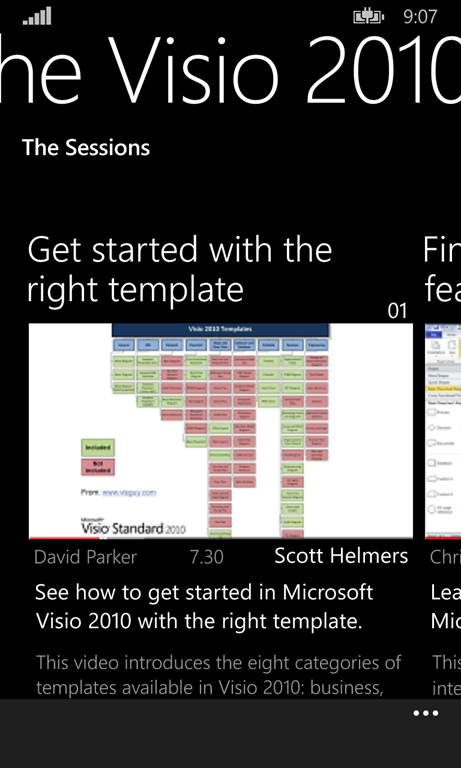
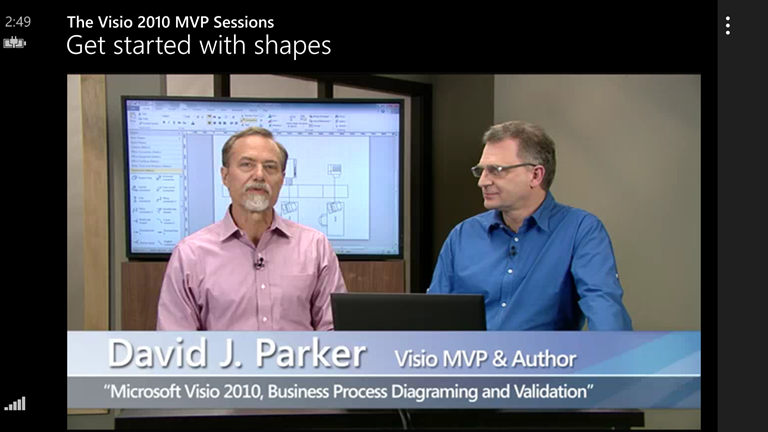
When the Microsoft marketing machine moved its sights onto the 2013 of Visio, they decided to upload the 24 videos that I, Scott Helmers and Chris Roth did for Visio 2010 to YouTube. YouTube is great, but it is so large that I get lost looking for stuff that I am interested in, so I have created a handy little Windows 8.1 app to bring all of the videos together.

The content is still very relevant for Microsoft Visio 2013, and we cover a wide area of Visio’s capabilities in these short introductory videos. Each one is between 5 and 7 minutes…ish.

You can install the free app from : http://apps.microsoft.com/windows/app/visio-2010-mvp-sessions/60b8e55e-2c64-4563-a349-afa14e47c72b

MVPSessions414x468

Get a handy pdf of the session links : http://blog.bvisual.net/2013/07/08/mvp-sessions-for-getting-started-with-visio-2010/

Filed Under: MVP, Visio, Visio 2010, Windows App Tagged With: Video

Published on June 19, 2014 by David Parker

eXplore Visio–now a Windows Phone 8 App too

Following on from my last post ( see http://blog.bvisual.net/2014/06/13/introducing-explore-visioa-windows-8-1-app/ ), I have now managed to release the second part of my first Universal App … eXplore Visio, to the Windows Phone Store.

It is free, but contains adverts, and can be downloaded from http://bit.ly/1lDenY0

As with the Windows App, you can view the contents of Visio, without Visio, and there is are links to a variety of Visio resources.

Filed Under: Visio, Visio 2013, Windows Phone

Published on June 13, 2014 by David Parker

Introducing eXplore Visio–a Windows 8.1 App

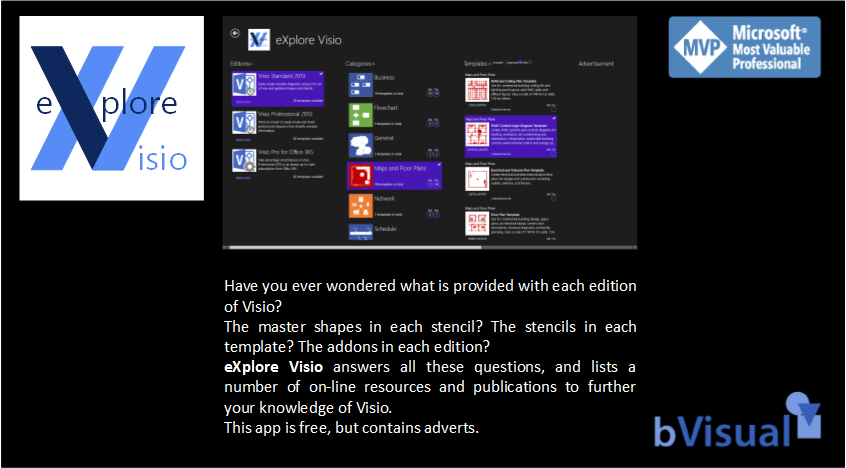
Microsoft recently launched Universal Windows Apps, which offers the prospect of developing apps for Windows and Windows Phone from one code base. They also offered a prize entry for all apps listed before start of June 2014. Well, that was enough for me to try my hand at one, but I failed to hit the prize entry deadline, but have just launched the first part of my Universal App – eXplore Visio for Windows 8.1. This app was supposed to be a simple listing of the contents of the various editions of Visio 2013, but it became slightly more…

XploreVisioPromo846x468


I also wanted to learn more about Windows Azure, so I ambitiously created a Windows SQL Azure database to hold all the information that I gleaned from Visio. I then created a Windows Mobile Service to provide read-only access to the data. At first, I created a .Net back-end, but although I could develop with it locally, I could not get anonymous access from the wild to work … I kept getting a request to enter an unknown user name and login, so I created a JavaScript back-end, and it worked … after I used SQL Management Studio to copy the data from one database to another. Anyway, the .Net back-end does say Preview at the moment.

[Read more…] about Introducing eXplore Visio–a Windows 8.1 App

Filed Under: Visio, Visio 2013, Windows App

Published on April 16, 2014 by David Parker

The Hidden Master Cells – ShapeKeywords and Copyright

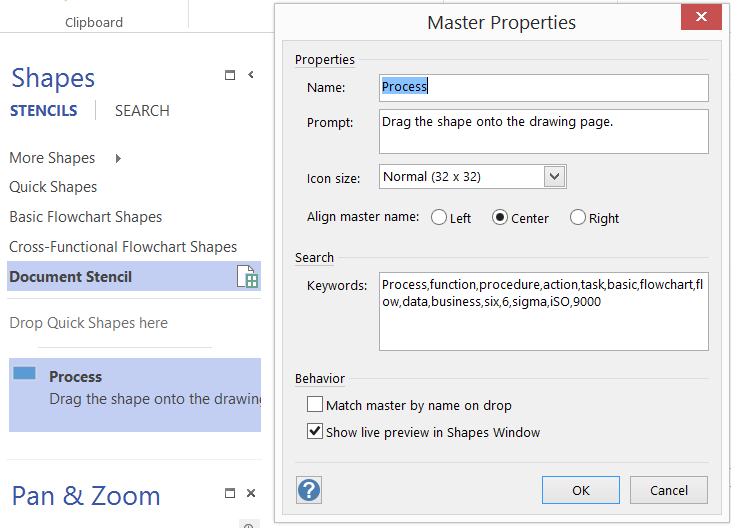
Readers of my blog will know that I often customize Visio masters, but I rarely bother to (re-)set the keywords or copyright. The reason being that I do not like to change the copyright if it has been set by another, and I was not quite sure where the keywords were stored. So, I decided to document them both here for my (and your) future use!


Master Keywords

The Keywords textbox on the Master Properties dialog provides you with the opportunity to enter keywords for the master which can be used by the Search function:

image

[Read more…] about The Hidden Master Cells – ShapeKeywords and Copyright

Filed Under: Visio

Published on April 8, 2014 by David Parker

Adding Configure Callout functionality to Visio Callouts

Visio is always improving but sometimes some functionality is hard to find, and gets forgotten about. For example, the Custom callout 1,2 and 3 masters on the Visio Extras \ Callouts stencil have been there for a few years, yet most users do not find them or realise what they can do. They provide the ability for a connected callout shape to display the values, and optional labels, of a target shape. This can be most useful for automatic annotations because they are always up to date. However, Visio recently introduced some new Callout shapes, but this ability is not there by default. In this blog, I show you how to add this useful feature to the new Callouts.

First, let’s look at the older Custom callout shapes, which automatically open a Configure Callout dialog when connected to another shape. This callout invites you to display selected Shape Data rows of the target shape:

image


[Read more…] about Adding Configure Callout functionality to Visio Callouts

Filed Under: Callouts, Visio 2013 Tagged With: Callouts

Published on April 2, 2014 by David Parker

10 years and counting …

I avoided posting this yesterday … just in case it was considered an April Fool’s Day prank … but I am pleased (and relieved) to get my 10 years award as a Microsoft MVP for Visio. This gives me renewed enthusiasm to continue blogging technical articles about Visio. Watch this space …..

Filed Under: Visio Tagged With: MVP

  • « Go to Previous Page
  • Page 1
  • Interim pages omitted …
  • Page 45
  • Page 46
  • Page 47
  • Page 48
  • Page 49
  • Interim pages omitted …
  • Page 70
  • Go to Next Page »

Primary Sidebar

  • LinkedIn
  • Twitter

Recent Posts

  • Docked Stencils in Visio for the Web
  • My Visio Books and Old pre-C# Work
  • Migrating from Lucidchart to Visio?
  • Creating Boolean Context Menus in Visio
  • Installing Visio Templates and Stencils

Categories

Tags

Accessibility Add-Ins AdvancedInstaller Connectors Containers Data Export Data Graphics Data Import Data Visualizer Educational Excel GraphDatabase Hyperlinks Icon Sets JavaScript LayerManager Layers Legend Link Data to Shapes MSIgnite Office365 Org Chart PowerApps PowerBI PowerQuery Processes Setup and Deployment Shape Data Shape Design ShapeSheet ShapeSheet Functions SharePoint 2013 SQL Teams Validation VBA Video Visio Visio 2007 Visio for the desktop Visio for the Web Visio Online Visio Services Visio Viewer Webinar

Footer

bVisual Profile

The UK-based independent Visio consultancy with a worldwide reach. We have over 25 years experience of providing data visualization solutions to companies around the globe.

Learn more about bVisual

  • Amazon
  • E-mail
  • Facebook
  • LinkedIn
  • Twitter
  • YouTube

Search this website

Recent posts

  • Docked Stencils in Visio for the Web
  • My Visio Books and Old pre-C# Work
  • Migrating from Lucidchart to Visio?
  • Creating Boolean Context Menus in Visio
  • Installing Visio Templates and Stencils

Copyright © 2026 · Executive Pro on Genesis Framework · WordPress · Log in