• Skip to main content
  • Skip to primary sidebar
  • Skip to footer

bVisual

  • Home
  • Services
    • How Visio smartness can help your business
    • Visio visual in Power BI
    • Visio Consulting Services
    • Visio Bureau Services
    • Visio Training and Support Services
  • Products
    • Visio Shape Report Converter
    • SS Plus
    • LayerManager
    • visViewer
    • Metro Icons
    • Rules Tools for Visio
    • The Visio 2010 Sessions App
    • Multi-Language Text for Visio
    • Document Imager for Visio
    • multiSelect for Visio
    • pdSelect for Visio
  • Case Studies
    • Case studies overview
    • Using Visio in Education for GIS
    • Visualizing Construction Project Schedules
    • Visio Online Business Process Mapping
    • Nexans Visio Template
    • CNEE Projects, WorldCom
    • Chase Manhattan Bank
  • News
    • Recent news
    • News archive
  • Resources
    • Articles➡
      • ShapeSheet Functions A-Z
      • Comparing Visio for the Web and Desktop
      • Customising Visio Shapes for the Web App
      • Key differences between the Visio desktop and web apps
      • Using the Visio Data Visualizer in Excel
      • Using Visio in Teams
      • Creating Visio Tabs and Apps for Teams with SharePoint Framework (SPFx)
      • Designing Power Automate Flows with Microsoft Visio
      • Innovative uses of Visio Lists
    • Webcasts ➡
      • Visio in Organizations
      • My session and other Visio sessions at MSIgnite 2019
      • Power up your Visio diagrams
      • Vision up your Visio diagrams
      • The Visio 2010 MVP Sessions
    • Visio Web Learning Resources
    • Books➡
      • Visualize Complex Processes with Microsoft Visio
      • Mastering Data Visualization with Microsoft Visio
      • Microsoft Visio Business Process Diagramming and Validation
      • Visualizing Information with Microsoft Visio
  • Blog
    • Browse blog articles
    • Visio Power BI articles
    • Visio for Web articles
    • A history of messaging and encryption
  • About us
    • About bVisual
    • Testimonials
    • Bio of David Parker
    • Contact Us
    • Website Privacy Policy
    • Website terms and conditions
    • Ariba Network

Visio

Published on May 26, 2015 by David Parker

Calibrating a Map in Visio

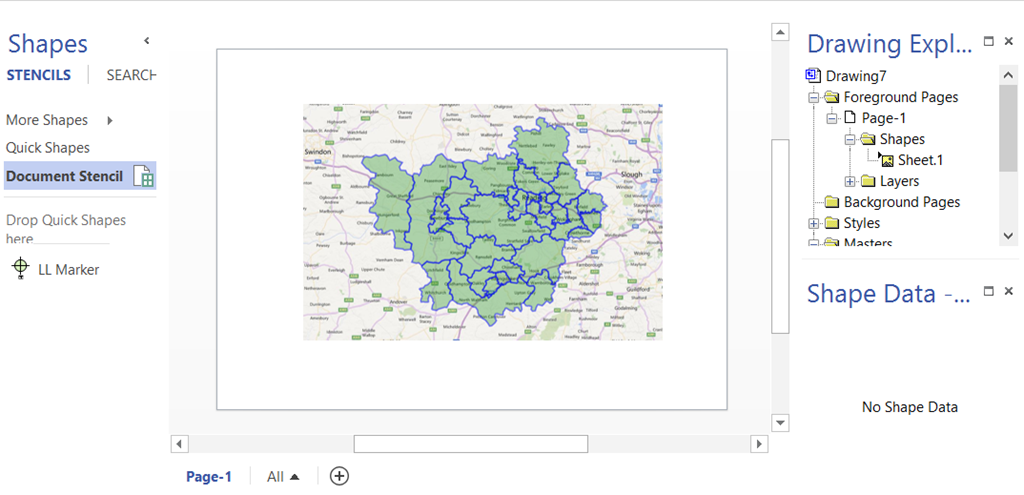
Many years ago, I wrote a blog article about calibrating a map in Visio ( see http://blog.bvisual.net/2008/09/30/moving-between-visio-and-kml/ ), but I used VBA and a shape from my friend Chris Roth / VisGuy. Well, I have now worked out how to calibrate a map without code!

This could be especially useful now that MapPoint has been deprecated
image
[Read more…] about Calibrating a Map in Visio

Filed Under: Bing Maps, Visio 2010, Visio 2013 Tagged With: Shape Data, ShapeSheet Functions

Published on May 25, 2015 by David Parker

Office 2016 Preview for existing Office 365 subscribers

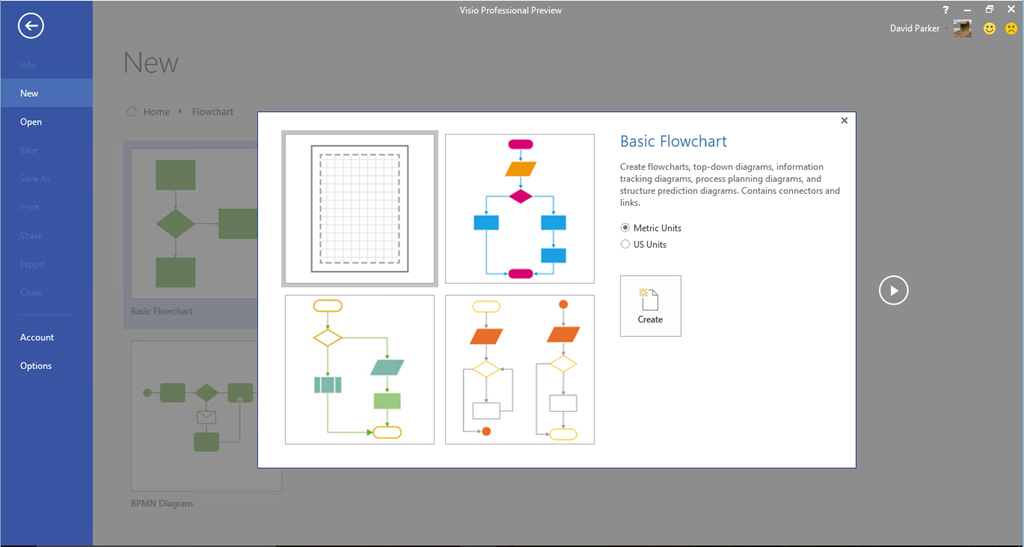
Exiting news for those of you who want to try the new version of Office, including Visio. The new Visio features include:

  • Rich Content – 850+ shapes redesigned (Electrical, Office Layout, Home Plan, Site Plan, Floor Plan)
  • Ease of Use – 40+ starter diagrams
  • Data Linked – One step data-linking
  • Secure Platform – Data loss prevention, Information Rights Management, Multifactor authentication
image
[Read more…] about Office 2016 Preview for existing Office 365 subscribers

Filed Under: Visio 2016 Tagged With: Preview

Published on May 12, 2015 by David Parker

Becoming a Visio 2013 Power User

My fellow MVP for Visio, and author, and friend, Scott Helmers, has recently presented a series of videos entitled “Becoming a Visio 2013 Power User”. Scott is a natural presenter, and he does a great job in getting the fundamentals across.

There are two ways that I know of to see these videos:

Microsoft Virtual Academy : http://www.microsoftvirtualacademy.com/training-courses/becoming-a-visio-2013-power-user

Channel 9 : http://channel9.msdn.com/Search?term=Becoming%20a%20Visio%202013%20Power%20User#lang-en=en&ch9Search

Highly recommended.

Scott also patrols Experts Exchange : http://www.experts-exchange.com/Software/Office_Productivity/Office_Suites/MS_Office/Visio/

Filed Under: MVP, Visio 2013 Tagged With: Educational

Published on April 29, 2015 by David Parker

Linking Data to Visio with SQL Server Stored Procedures

Visio Professional has the ability to link to various data sources, and one of the most popular is SQL Server. The DATA\Link Data to Shapes … function will present a UI to choose from a table or view, but does not provide any stored procedures. Therefore, this article present a VBA macro that demonstrates how a stored procedure can be added as a refreshable data recordset in Visio.

[Read more…] about Linking Data to Visio with SQL Server Stored Procedures

Filed Under: SQL Server, Visio 2013 Tagged With: Link Data to Shapes, SQL

Published on April 17, 2015 by David Parker

Visio Org Charts with Multiple Languages

I had an enquiry recently about displaying Organisation Charts with text in different languages. This set me thinking, and, if you have Visio Professional, then you can use Link Data to Shapes to add this capability to existing diagrams, but Visio Standard users can just the Org Chart Wizard.

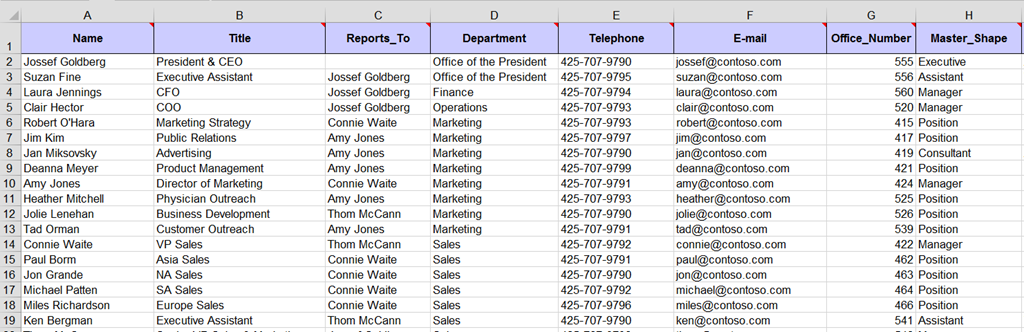
I will use the OrgData.xls file that is provided in the <Program Files>\Microsoft Office\Office 15\Visio Content\<LCID>\ folder to demonstrate this. I have English US (1033) and Norwegian Bokmal (1044) available to me, as shown below:

In Englsih

image
[Read more…] about Visio Org Charts with Multiple Languages

Filed Under: Data Graphics, External Data, Org Charts, Shape Data, Visio 2013 Tagged With: Link Data to Shapes, Org Chart

Published on March 26, 2015 by David Parker

Making unused data-linked SharePoint columns in Visio invisible automatically

I described how and why I sometimes link a SharePoint document library to Visio documents in a previous article ( see http://blog.bvisual.net/2015/02/10/displaying-sharepoint-document-library-column-values-on-visio-services-diagrams/). I mentioned that I always switch off the visibility of some columns because they are rarely needed in my Visio shapes as shape data rows. In this article, I present a VBA macro that can switch them off for you, therefore ensuring consistency.

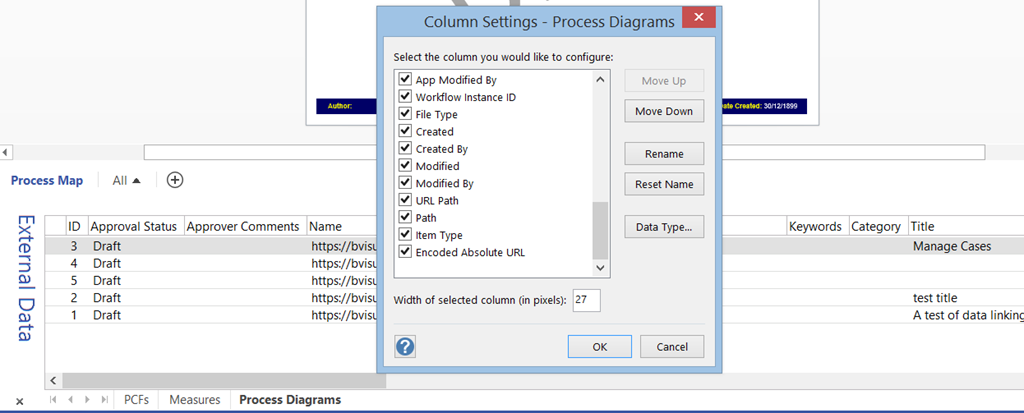
The Link Data to Shapes feature in Visio does not allow for filtering of columns or rows when SharePoint lists are used as a data source. One answer is to create a view of the list in SharePoint to restrict the rows and some columns, but other columns still get pulled through to the External Data recordsets in Visio by default:

image

[Read more…] about Making unused data-linked SharePoint columns in Visio invisible automatically

Filed Under: Visio 2013 Tagged With: SharePoint 2013, Visio Services

  • « Go to Previous Page
  • Page 1
  • Interim pages omitted …
  • Page 40
  • Page 41
  • Page 42
  • Page 43
  • Page 44
  • Interim pages omitted …
  • Page 71
  • Go to Next Page »

Primary Sidebar

  • LinkedIn
  • Twitter

Recent Posts

  • Introducing a free Visio Report Runner application
  • Protecting the integrity of custom Visio masters
  • Docked Stencils in Visio for the Web
  • My Visio Books and Old pre-C# Work
  • Migrating from Lucidchart to Visio?

Categories

Tags

Accessibility Add-Ins AdvancedInstaller Connectors Containers Data Export Data Graphics Data Import Data Visualizer Educational Excel GraphDatabase Hyperlinks Icon Sets JavaScript LayerManager Layers Legend Link Data to Shapes MSIgnite Office365 Org Chart PowerApps PowerBI PowerQuery Processes Setup and Deployment Shape Data Shape Design ShapeSheet ShapeSheet Functions SharePoint 2013 SQL Teams Validation VBA Video Visio Visio 2007 Visio for the desktop Visio for the Web Visio Online Visio Services Visio Viewer Webinar

Footer

bVisual Profile

The UK-based independent Visio consultancy with a worldwide reach. We have over 25 years experience of providing data visualization solutions to companies around the globe.

Learn more about bVisual

  • Amazon
  • E-mail
  • Facebook
  • LinkedIn
  • Twitter
  • YouTube

Search this website

Recent posts

  • Introducing a free Visio Report Runner application
  • Protecting the integrity of custom Visio masters
  • Docked Stencils in Visio for the Web
  • My Visio Books and Old pre-C# Work
  • Migrating from Lucidchart to Visio?

Copyright © 2026 · Executive Pro on Genesis Framework · WordPress · Log in