• Skip to main content
  • Skip to primary sidebar
  • Skip to footer

bVisual

  • Home
  • Services
    • How Visio smartness can help your business
    • Visio visual in Power BI
    • Visio Consulting Services
    • Visio Bureau Services
    • Visio Training and Support Services
  • Products
    • Visio Shape Report Converter
    • SS Plus
    • LayerManager
    • visViewer
    • Metro Icons
    • Rules Tools for Visio
    • The Visio 2010 Sessions App
    • Multi-Language Text for Visio
    • Document Imager for Visio
    • multiSelect for Visio
    • pdSelect for Visio
  • Case Studies
    • Case studies overview
    • Using Visio in Education for GIS
    • Visualizing Construction Project Schedules
    • Visio Online Business Process Mapping
    • Nexans Visio Template
    • CNEE Projects, WorldCom
    • Chase Manhattan Bank
  • News
    • Recent news
    • News archive
  • Resources
    • Articles➡
      • ShapeSheet Functions A-Z
      • Comparing Visio for the Web and Desktop
      • Customising Visio Shapes for the Web App
      • Key differences between the Visio desktop and web apps
      • Using the Visio Data Visualizer in Excel
      • Using Visio in Teams
      • Creating Visio Tabs and Apps for Teams with SharePoint Framework (SPFx)
      • Designing Power Automate Flows with Microsoft Visio
      • Innovative uses of Visio Lists
    • Webcasts ➡
      • Visio in Organizations
      • My session and other Visio sessions at MSIgnite 2019
      • Power up your Visio diagrams
      • Vision up your Visio diagrams
      • The Visio 2010 MVP Sessions
    • Visio Web Learning Resources
    • Books➡
      • Visualize Complex Processes with Microsoft Visio
      • Mastering Data Visualization with Microsoft Visio
      • Microsoft Visio Business Process Diagramming and Validation
      • Visualizing Information with Microsoft Visio
  • Blog
    • Browse blog articles
    • Visio Power BI articles
    • Visio for Web articles
    • A history of messaging and encryption
  • About us
    • About bVisual
    • Testimonials
    • Bio of David Parker
    • Contact Us
    • Website Privacy Policy
    • Website terms and conditions
    • Ariba Network

ShapeSheet Formulas

Published on December 15, 2025 by David Parker

A visual exploration of Penrose Tiling in Visio

Maybe it is because I used to be a building architect, but I have always been fascinated by the relationship between numbers and visualisations. Perhaps the most famous one is the Golden Ratio which has been used as the basis of many building designs and art pieces. It is often recognised to create a harmony that is universally understood, and is repeatedly found in nature, yet it all boils down to a simple ratio of about 1.618 … and is related to the Fibonacci Numbers. Roger Penrose (re-)discovered shapes based on the Golden Ratio can be arranged aperiodically on an infinite canvas without a repeating pattern. These Penrose Tiling shapes were developed into two groups (P2 and P3) each with two shapes.

There are rules about the arrangement to ensure that they do not fall into a repeatable series. These rules can be followed by ensuring that the ends of the arcs within each shape meet each other. The shapes can be used to try to create an aperiodic pattern of an infinite size, and then a timer can randomly change the colours. It’s a little festive fun!

  • Kites and Darts with Arcs
  • Kites and Darts without Arcs
  • Thick and Thin Rhombi with Arcs
  • Thick and Thin Rhombi without Arcs
  • Patterned Rhombi
[Read more…] about A visual exploration of Penrose Tiling in Visio

Filed Under: FillPattern, Games, Shape Data, ShapeSheet Formulas, Visio Tagged With: ShapeSheet, ShapeSheet Functions, Visio

Published on November 10, 2025 by David Parker

How SVG in Visio can cause a Shape.BoundingBox(…) error

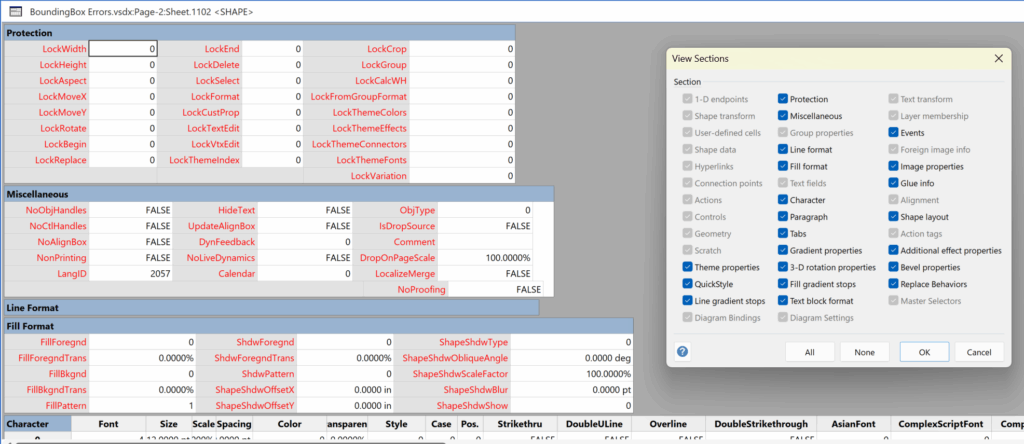
I have used Visio’s Shape.BoundingBox(…) for many, many years and I cannot ever recall it failing, but I have now managed to create some shapes that cause it to error. This caused many hours of confusion, so I nearly abandoned using the method, until I discussed it with my fellow Visio MVP, John Goldsmith (see VisualSignals), and together we examined the cause. It came down to a badly formed sub-shape within the shape that had zero dimension … and in fact had an incomplete ShapeSheet. If you look at the screenshot below, then you may notice that there is no Shape Transform section! That is a mandatory section, and should always exist … so how did this happen?

[Read more…] about How SVG in Visio can cause a Shape.BoundingBox(…) error

Filed Under: C#, Coding, eVSM Mix, ShapeSheet Formulas, Visio Tagged With: Coding, ShapeSheet, SVG, Visio

Published on June 26, 2025 by David Parker

Jumping between Shapes in Visio

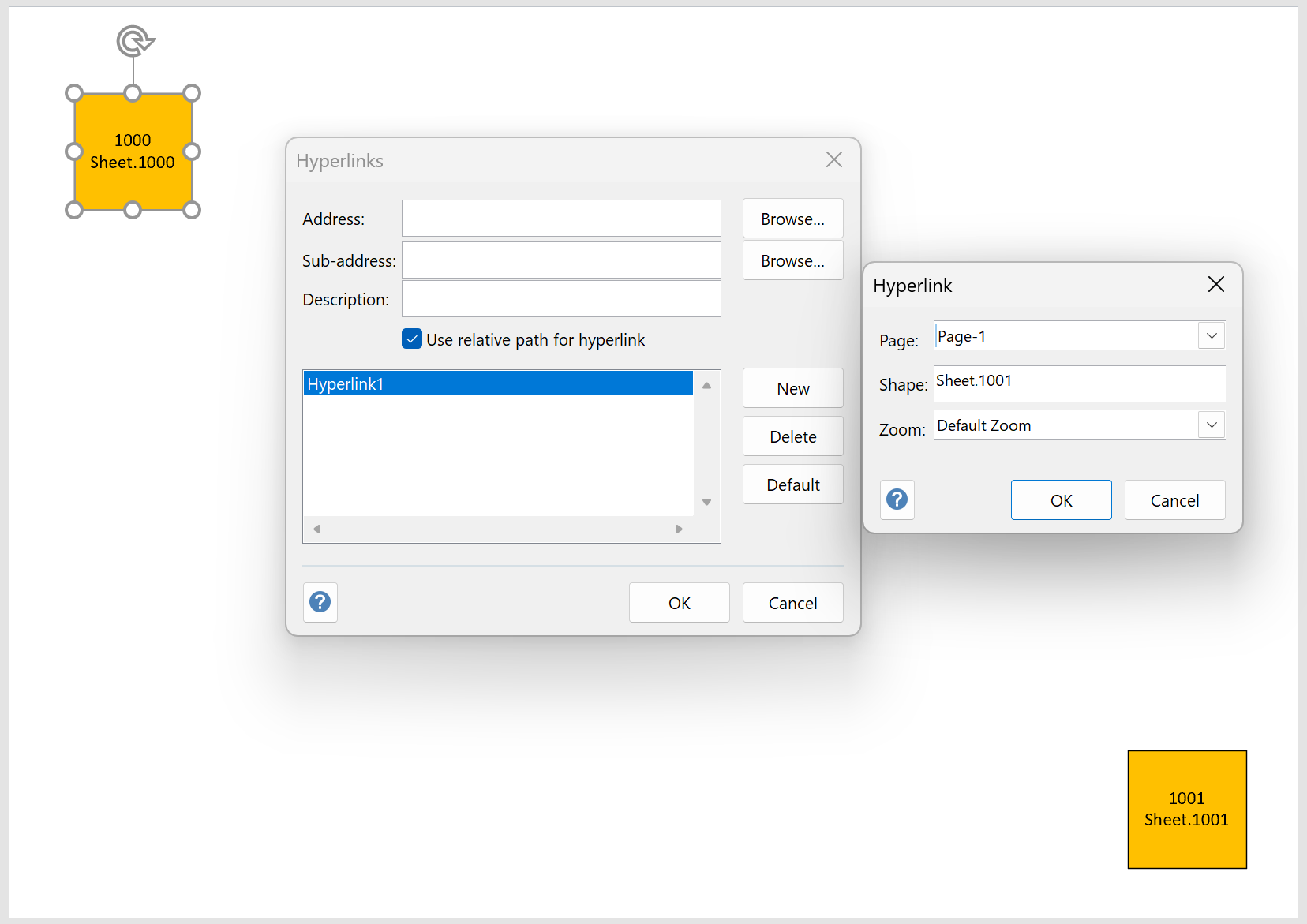
Many Visio diagrams get quite large, and sometimes it is useful to provide the ability to jump to another shape quickly in the same document, either on a different page or on the same one. Although there is an add-on provided in desktop Visio that is used by the Off-Page Reference shape provided in the Basic Flowcharts Shapes stencil (see my other posts), this article is about using the hyperlinks available in both the desktop and browser editions of Visio. Fortunately, Visio desktop has the ability to create hyperlinks to a specific shape by selecting the page and entering the name of the target shape. This creation ability is not available in Visio for the web, but using the desktop created ones is!

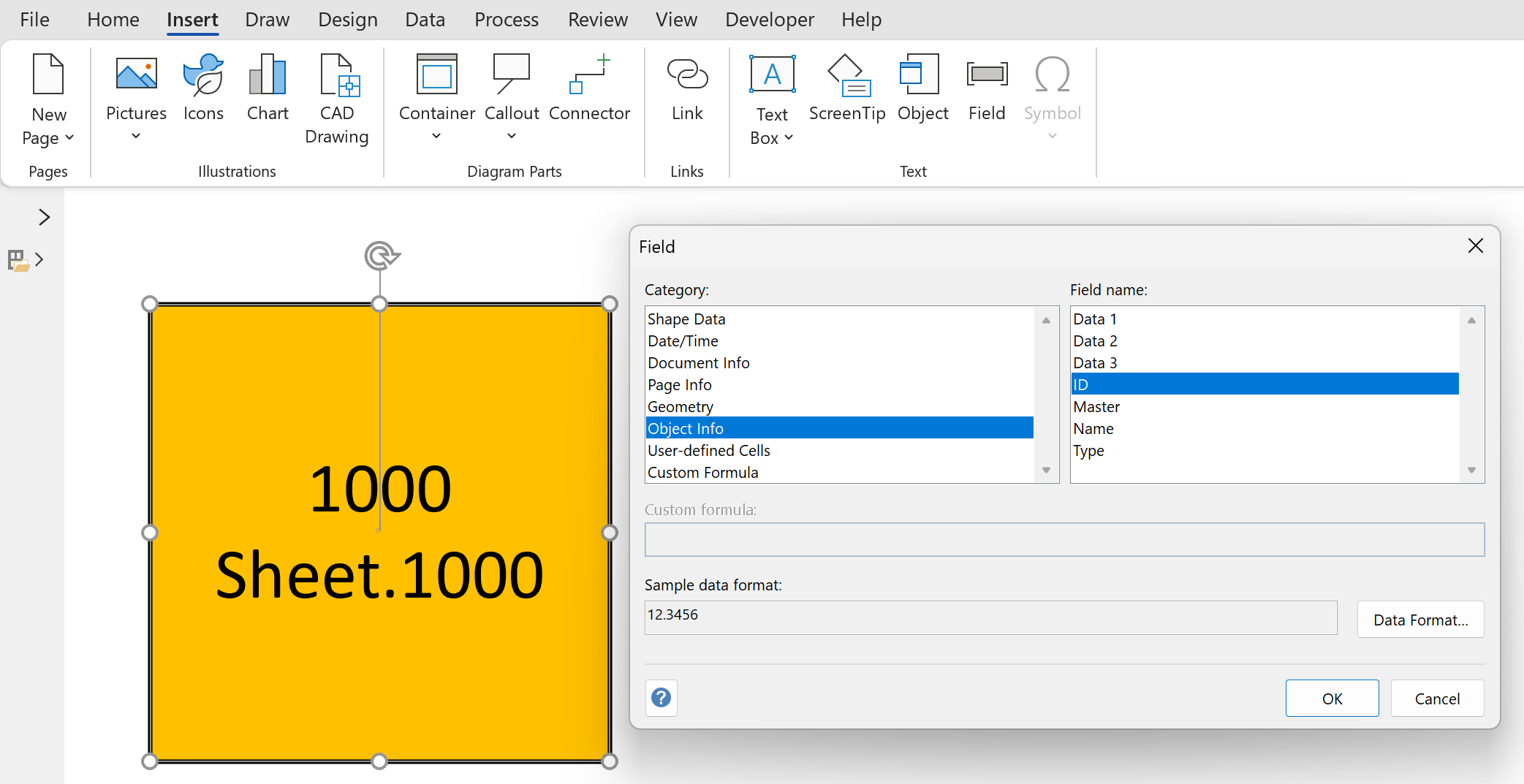
  • Insert Field to display shape ID and Name
  • Hyperlink Sub-Address
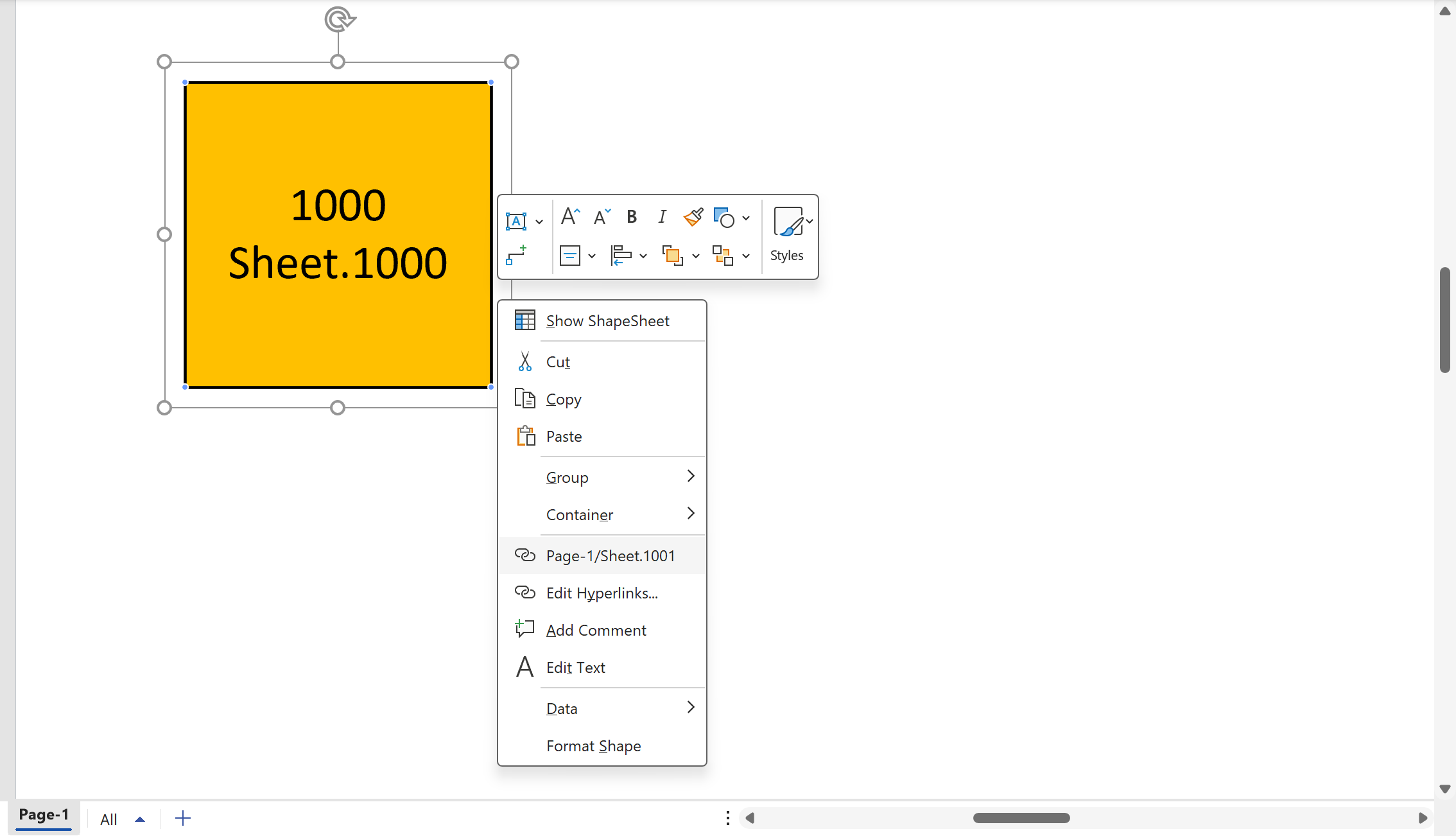
  • Following a hyperlink
[Read more…] about Jumping between Shapes in Visio

Filed Under: Hyperlinks, ShapeSheet Formulas Tagged With: Hyperlinks, Shape Data, ShapeSheet, ShapeSheet Functions, Visio

Published on April 29, 2025 by David Parker

Fixing dimensions of 2D shapes

I am often asked what makes Visio unique and makes it stand out from the crowd, especially in today’s online world. Well, I think there are many reasons, but one of them is the ability to create scaled drawings with parametric components of specific dimensions. This was crucial for my adoption of Visio back in 1996 (see Chase Manhattan Bank – bVisual ), and since then I have created hundreds of dimensionally accurate catalogue components for use in scaled drawings for multiple manufacturers. Over the years, I have developed some patterns in ShapeSheet formulas that I re-use consistently. In this article I show the pattern that I use to provide a user with specific width and height dimensions that can be selected in any of three ways:

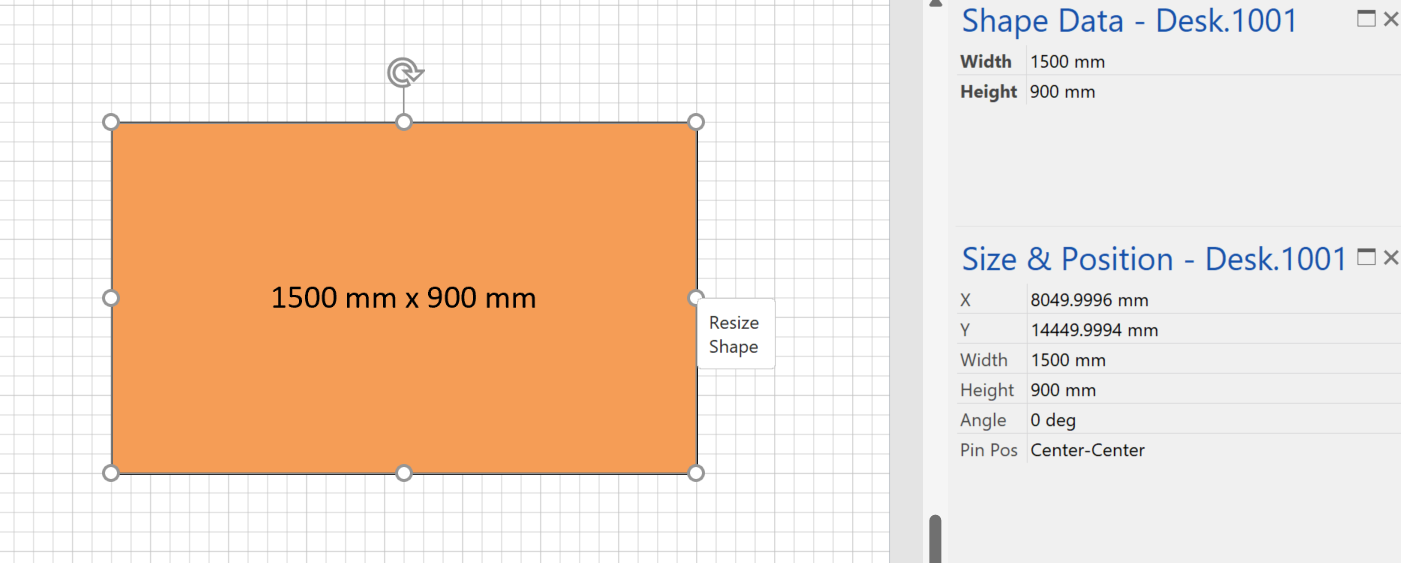
  1. Manual resize of the shape with the shape handles to only the specified sizes
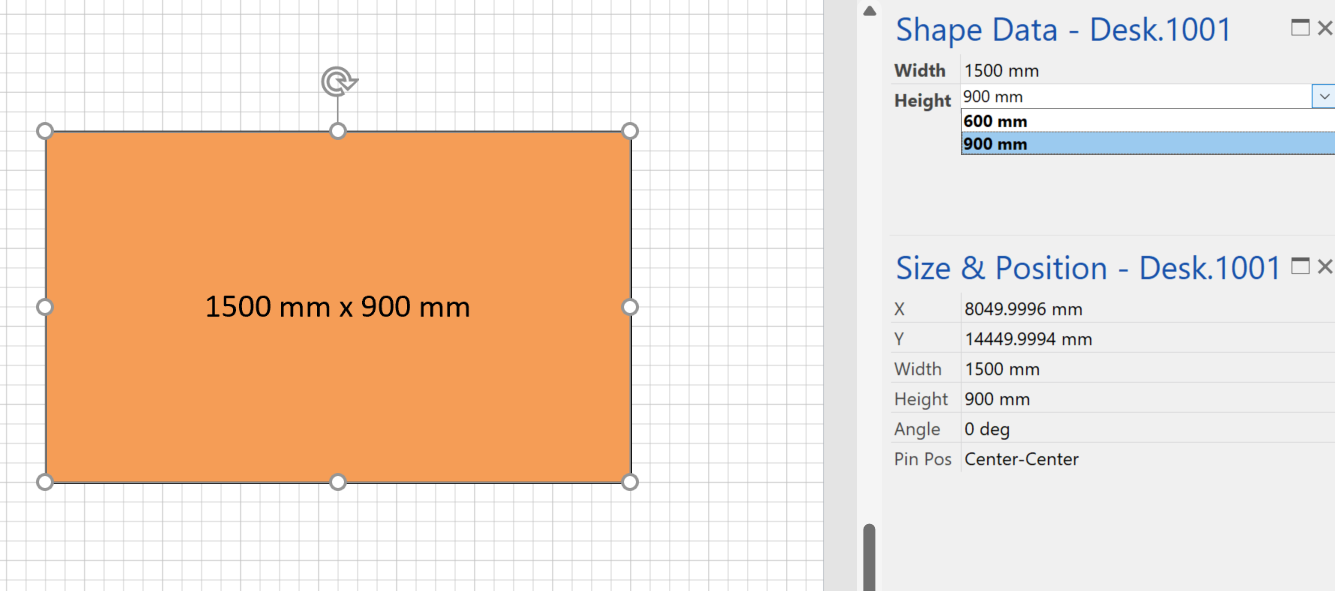
  2. Selecting a dimension from the Shape Data panel
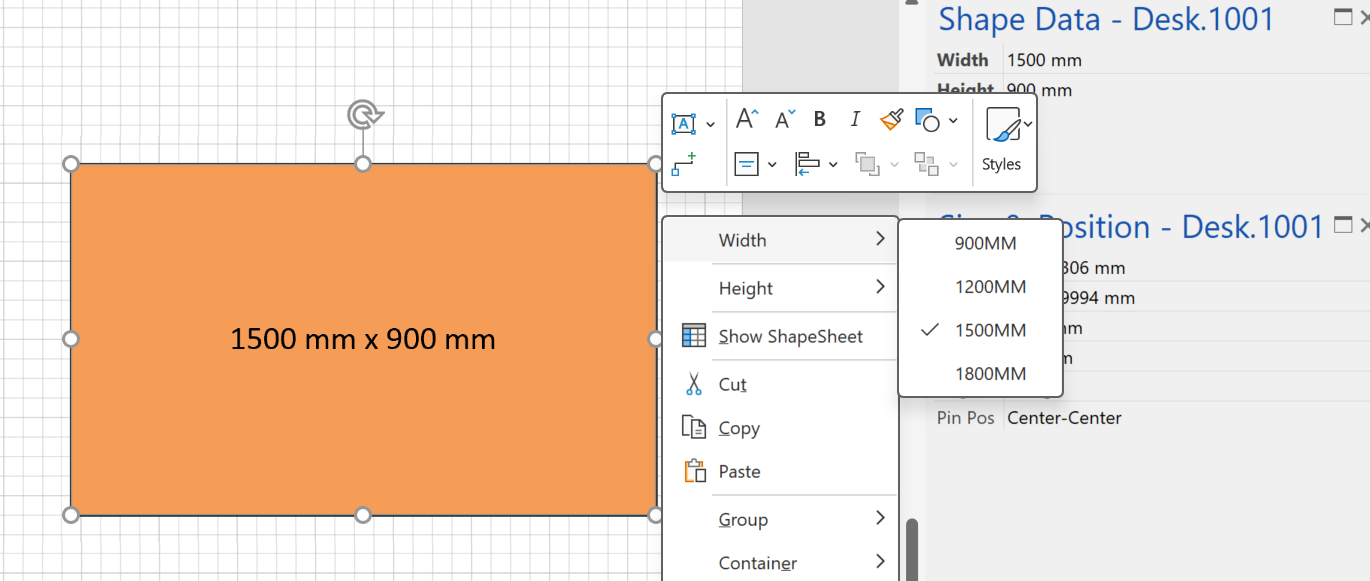
  3. Selecting a dimension from the right-mouse Actions context menu

All of these options are linked together so that editing the list of specific sizes are easy to maintain.

  • Resize manually
  • Select a Shape Data value
  • Select a context menu Action
[Read more…] about Fixing dimensions of 2D shapes

Filed Under: Shape Data, Shape Design, ShapeSheet Formulas, Visio

Published on March 5, 2025 by David Parker

Smart Radio Buttons and Check Boxes in Visio

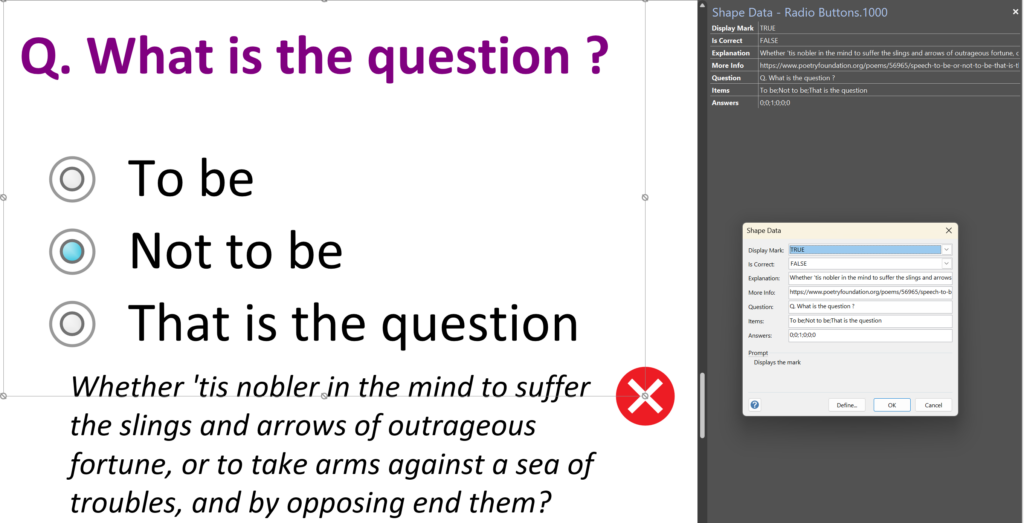
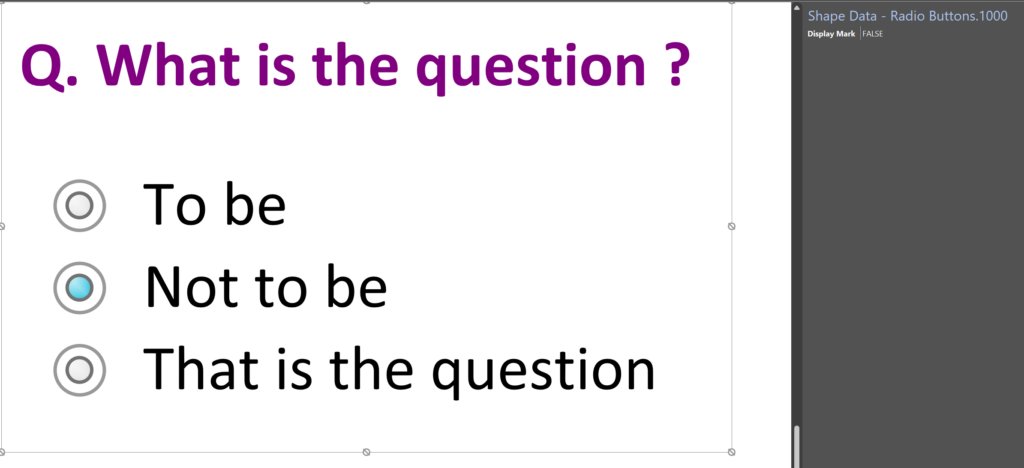
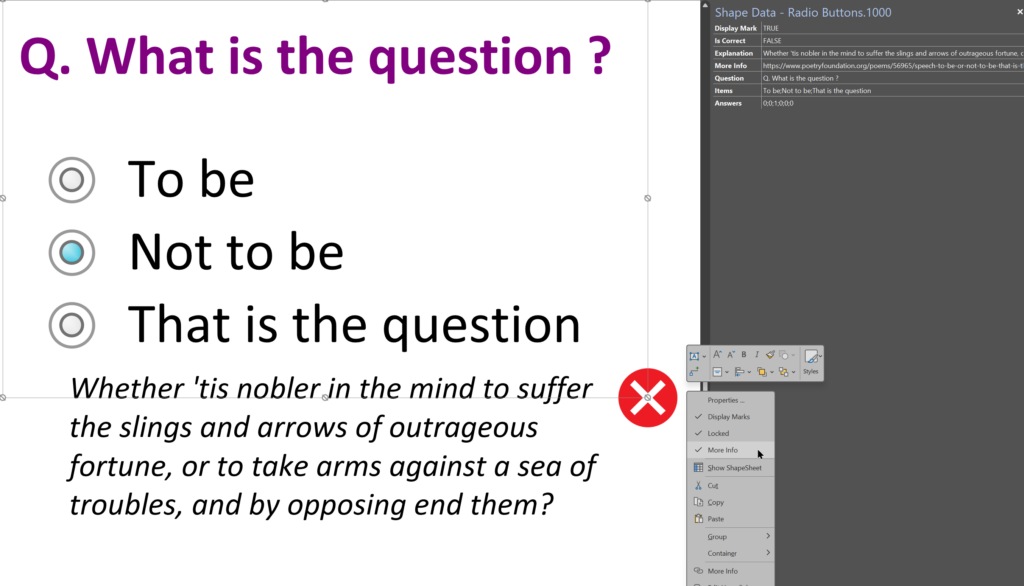
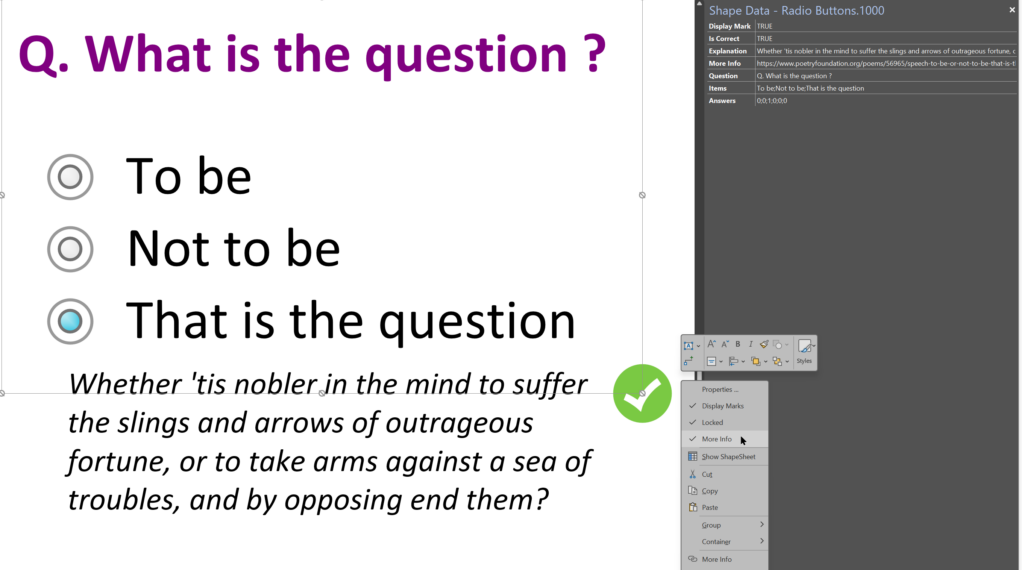
A recent project requires an interactive tutorial within Microsoft Visio desktop where a lot of the questions need a single answer using radio buttons, or multiple-choice answers using check boxes. I thought that this would be a great use of the list containers capability because the questions and answers could be part of the container shape whilst the individual questions are presented as items in the list and automatically inheriting their particular question text from the containing list shape. So, this article provides these smart master shapes, and explains how they are built.

  • In Tutor mode, the Questions, Answers, Explanation and More Info can be edited
  • In normal mode, the Questions are presented unmarked and without explanation
  • Incorrect answers are marked with a red cross. An explanation and optional more info hyperlink is available
  • Correct answers are marked with a green tick. An explanation and optional more info hyperlink is available.
[Read more…] about Smart Radio Buttons and Check Boxes in Visio

Filed Under: Containers, Lists, Shape Data, Shape Design, ShapeSheet Formulas Tagged With: Shape Data, ShapeSheet, ShapeSheet Functions, Visio

Published on March 1, 2025 by David Parker

Using Button Face Ids in Visio

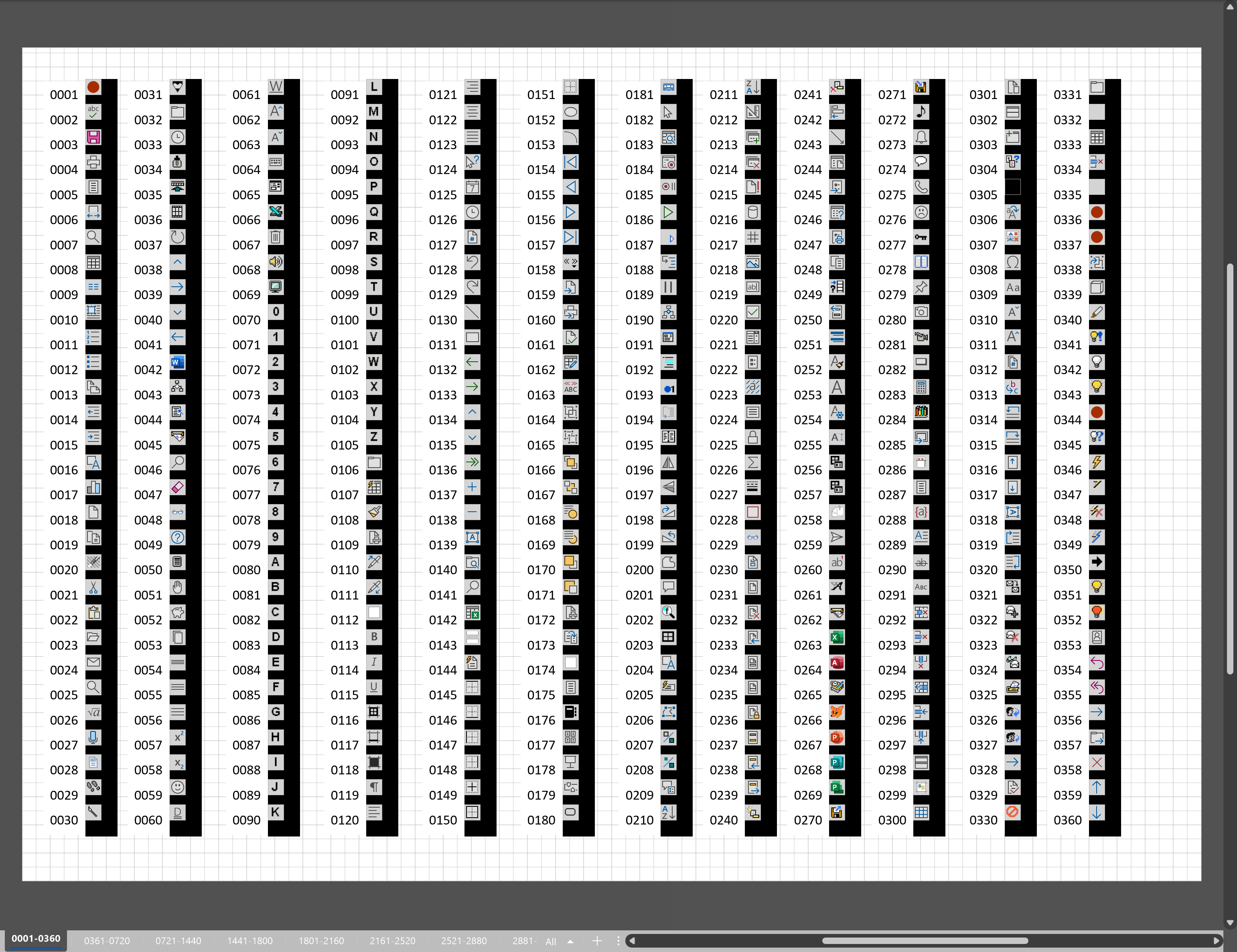
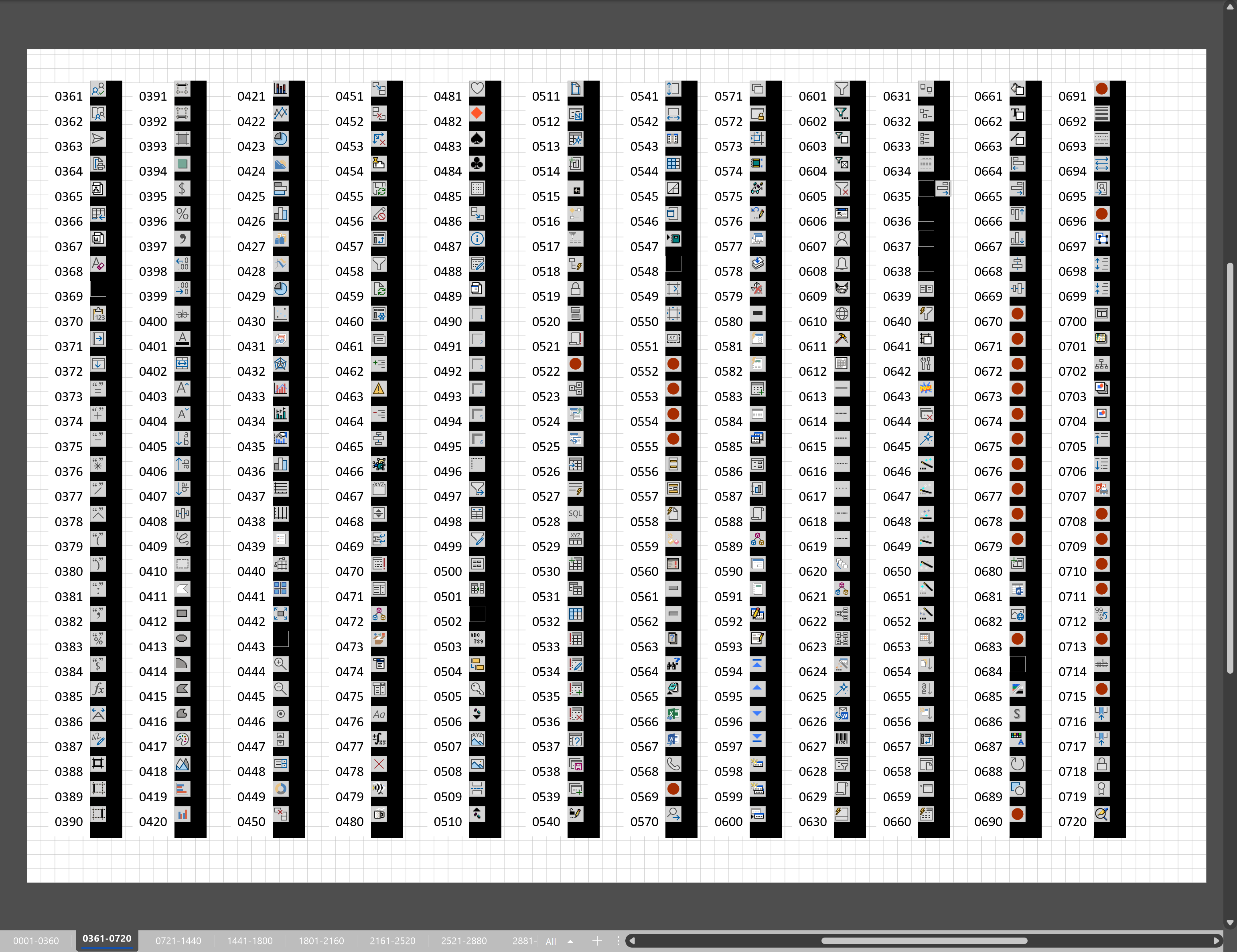
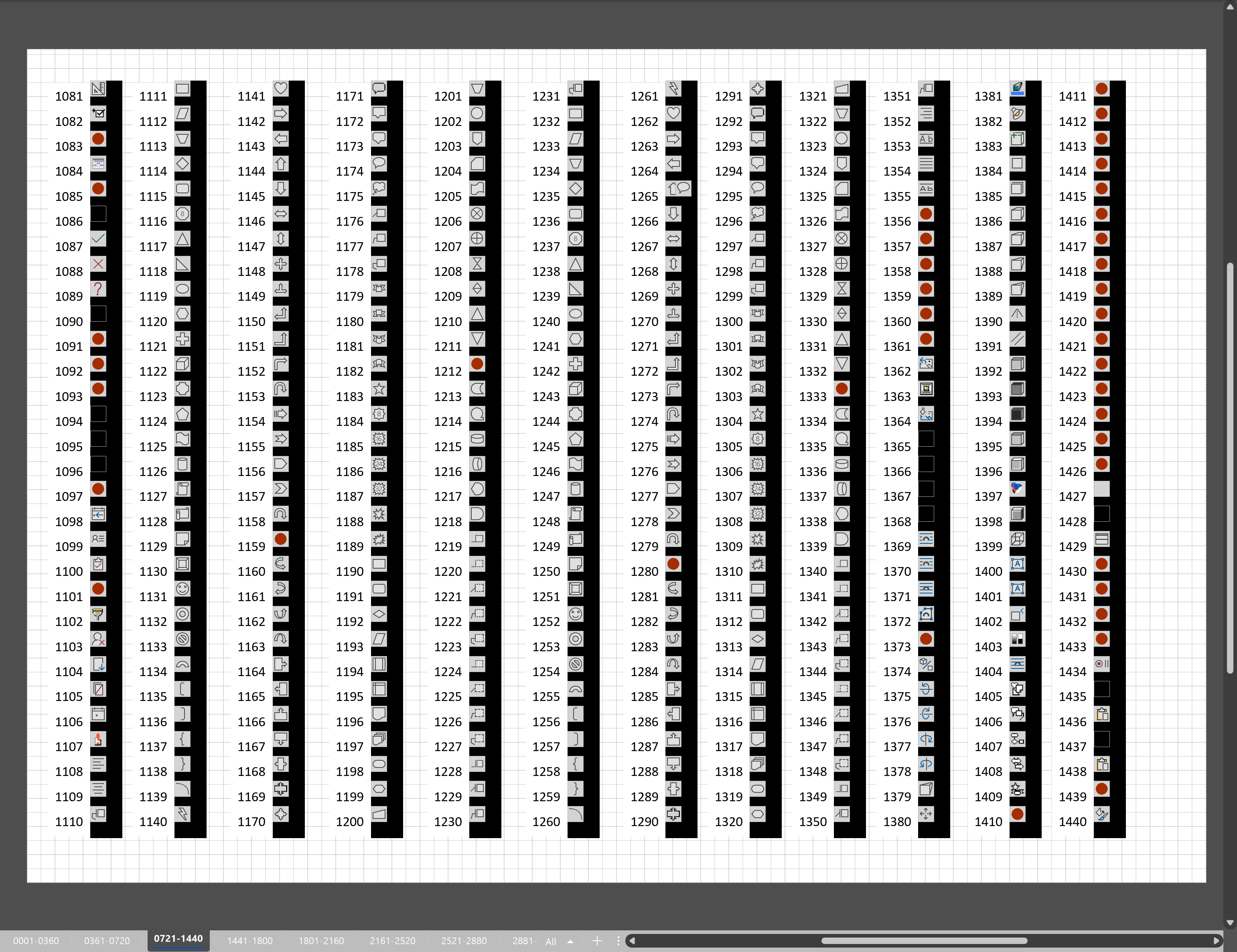
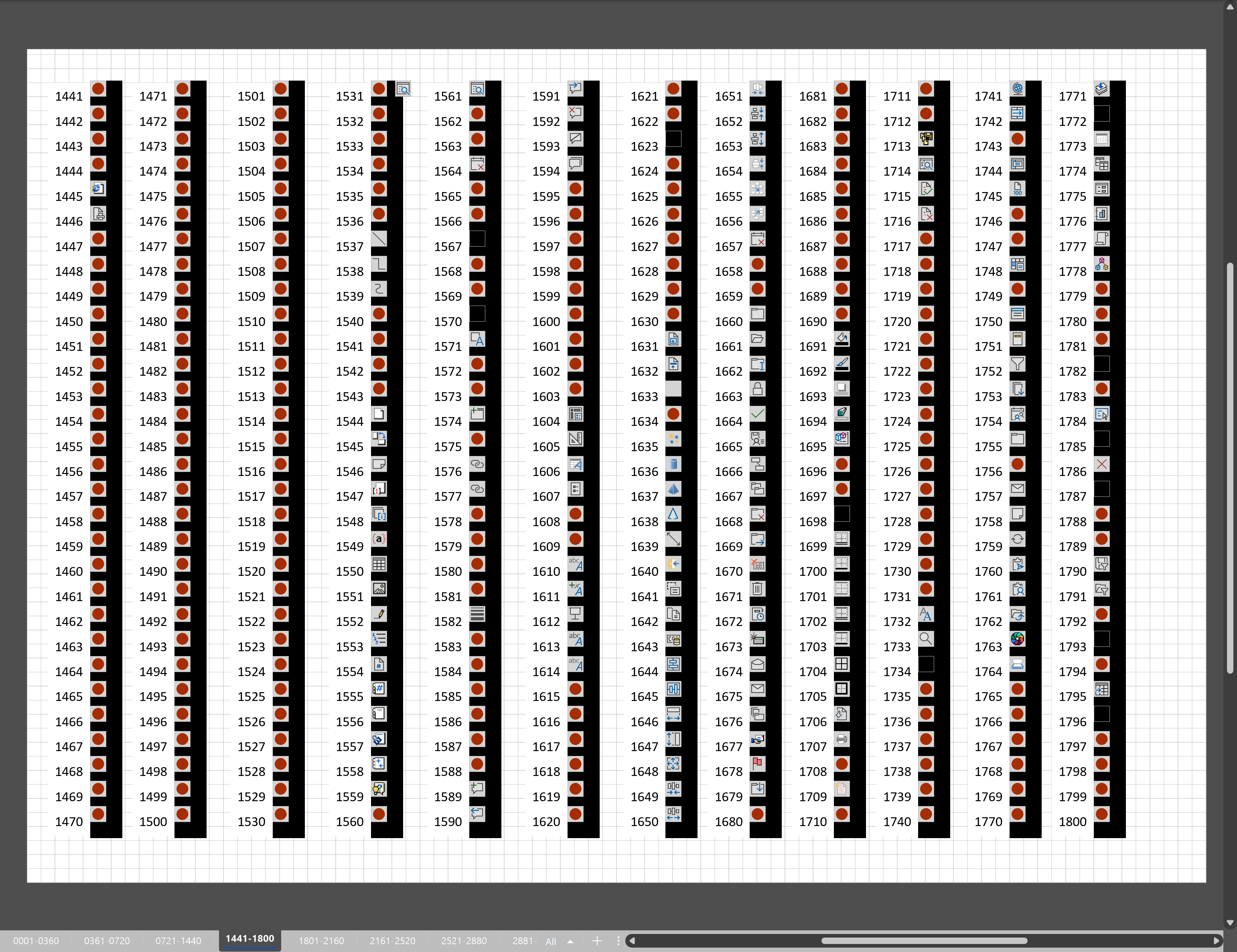
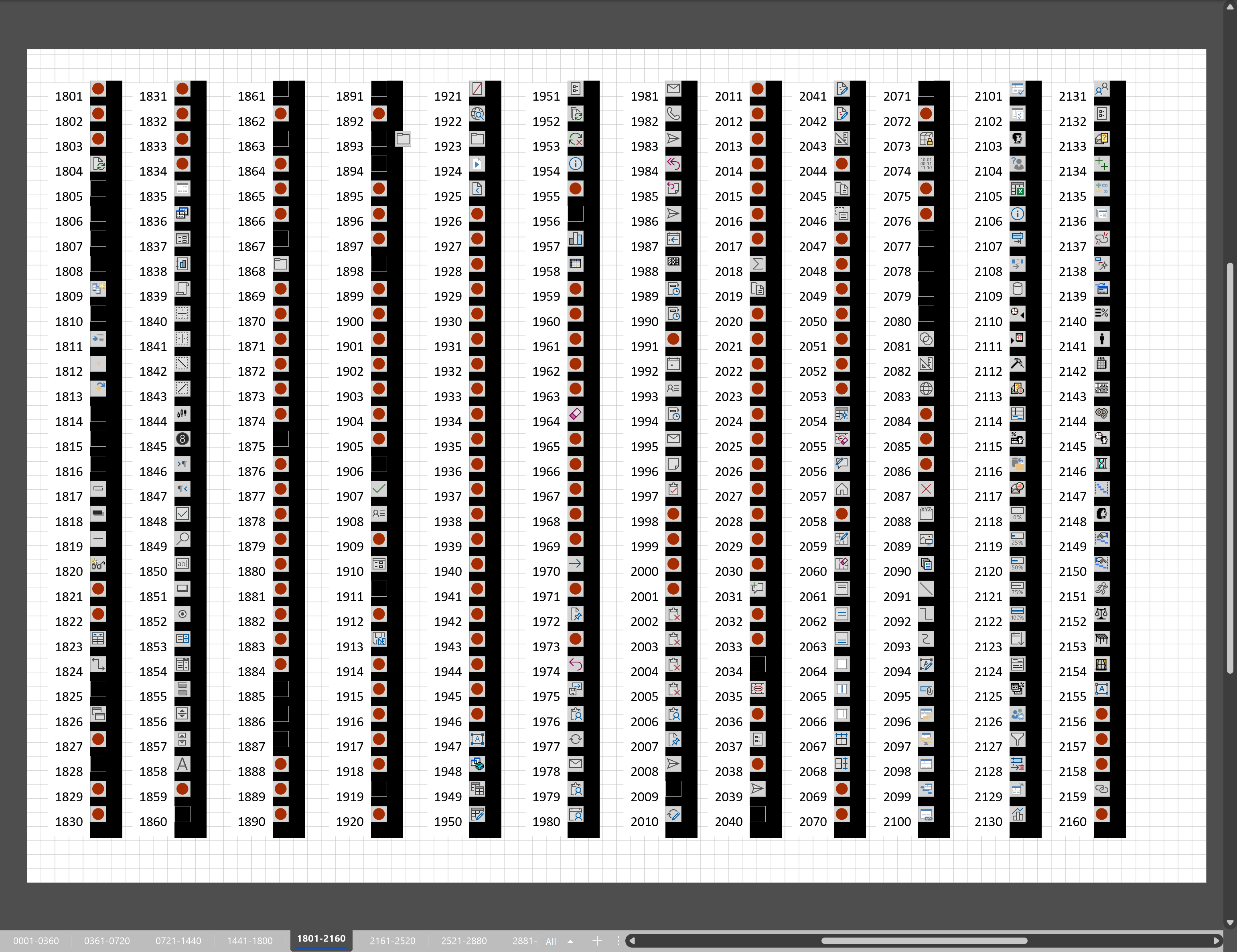
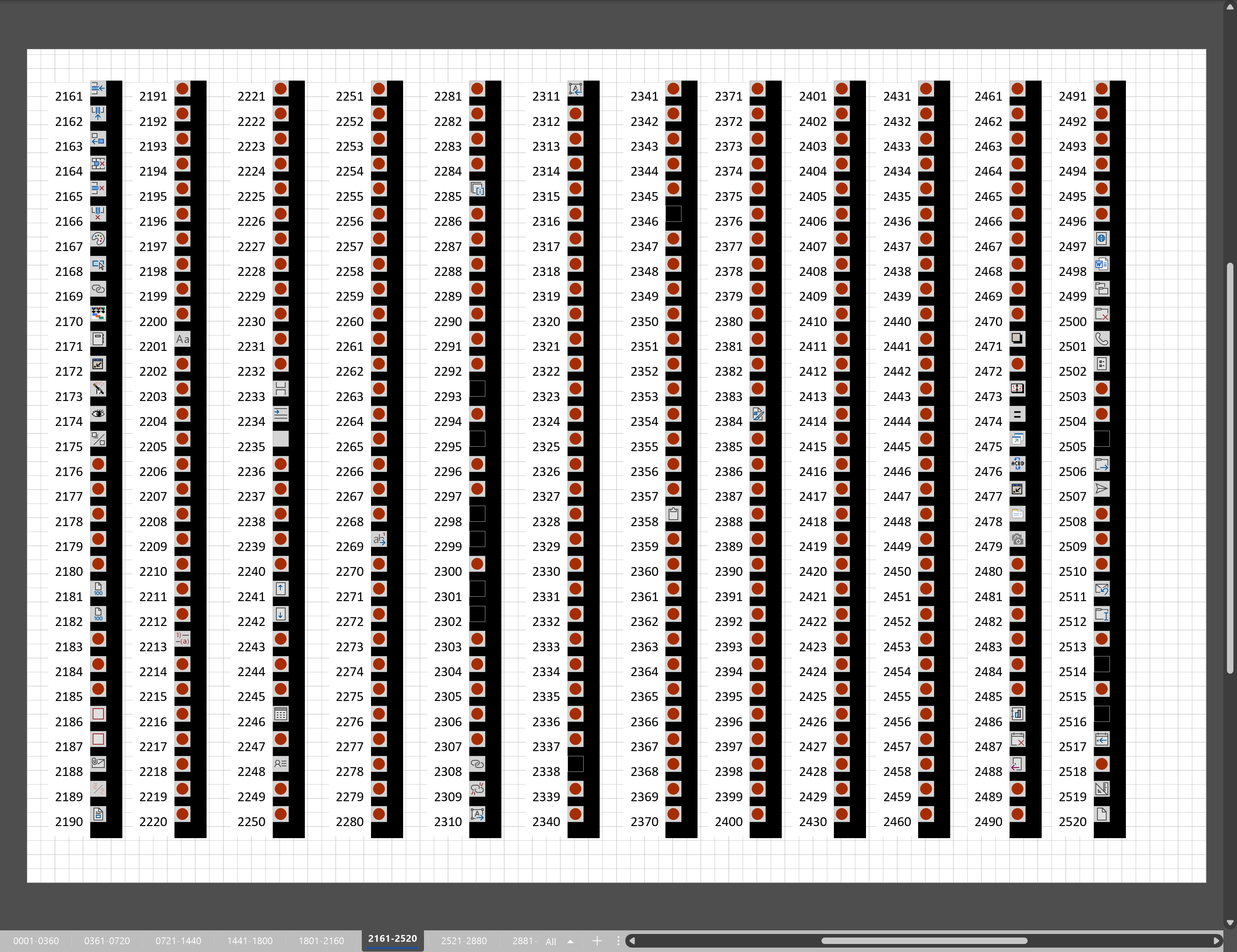
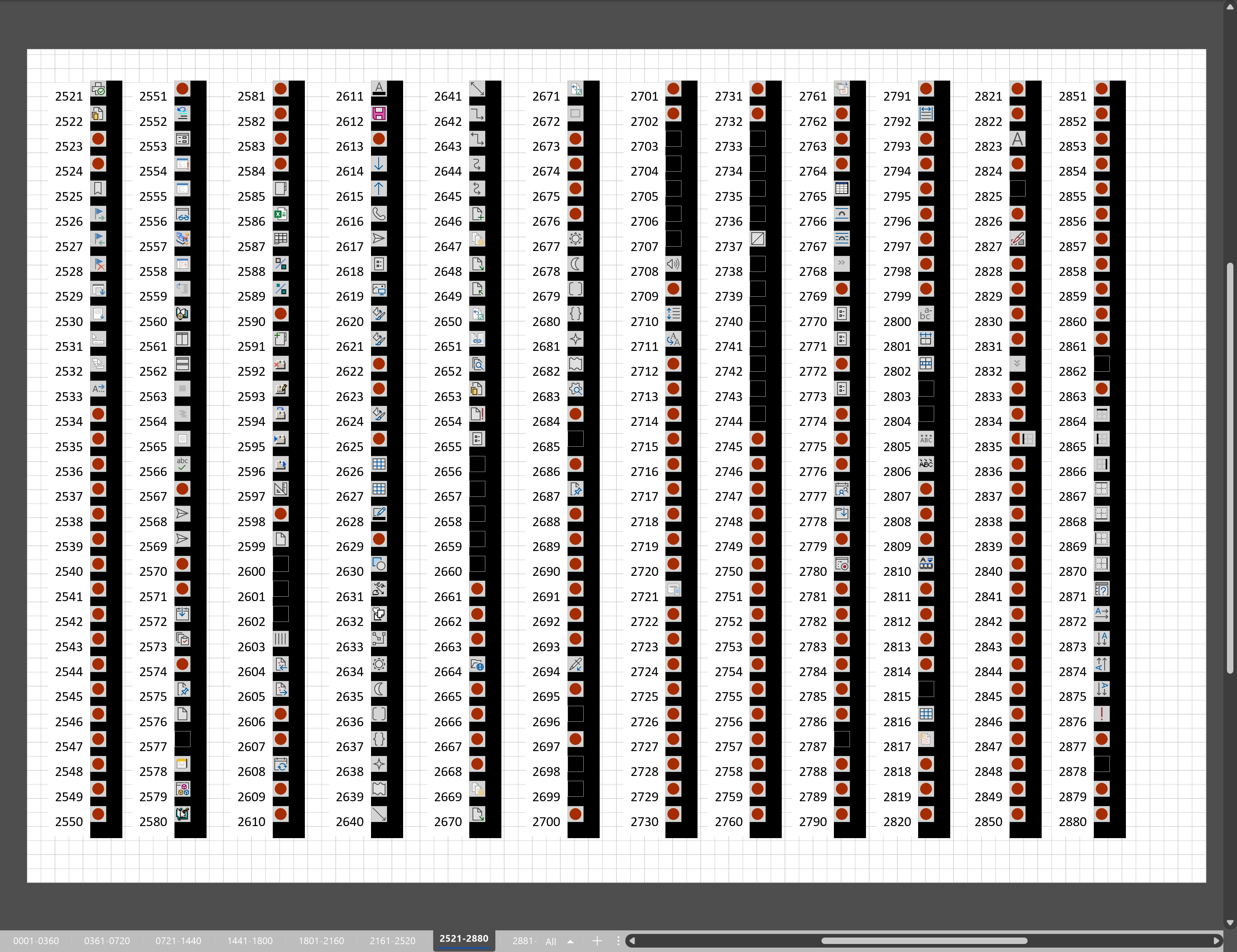
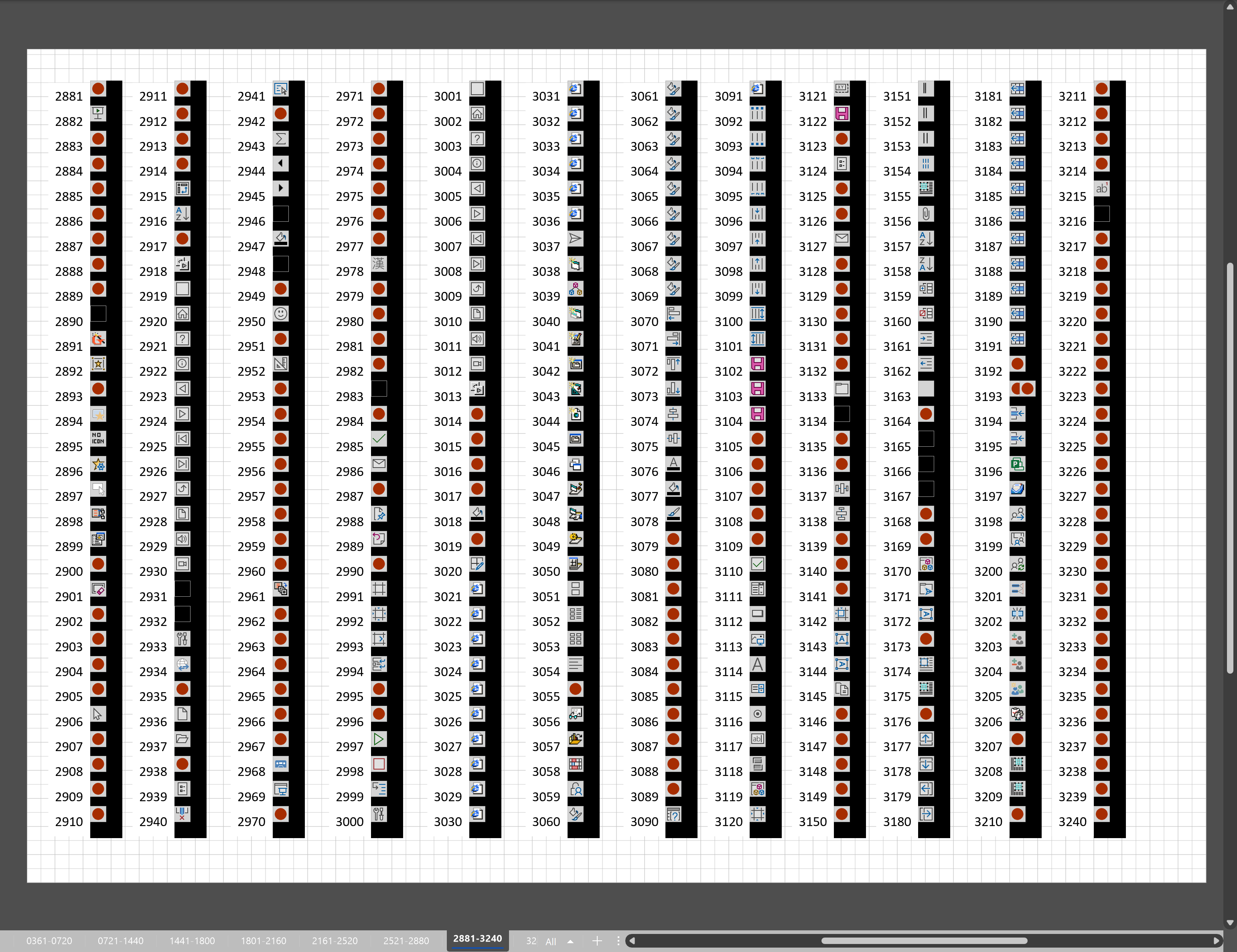
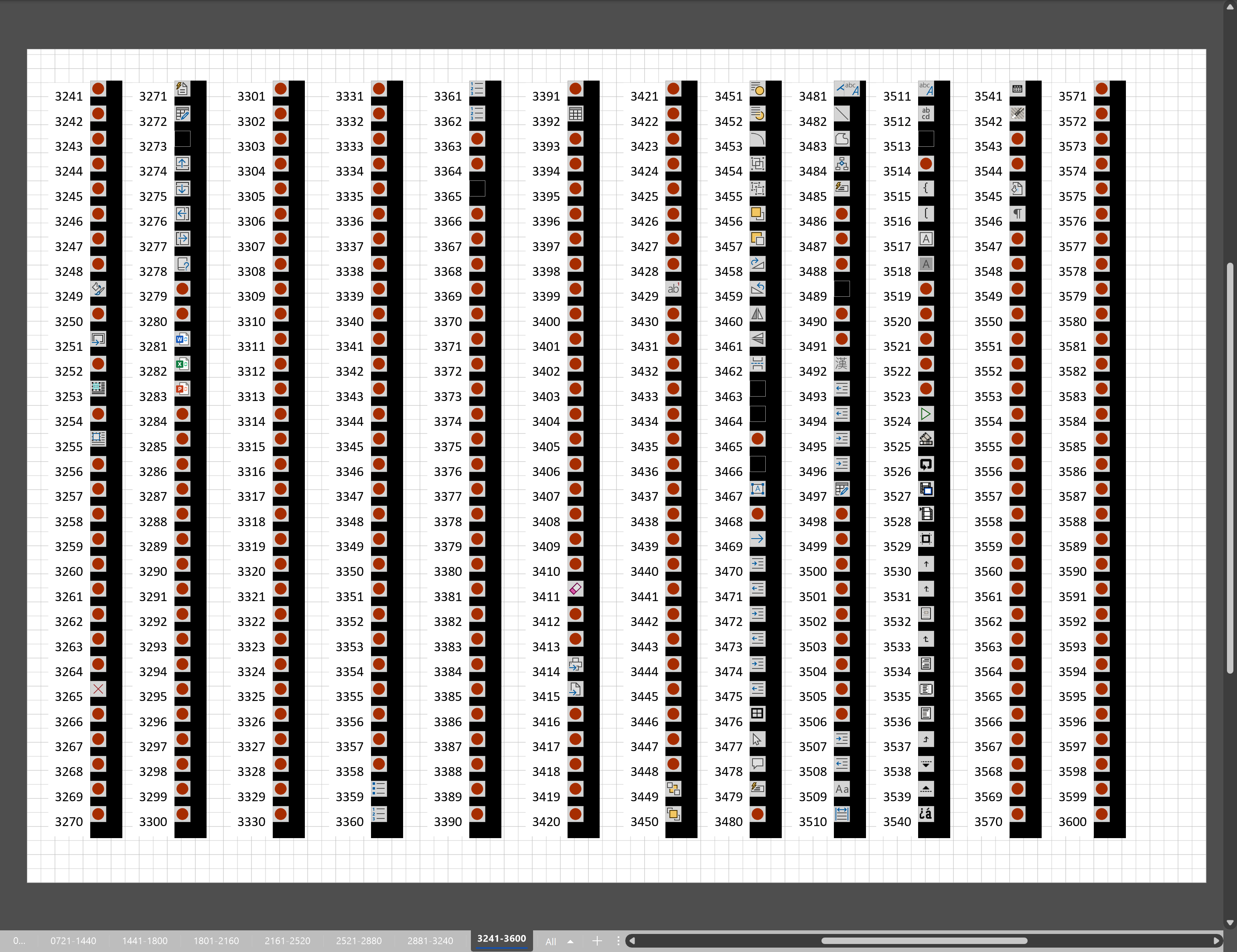
Microsoft Visio desktop has the ability to display icons from a built-in list of Office icons on Actions and Action Tags (nee Smart Tags). These can be set in the ShapeSheet by using the desired number from several thousand in the ButtonFace cell. Although there is the ability to add better icons using code, the quick ShapeSheet formulas are useful way of indicating the purpose of a command. This article simply lists the first 3,600 of these fas a quick and easy reference for me, and othe ShapeSheet disigners out there!

  • Face Ids from 0001 to 0360
  • Face Ids from 0361 to 0720
  • Face Ids from 0721 to 1400
  • Face Ids from 1441 to 1800
  • Face Ids from 1801 to 2160
  • FaceI ds from 2161 to 2520
  • Face Ids from 2521 to 2880
  • Face Ids from 2881 to 3240
  • Face Ids from 3241 to 3600
[Read more…] about Using Button Face Ids in Visio

Filed Under: ShapeSheet Formulas, Uncategorized, Visio for Desktop Tagged With: ShapeSheet Functions, Visio

  • Page 1
  • Page 2
  • Page 3
  • Interim pages omitted …
  • Page 19
  • Go to Next Page »

Primary Sidebar

  • LinkedIn
  • Twitter

Recent Posts

  • A visual exploration of Penrose Tiling in Visio
  • How SVG in Visio can cause a Shape.BoundingBox(…) error
  • Post-Processing Paste from Clipboard in Visio
  • Are Master Shortcuts useful in Visio?
  • Jumping between Shapes in Visio

Categories

Tags

Accessibility Add-Ins Connectors Containers Data Export Data Graphics Data Import Data Visualizer Educational Excel GraphDatabase Hyperlinks Icon Sets JavaScript LayerManager Layers Legend Link Data to Shapes Lists MSIgnite MVP Office365 Org Chart PowerApps PowerBI PowerQuery Processes Shape Data Shape Design ShapeSheet ShapeSheet Functions SharePoint 2013 SQL Teams Validation VBA Video Visio Visio 2007 Visio for the desktop Visio for the Web Visio Online Visio Services Visio Viewer Webinar

Footer

bVisual Profile

The UK-based independent Visio consultancy with a worldwide reach. We have over 25 years experience of providing data visualization solutions to companies around the globe.

Learn more about bVisual

  • Amazon
  • E-mail
  • Facebook
  • LinkedIn
  • Twitter
  • YouTube

Search this website

Recent posts

  • A visual exploration of Penrose Tiling in Visio
  • How SVG in Visio can cause a Shape.BoundingBox(…) error
  • Post-Processing Paste from Clipboard in Visio
  • Are Master Shortcuts useful in Visio?
  • Jumping between Shapes in Visio

Copyright © 2026 · Executive Pro on Genesis Framework · WordPress · Log in